Windows Firewall
The firewall paper mainly covered about how Windows controls network connections. Inbound rules apply to traffic that is coming into the computer. While outbound rules are applying to traffic leaving it.
I wrote about how allow and block rules work together. An allow rule can make an exception to the default inbound block setting that is there. However, a conflicting block rule will take its priority over that allow rule. So adding an allow rule does not always mean the connection will work.
This paper also covered the Domain, Private and Public profiles in Windows settings. A rule can apply to one profile or several and this matters because a connection needed on a private network might not be something I want to allow over on a public network.
TCP/IP Security Lab
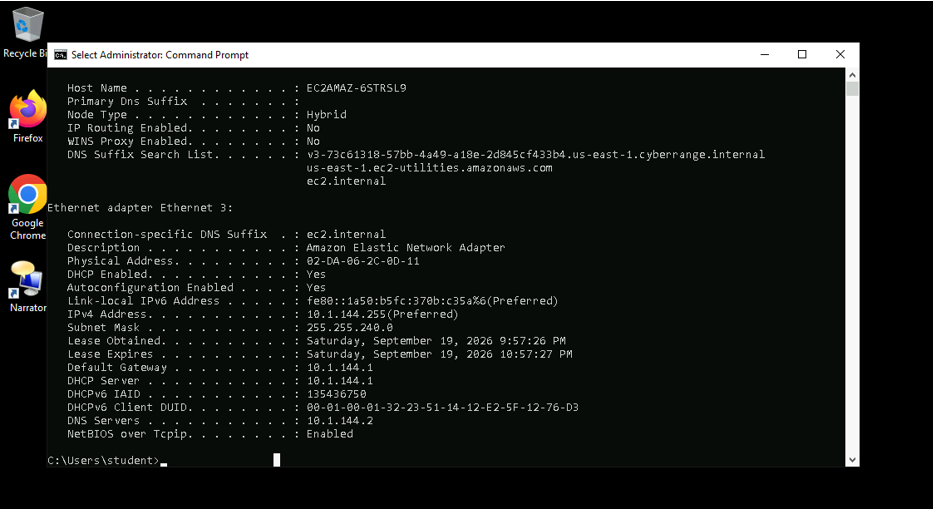
In this lab, I used ipconfig /all to check the computer’s network settings. I also worked with netstat -ano to look at connections and listening ports. The output included process IDs that could be checked with tasklist.
The firewall part of the lab used PowerShell. I reviewed the firewall profiles and worked with a temporary inbound block rule for TCP port 5555. The tasks included checking the rule and removing it after testing.
This lab took place while I was preparing for Security+. It gave me a chance to work with some of the networking and firewall topics I had been studying.
Windows Firewall and Group Policy Lab
I opened Windows Defender Firewall with Advanced Security and checked its three profiles. My report recorded the Domain, Private, and Public profiles as on. I then reviewed existing inbound and outbound rules.
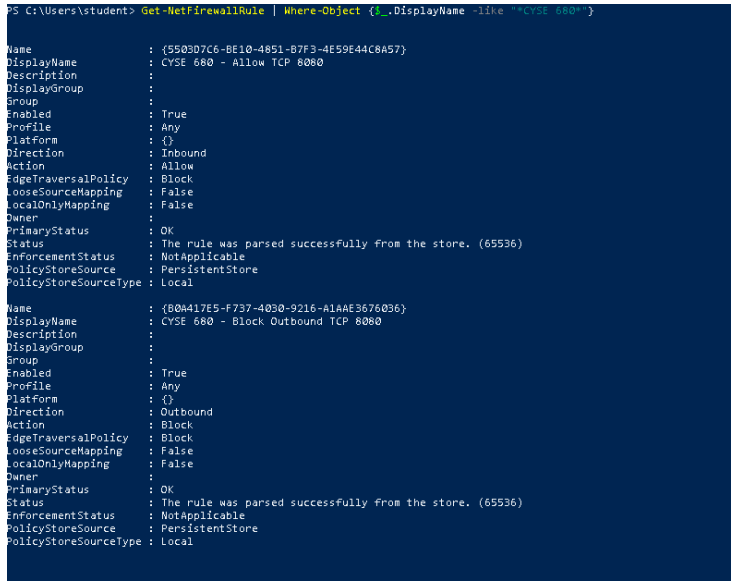
I created an inbound rule allowing TCP traffic on local port 8080. I disabled the rule and enabled it again to see how its status changed. I also created an outbound rule blocking TCP traffic that used local port 8080.
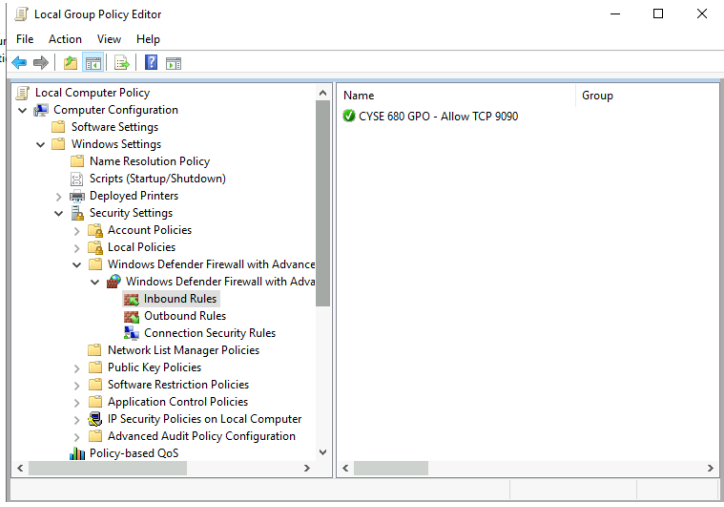
For the Group Policy section, I created a rule allowing inbound TCP traffic on port 9090. This rule applied only to the Private profile. I ran gpupdate /force and used PowerShell to review the profiles and lab rules.
The lab also had me temporarily disable the Private firewall profile inside the VM. I turned it back on afterward immediately because the risk concern is high if it is disabled. The final task covered removing the temporary rules used during testing.
What I Learned
Disabling one rule is different from disabling a firewall profile. When I disabled the rule, that rule stopped applying. Turning off the profile removed firewall protection for connections using that profile.
I had trouble finding the Group Policy settings at first. The instructions included a Policies folder that was not shown in Local Group Policy Editor. Once I found the correct path, I could continue with the rule.
The port settings also needed careful attention to my knowledge. My outbound rule used local port 8080. That is different from blocking connections to port 8080 on another computer.
What I Took Away
These labs gave me practice with checking rules instead of only reading about them and not doing anything. I could look at a rule in the console and then find it through PowerShell.
If a connection is blocked I would check the active profile and the rules that are applied to it. I would not turn off the whole firewall just to get the connection working. I would look for the setting causing the problem first.
Research Paper and Lab Reports
Windows Firewall Research Assignment
Windows TCP/IP Security – Lab 2
Windows Firewall and Group Policy – Lab Report