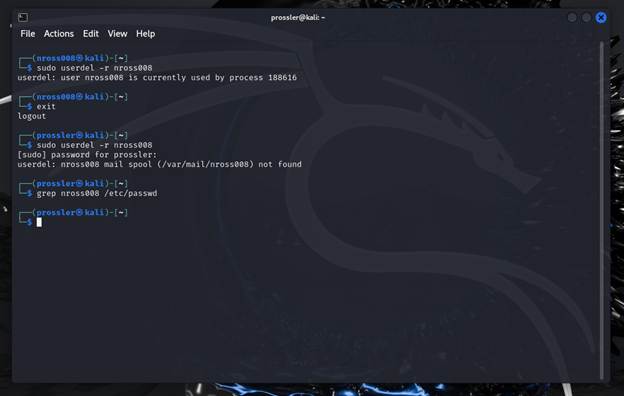
This assignment focused on managing users and groups in a Linux environment. I practiced creating and managing user accounts, organizing users into groups, and working with permissions to control access to files and resources. This artifact demonstrates my understanding of Linux user management and the importance of access control in protecting systems from unauthorized access.
Task A:
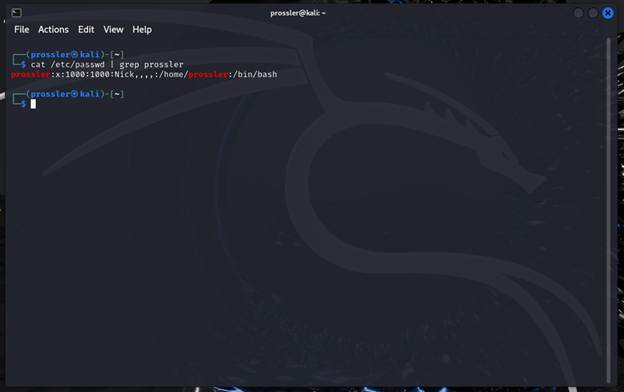
1. Opened the terminal and used cat to grab the passwd file paired with grep to a specific user.
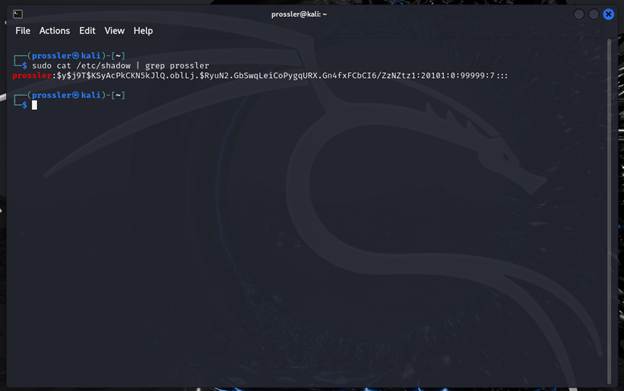
2. Ran cat to the shadow file with sudo to be able to access it, paired with grep to grab a specific user.
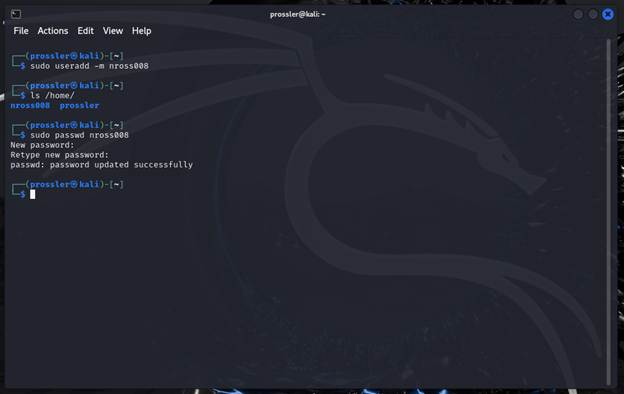
3 & 4: sudo useradd with the option -m to add the user and make home directory. Then sudo passwd for step four to create the password for the new account.
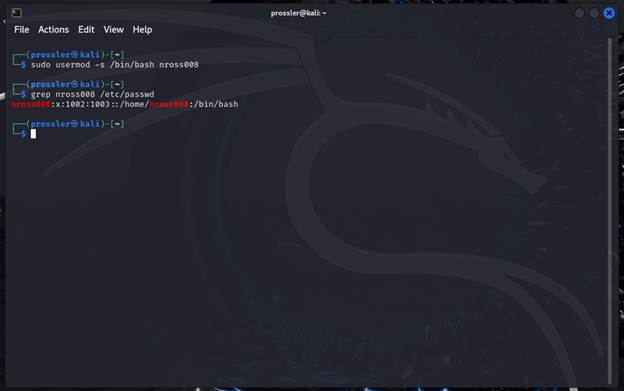
5. sudo usermod with the -s option to specify change in shell to /bin/bash. Afterwards grep the user in the passwd file to verify that the end of the line says /bin/bash to confirm change.
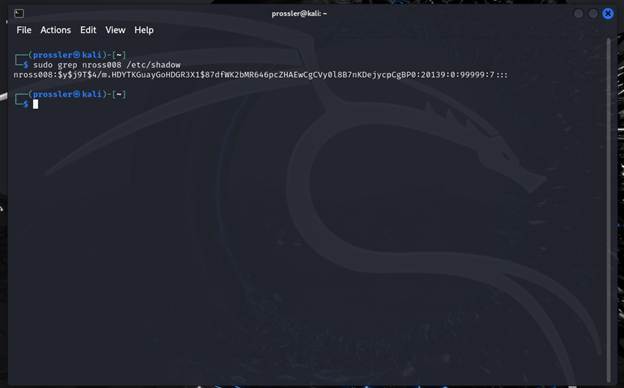
6. sudo grep the shadow file for nross008 to find the encrypted password and password aging.
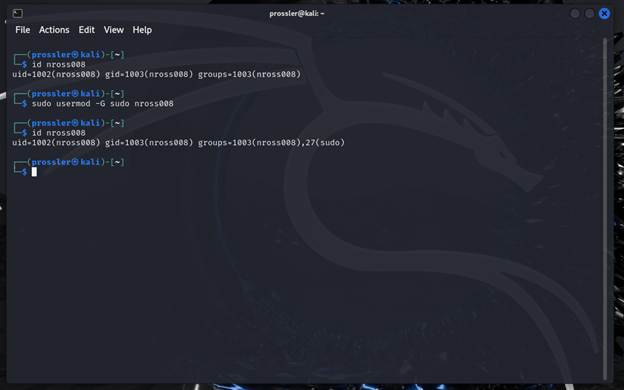
7. sudo usermod is done with option -G to add nross008 to the sudo group without any changes to the existing groups they are apart of.
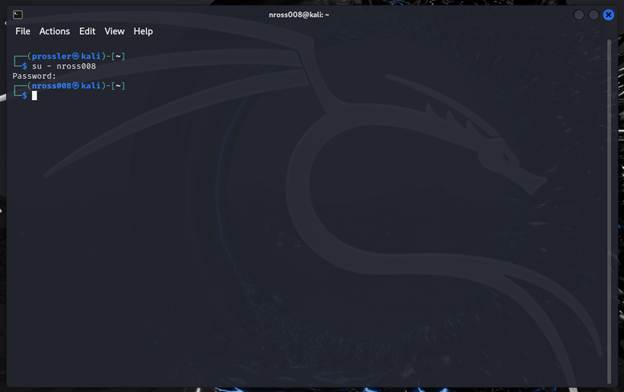
8. su -nross008 is executed to change into the said user.
Task B:
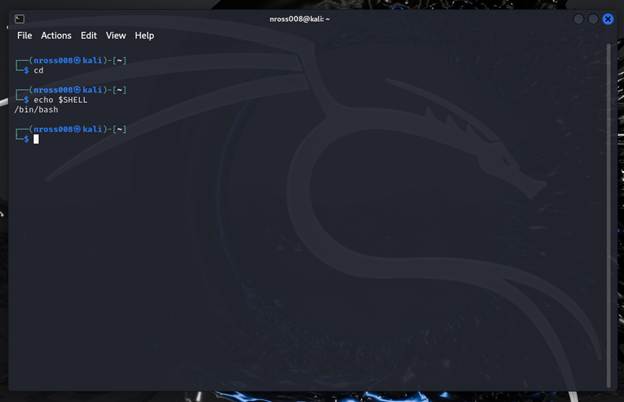
1. cd to return to home, then echo the shell back to see the shell being used.
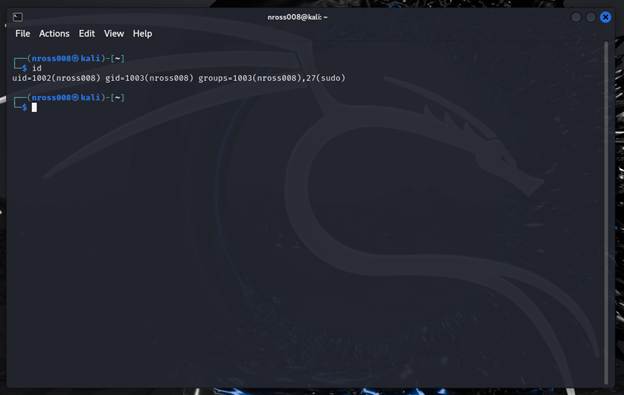
2. id is ran to see the UID along with current groups.
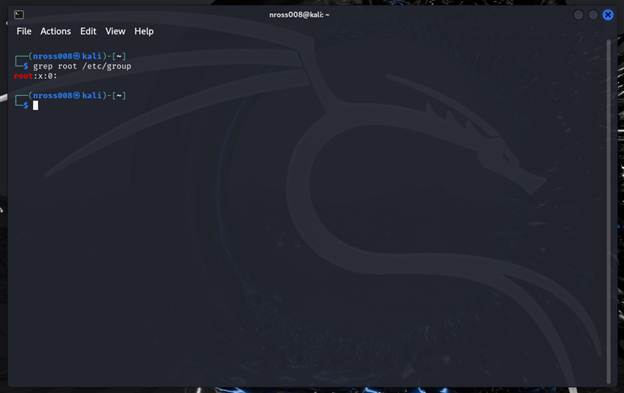
3. grep root is ran to the /etc/group file to see the root users groups.
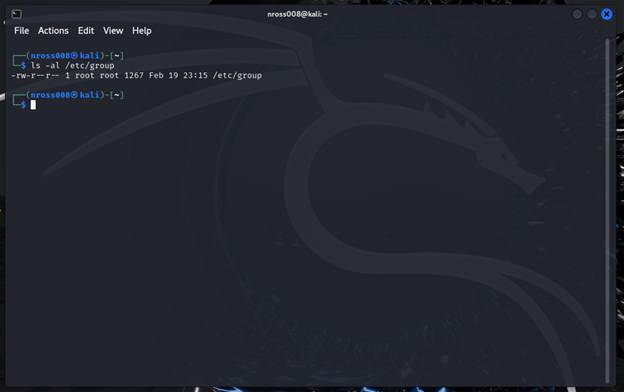
4. ls -al is ran to see the user and group owners of the /etc/group file. Root would be the user and group owner.
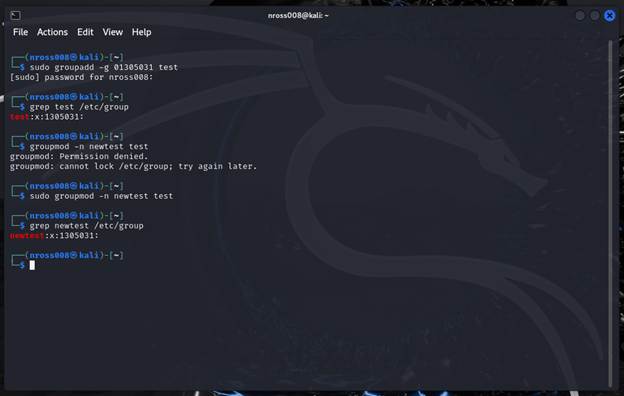
5 & 6 & 7. Sudo groupadd -g to add the GID is ran for step 5. Afterwards grep test in the /etc/group file is ran to make sure the group was created. Step 7 used groupmod -n to change the name of the group.
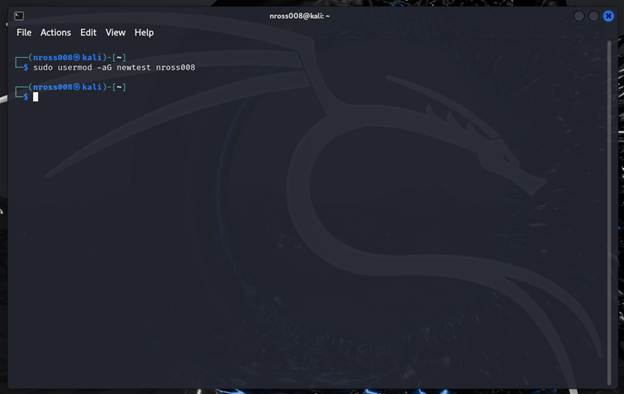
8. sudo usermod with the options -aG to add the account the group newtest without changing of the current group permissions.
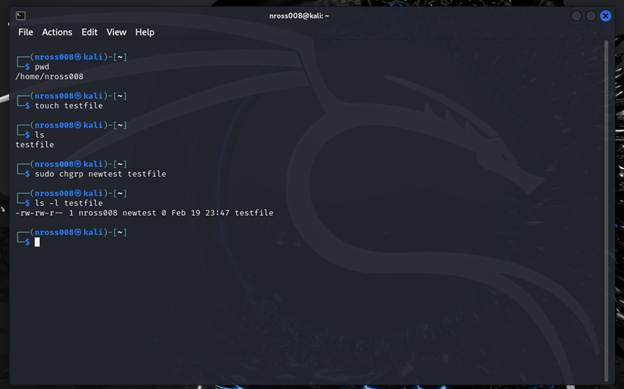
9 & 10. touch is ran to create the new file testfile in the home directory. Chgrp is used with sudo to change the group ownership of the file. For Step 10 ls -l is ran to see the user and group owners of the file.
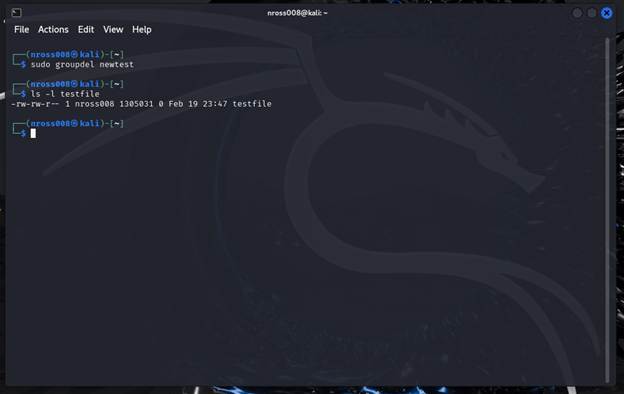
11. sudo groupdel is ran to delete the group newtest. After ls -l is ran to see that the group owner has changed from newtest to the GID that it was assigned when it was created.
12. sudo userdel with the option -r is ran to also delete the mail spool and the users home directory along with the user.