This assignment focused on network reconnaissance and firewall configuration. I used nmap to identify open ports and gather information about a system, then used pfSense to configure firewall rules to block specific network traffic. This artifact demonstrates my ability to identify potential security risks and apply security controls to help protect systems from unauthorized access.
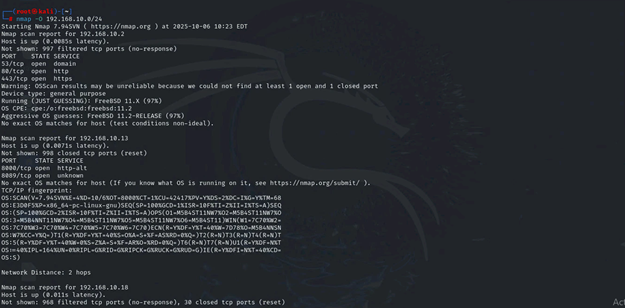
Ran an “nmap -O” on the subnet to scan all the online machines and find the open ports along with the services and software that could be found.
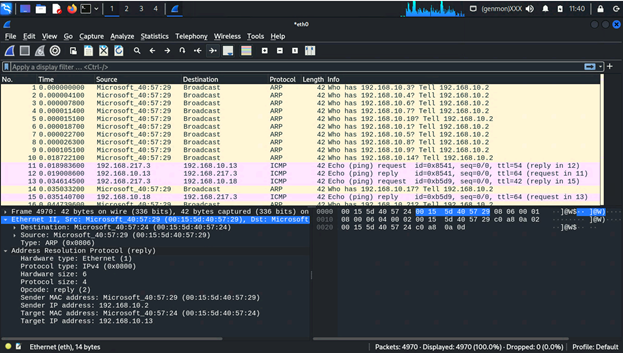
The first thing noticed when looking at the captured packets from the nmap scan is the ARP requests. The machine broadcasted a wide range of ARP request to see if any machines would respond to IP addresses that it was requesting. The next pattern noticed was a long string of TCP packets, a lot of them were red and with further looking into contained the “flag 0x014”, meaning the connection was closed or rejected.
The next pattern after all the rejected TCP connections, was a small string of ICMP request between two machines. After further looking into the ICMP request and responses came from the Internal Kali machine along with the Ubuntu machine responding to the external kali request. The machines would continue sending packets in rejected TCP connections, with very few UDP packets being sent from external kali to the ubuntu machine. The machines would have a few more interactions on ICMP ping request, but the request would stop when internal kali would reach an unreachable port while trying to ping to external kali.
The collection of packets end with a final ARP request broadcast from internal kali looking for a response from 192.168.10.2, and a response from that machine to the ARP broadcast.
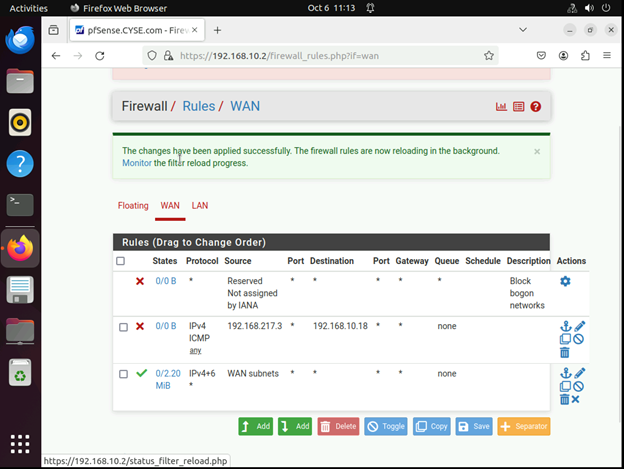
Configure the pfSense firewall rule to block the ICMP traffic from External Kali to Ubuntu VM.
| Rule # | Interface | Action | Source IP | Destination IP | Protocol (port # if appliable) |
| 1 | WAN | Block | 192.168.217.3 | 192.168.10.18 | ICMP |
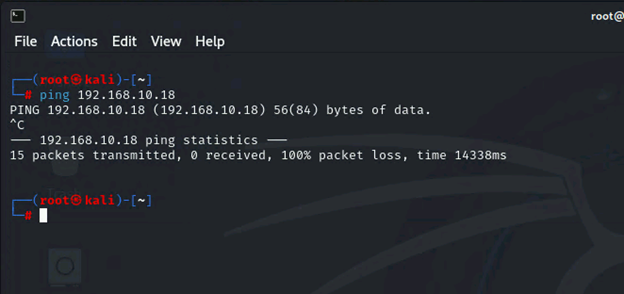
Clear the previous firewall policies and configure the pfSense firewall to block all ICMP traffic from External Kali to the LAN side.
| Rule # | Interface | Action | Source IP | Destination IP | Protocol (port # if appliable) |
| 2 | WAN | Block | 192.168.217.3 | LAN Subnets | ICMP |
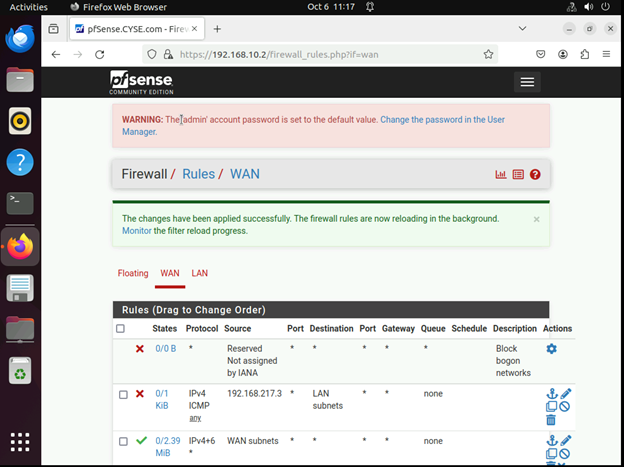
Pinging three different machines in the network
Clear the previous firewall policies and configure the pfSense firewall to block ALL traffic from External Kali to the LAN side, except for the FTP protocol towards Ubuntu.
| Rule # | Interface | Action | Source IP | Destination IP | Protocol (port # if appliable) |
| 2 | WAN | Block | 192.168.217.3 | LAN Subnet | Any |
| 1 | WAN | Allow | 192.168.217.3 | 192.168.10.18 | TCP (FTP 21 Specified in Destination Port Range) |
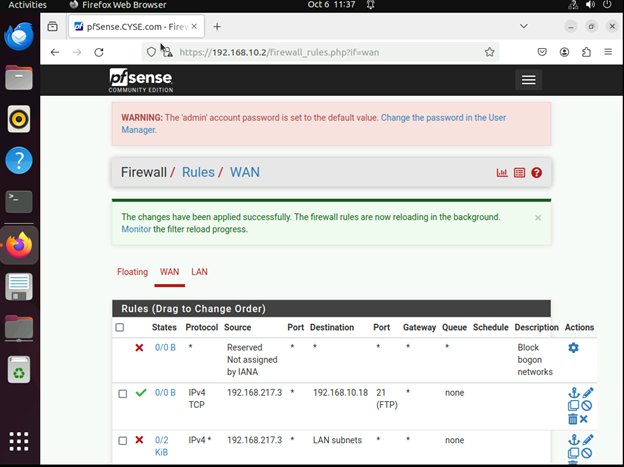
Ping traffic blocked, FTP to the Ubuntu Machine allowed
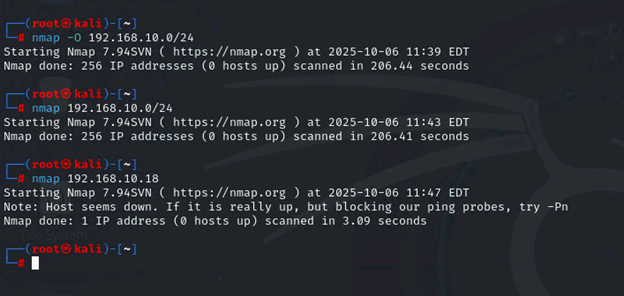
Keep the firewall policies you created in Task B.3 and repeat Task A.1. What’s the difference?
After scanning the network and individual IP address to make sure I was scanning everything, nothing was returned. It said that 0 hosts were up regardless of how I scanned the network.