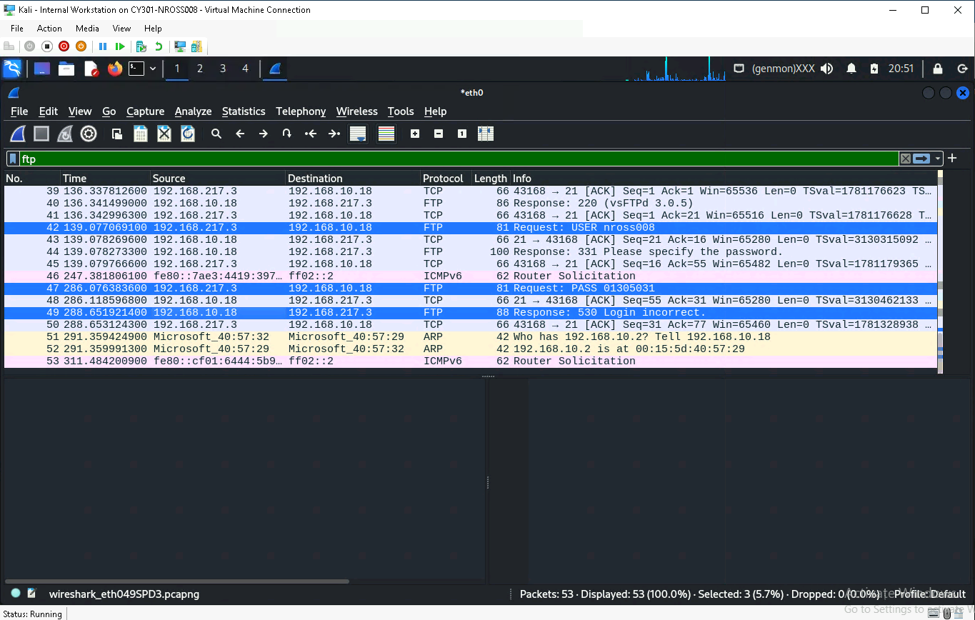
This assignment focused on network traffic tracing and analysis using Wireshark. I captured and filtered network packets to examine the information being transmitted across a network and explored how unencrypted protocols can expose sensitive information, such as login credentials. This artifact demonstrates my ability to analyze network traffic and recognize potential security risks coming from insecure communication protocols.
Task A:
Question 1: 140 packets captured total.
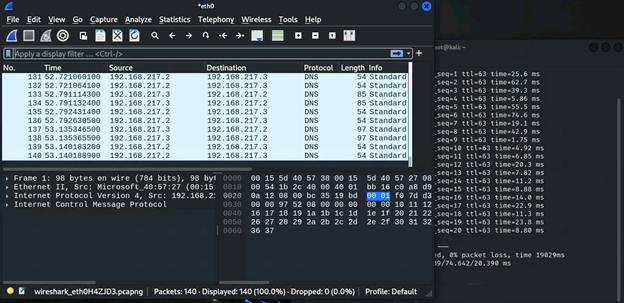
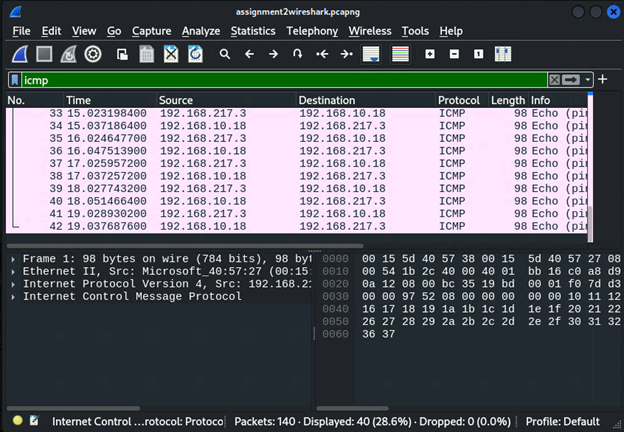
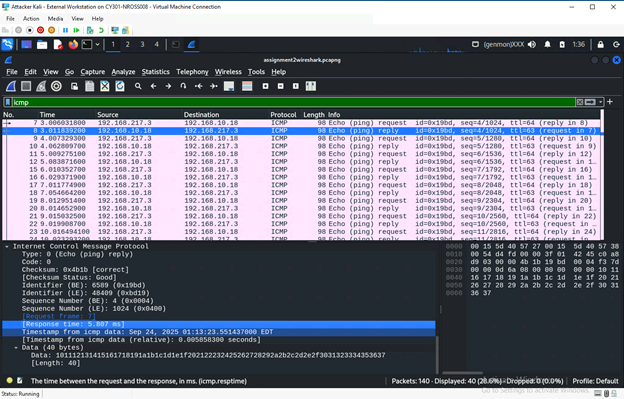
Question 2: 40 ICMP packets captured.
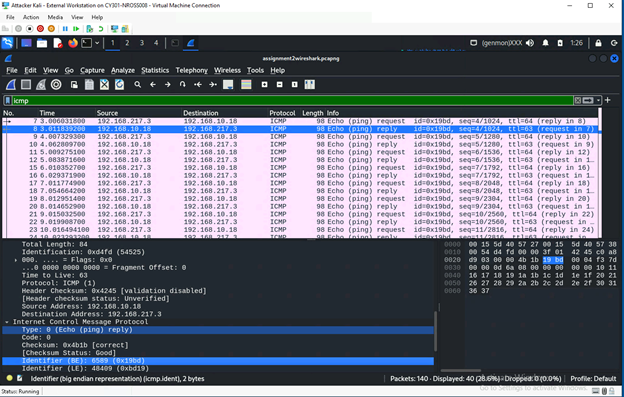
Question 3: Source IP: 192.168.10.18 Destination IP: 192.168.217.3 Sequence Number: 4
Data Length: 40 bytes, the frame length is 98 bytes Response Time: 5.807
Question 4: 96 DNS packets displayed
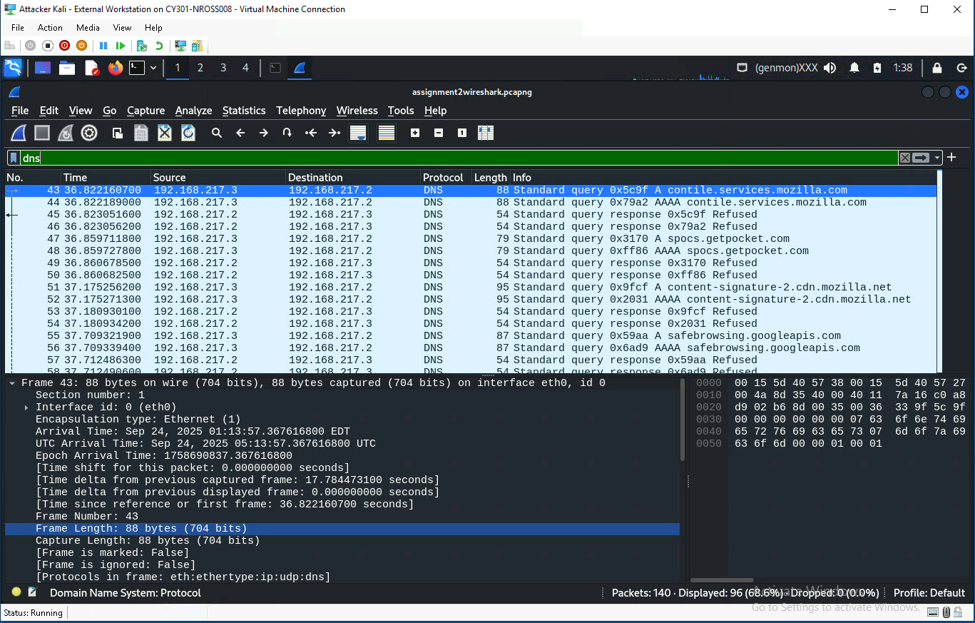
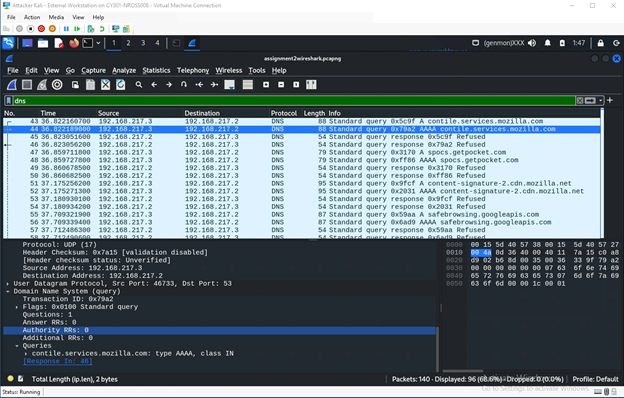
Question 5: Domain Name: Mozilla Source IP & Port Number: 192.168.217.3:46733 Destination IP & Port Number: 192.168.217.2:53
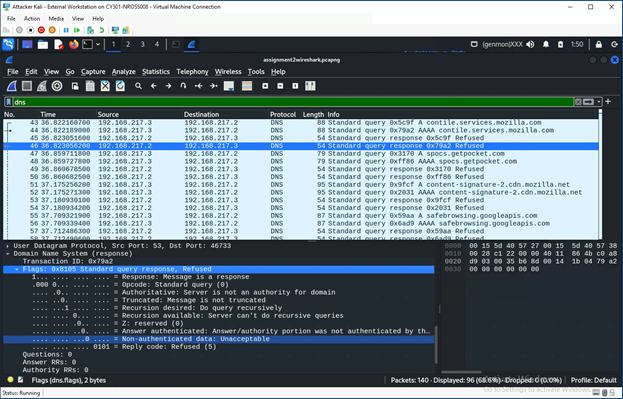
Question 6: Source IP and Port Number: 192.168.217.2:53 Destination IP and Port Number: 192.168.217.3:46733 The message stated that the request was refused, stating server is not an authority for domain.
Task B:
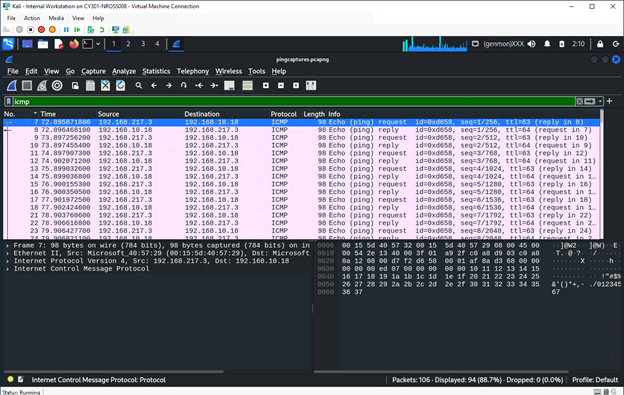
Step 1A: Used ICMP filter in wireshark to display ICMP traffic.
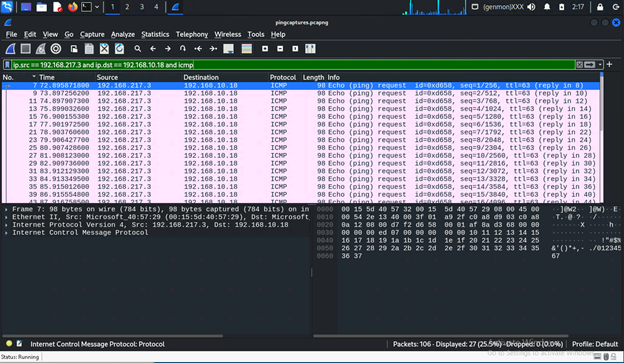
Step 1B: Used “ip.src” “ip.dst” “icmp” filters to filter out ICMP request from external kali VM to Ubuntu VM
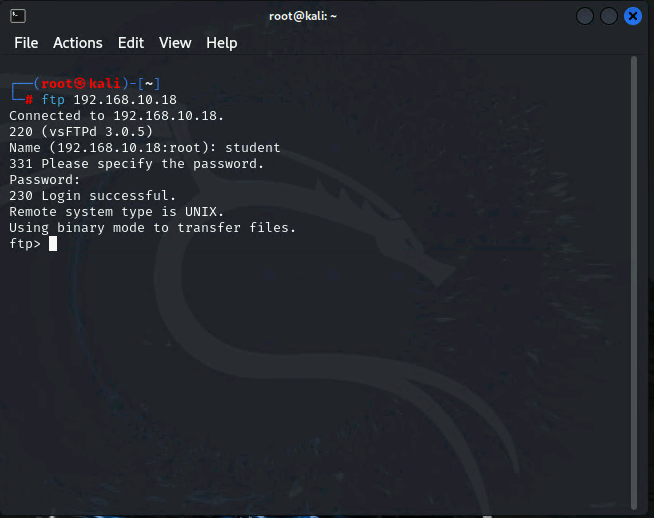
Step 2A:
Step 2B: I filtered for FTP traffic where I saw the request for password. From there you can see the return password being put in.
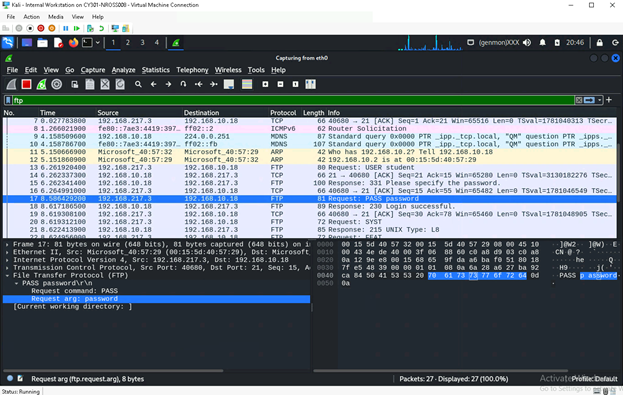
Step 2C: The highlighted packets show my username packet first, password packet second, and the login request being incorrect last.