This page is meant as a larger display of the skills I have used and developed over the course of my college education, my career, and my life. If you have any questions or would like more information, please contact me from the tab above!
IT Management
-Construction, Deployment, and Use of a Virtualization Server-
After doing some upgrades to my desktop PC in January 2023, I was left with some hardware from my original build in January 2019. This included a Gigabyte X470 motherboard, 16 gigabytes of DDR4 memory, and a Ryzen 2700X cpu. While several years old at the time, these parts still had (and have) a lot of life in them. So I decided to build my own server.
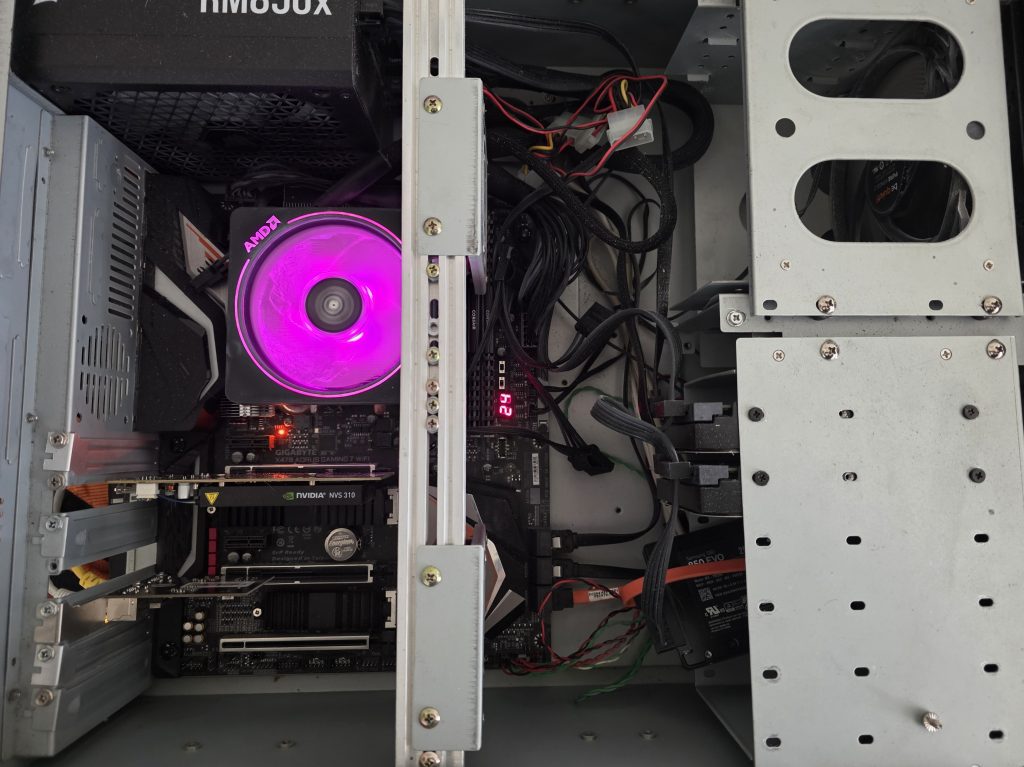
At the time I wasn’t sure what I wanted the server to do, so I began researching some of the best implementations of this hardware. Falling through the rabbit hole, I began to form a plan around a rather powerful and common use case. A vitualization server.
Using a Type 1 Hypervisor, one that runs directly on the PC hardware and not software, this machine could do as many or as few tasks as I would like it to do at any time. Once set up it could be managed on a web page accessible within my home network and would no longer require much physical interaction. And not only that, but it could run anything I could dream of as longer as there were enough resources remaining.
So after obtaining the needed parts and installing the Proxmox hypervisor, I began to build out my server. Several of my services run 24/7 (not counting restarts) and these include my virtualized pfsense router and firewall, my Home Assitant, and my Nas (or Network Attached Storage). Other instances include Kali Linux for class work and occasional play, game servers I can spin up when needed, and a few other testing areas to prevent damage to needed software or hardware.
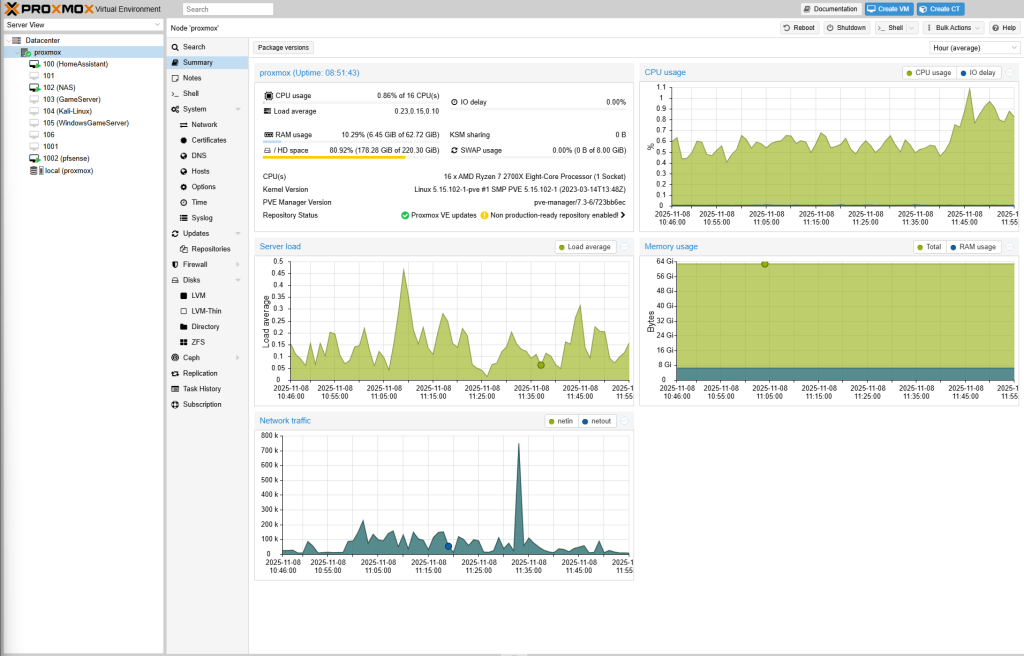
This server project has taught me a wide range of valuable skills, including virtualization and system management, hardware resource optimization, and router and firewall virtualization, configuration, and management. I also gained extensive experience in operating system configuration and administration, along with many other hands-on technical skills that strengthened my understanding of networked systems and server infrastructure.
-MDM Configuration and Implementation-
As a part of my career, it is vital I can manage and protect several hundred mobile devices at any time. These devices are deployed over an area that is over 200 square miles in size and cannot possibly all be managed individually. I have recently implemented a MDM or Mobile Device Manager to aid in this endeavor.
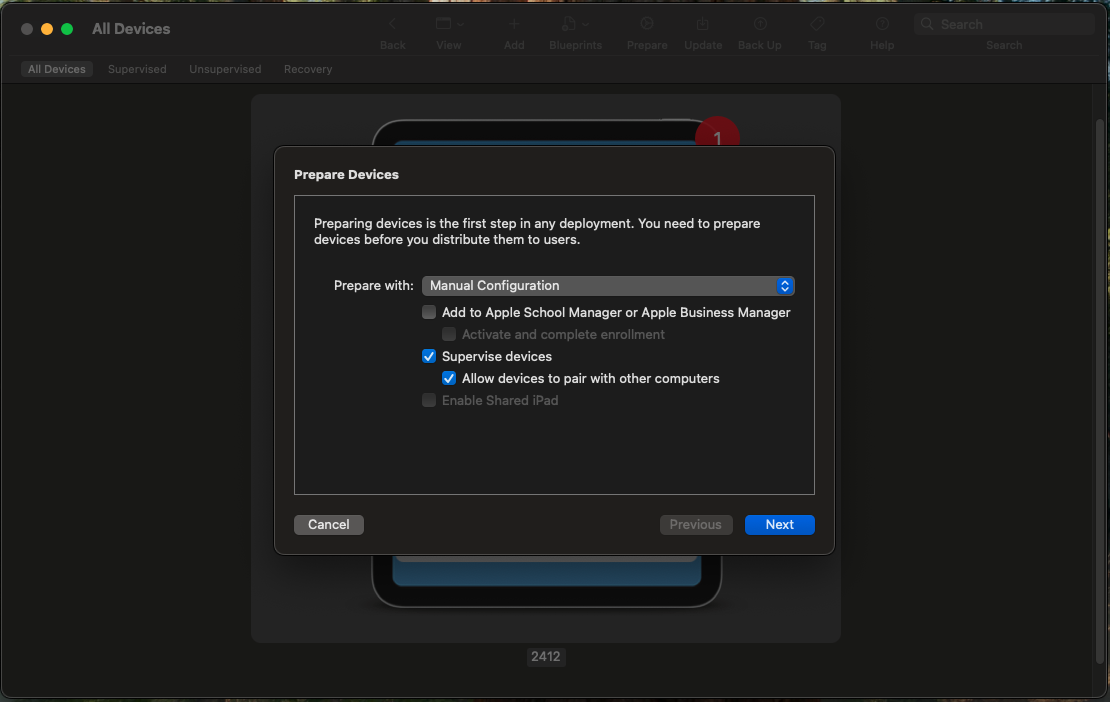
With most of the devices being Apple based, I use a mac and Apple Configurator to put the devices in supervised mode and enroll them automatically to the MDM software. From there I have complete control over the device no matter where it is in the world. As long as the device is connected to the internet, I can mange functions such as the camera, what apps they have, and what they are allowed to access on the device. I also have the ability to lock the device and track it in the case that a device is reported missing or stolen. This has and will greatly increase my productivity and management of these vital devices
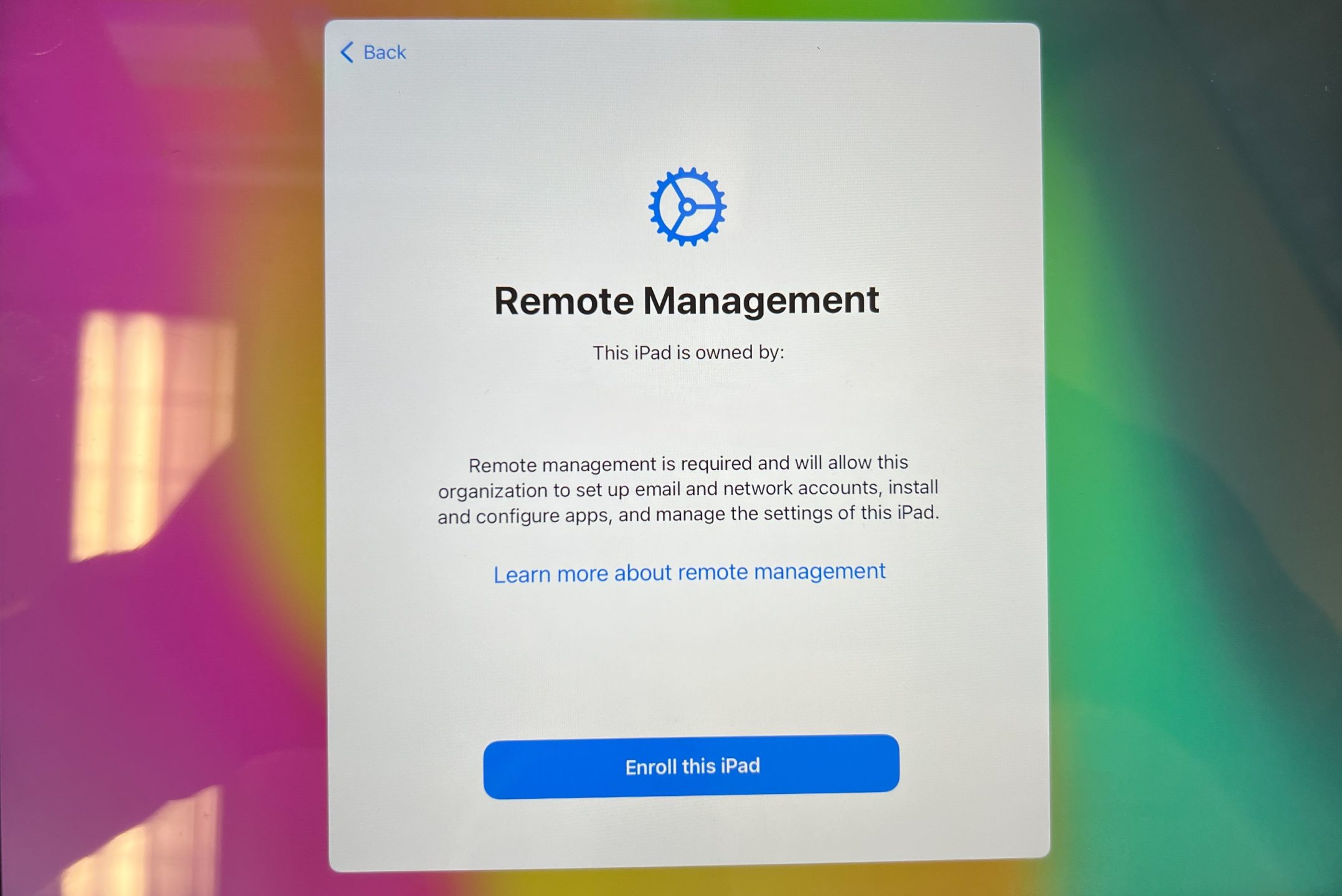
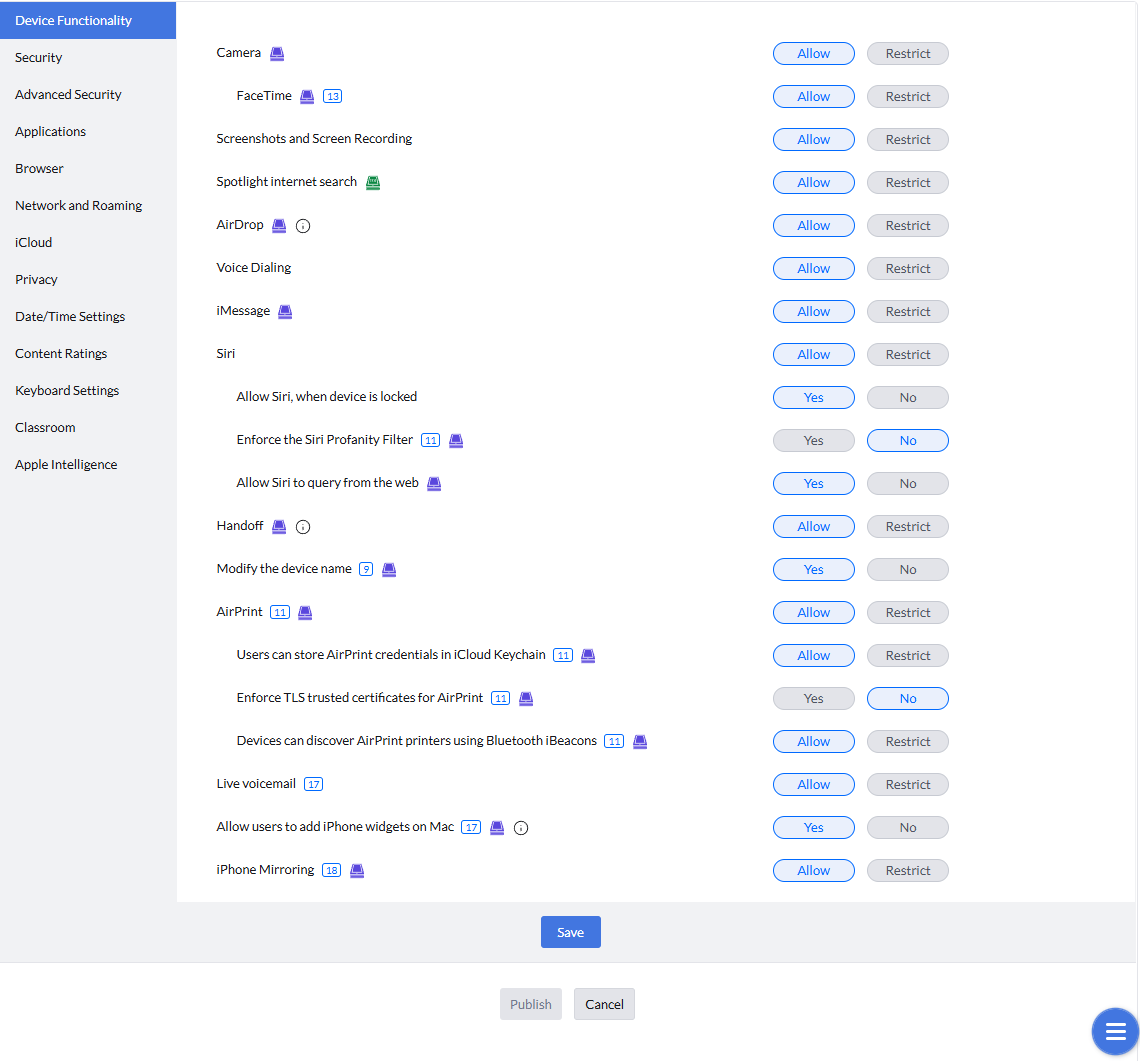
As we adopt this software at my company, I am hosting meetings with the managers of departments most affected. This will help to develop the proper structure for how devices will be managed and the proper testing techniques as we deploy this software.
-A+ Certification-
In August 2023 I was officially awarded my first certification, the CompTia A+. This certification requires two exams to determine one’s ability in the fields of computer hardware, networking, operating systems and security. This exam required intensive knowledge of computer hardware and how it works, as well as proper troubleshooting to narrow down hardware and software problems and issues. I am currently studying for my Security+ certification, another CompTia certification.
For verification purposes please click the image of the badge. This will take you to Credly, official credential partner of CompTia.
Technical Innovation and Integration
-Wireless charger for a 1989 Ford Mustang-
Another one of my hobbies include working on cars. I have a 1989 Ford Mustang I am in the process of renovating when I have the time. Part of this renovation includes modernizing some of the features of the car while fitting my own personal aestethic vision for the car.
One modern amenity not availbale in the car is a phone charger. While not a concern in 1989, it is an almost required asset today. While a simple cigarette lighter adapter and a cord could easily solve this issue for me, I want another solution that seems less intrusive and may flow into the design of the vehicle.
We also have the conveniece today of wireless charger, and in addition magnetic wireless charging. Thus raising a question. How do I integrated a magnetic wireless charger into my Mustang with out the need for a cigarette lighter adapter, visible cords, or even a charging pad if possible.
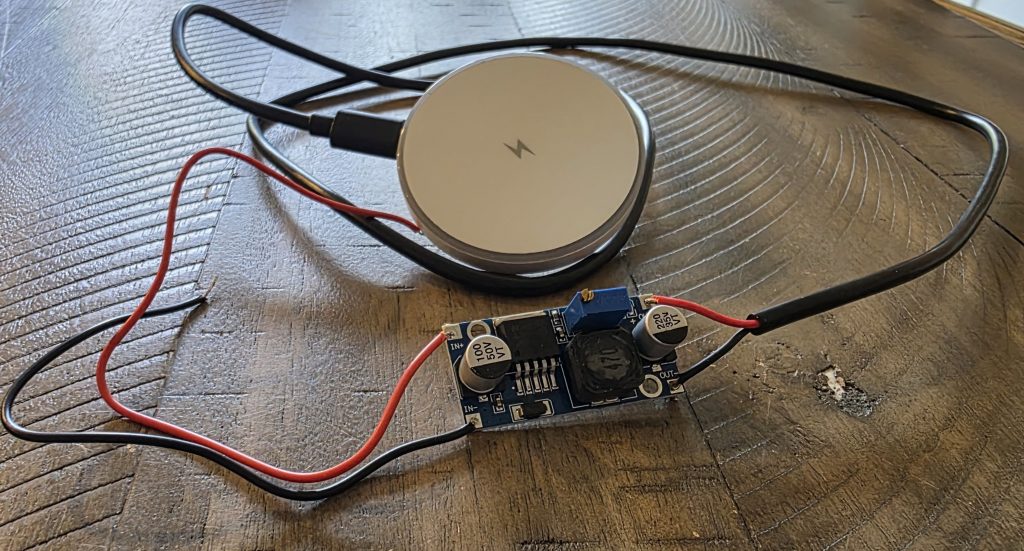
This is version 1 of this project. As I started to look into the options, I felt I may be able to pull power from my radio harness. While adding additional draw could be a concern on the vehicle harness, the draw of a phone charger is typically a lighter load easily landing within the allowable parameters of the circuit I plan on using. What was a much bigger issue was the current mismatch between the devices.
Each device we charge or use has a preferred volatage at which it likes to run. If you attach a device directly to too much voltage, you can damage the device. If you attach a device to a lower amount of voltage, it will either not work at all or could blow a fuse in its attempts to draw the desired voltage. I will spare you the lecture but if you are interested please go look into how electronics and electricity work together. It is a fascinating field.
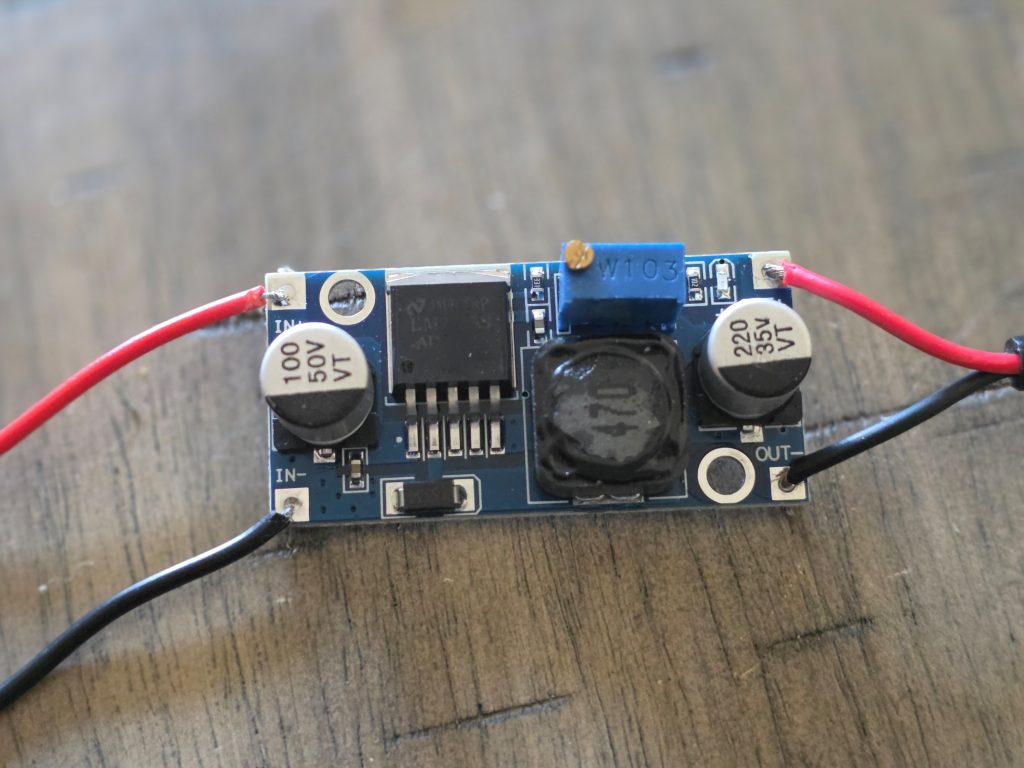
Built into every charging block we use for our phones and other devices is computer chip. This chip can handle multiple jobs, but one of the main jobs is the modulation of the power entering the device. Most circuits on most vehicles run at 12 volts while our phones and other devices charge at 5 volts. So it is vital to ensure the voltage is correct going to the device. This is the role of the buck connector. You attach the input voltage and using a screw you can modulate the output voltage into a safe range. This prevents damage to the device.
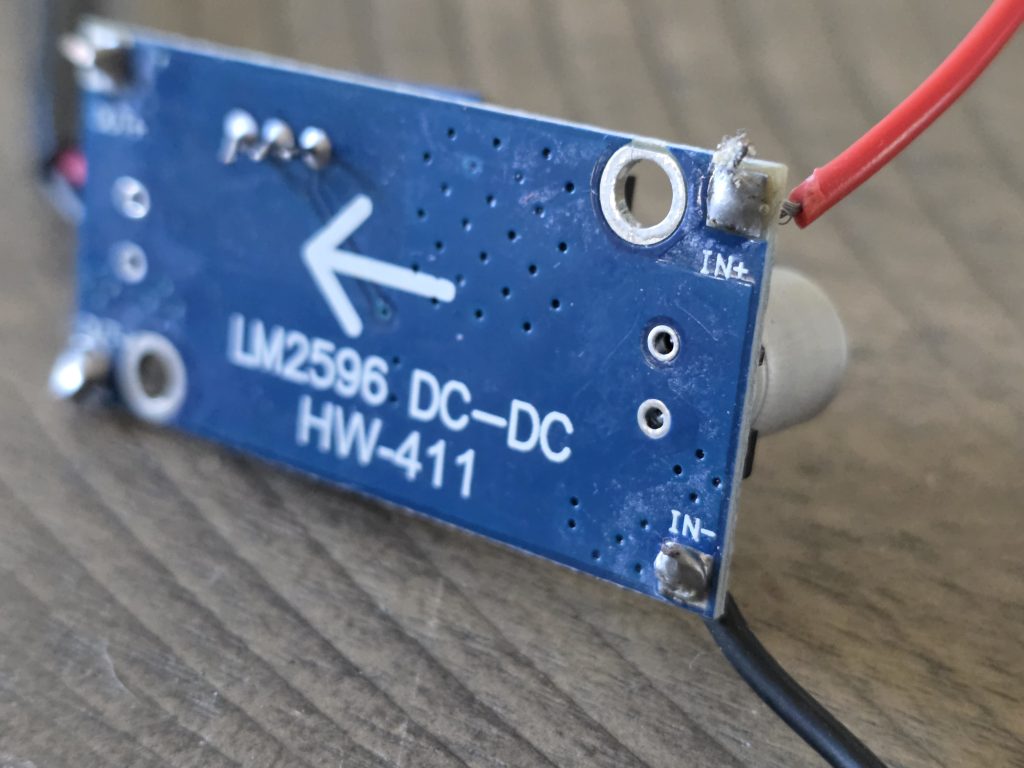
In this project I learned the fundamentals of electricity and electronics I also learned how to solder components and wire, and create a custom solution for a custom problem. This project has not been deployed though it has been tested thoroughly. In the future I would like to create an integrated charging solution that will allow the magnetic wireless charging to be built into my center console for greater hold on the device and potentially better charging effectiveness.
-Remote Game Server-
I converted my desktop computer into a gaming server to allow me to play games from many different systems anywhere in the world I have an internet connection using Moonlight and Sunshine.
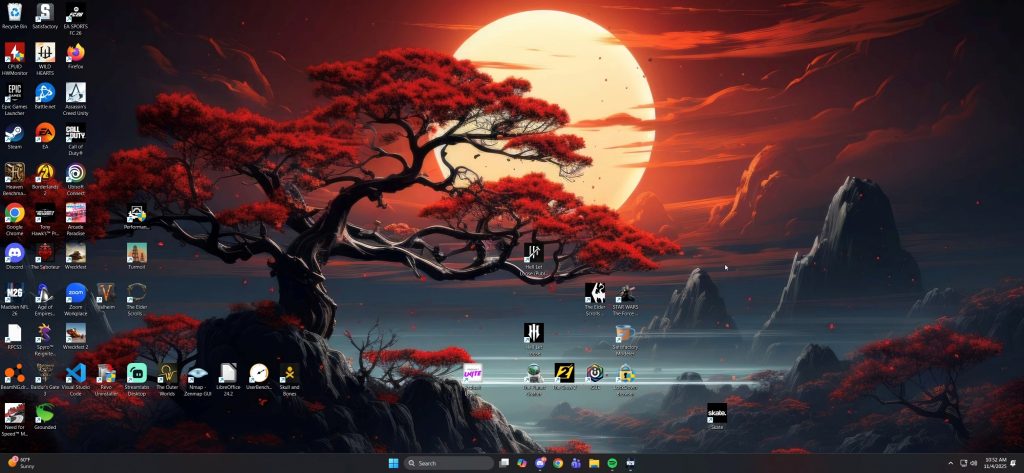
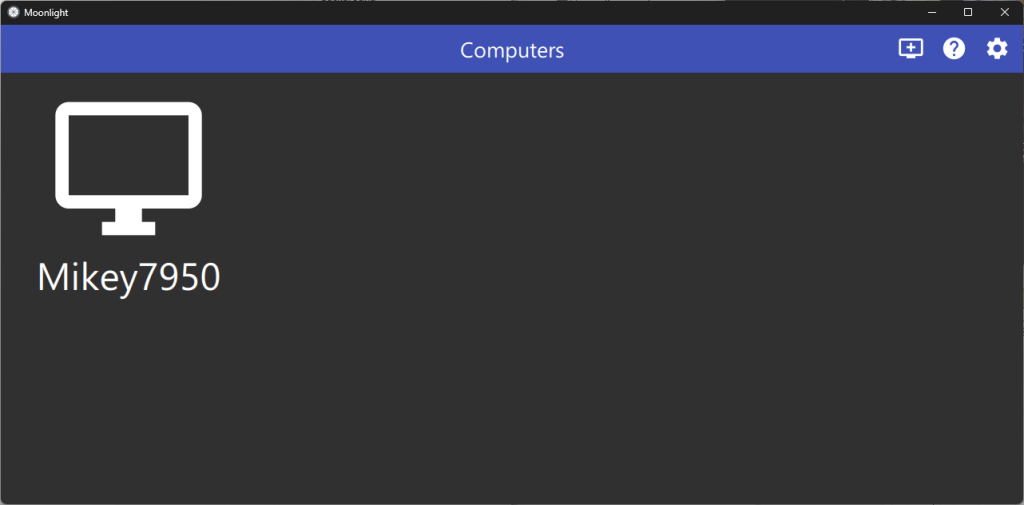
I built and configured the server on a Windows operating system, installing and optimizing Moonlight for low-latency remote streaming. I managed latency control through bit-rate management, resolution configuration, and overall resource optimization. Additionally, I configured and managed both physical and virtual network components, including the setup of a Virtual Display to enable a headless display capable of handling infinite resolution requirements. Through careful configuration file editing and application, I created a custom “cloud gaming” experience without the need to subscribe to an external service.
Moonlight is a streaming software and Sunshine is a self hosted game stream designed for use with Moonlight.
In short, Moonlight facilitates streaming from one computer to another by communicating with the Sunshine software in the host. This allows one to have encrypted remote access to the computer from anywhere in the world.
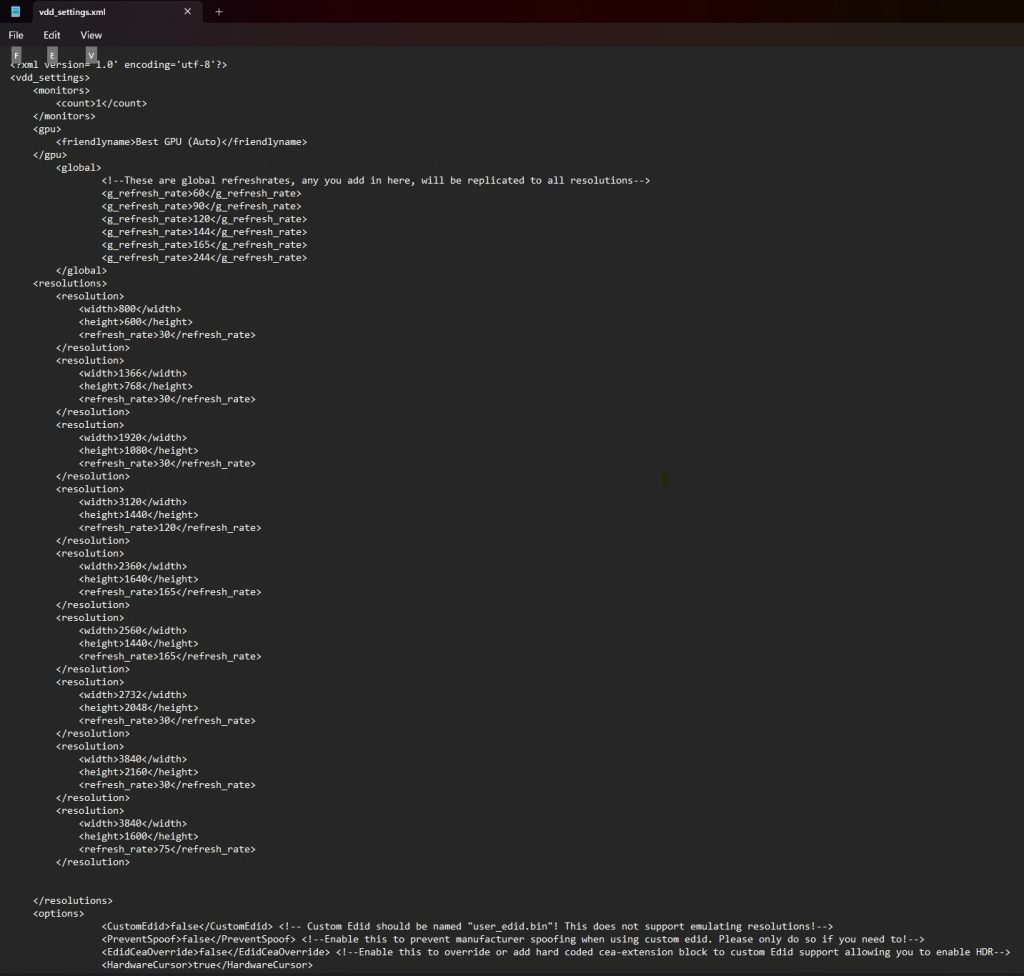
In addition to being able to use this system anywhere in the world, I also wanted to make this system headless. This computer runs in my office without a display attached to it. This required me to create a virtual display by utilizing software from the internet. This software allowed me to create a virtual display to stream to the screens I was using. Further editing of the configuration files also allowed me to customize resolutions for use with devices such as iPads, phones, and other odd size screens.
I can now game from nearly any common device in the world if I so choose using the hardware from my computer at home. I don’t have to buy top of the line mobile hardware, nor do I rely on a subscription to a cloud gaming service.
-Automation-
After building my server, I began to get into automation. There were some things around my house in particular that I needed or wanted to just happen. It is difficult for anyone to remember to do everything and nearly impossible for anyone to have time to do everything. This started small with my closet light.
While a small inconvenience at the end of the day, the light switch to my closet is on the outside of the closet. While this shouldn’t matter, I increasingly found myself standing in a dark closet with a handful of laundry. this would require I leave the closet, either pull the door shut or go around it, turn the light switch on, then try again. Then there were many time where when I fianlly turned off the lamp on the nightstand, the friendly glow from beneath the doors of my closet would remind me that once again, I forgot to turn off those same lights.
So I spun up a Home Assistant VM on my server and began to implement a system to solve this mundane problem. I installed a Zigbee smart light switch and a proximity switch. Then within the Home Assistant service I wrote out a simple scenario. The orignal scenario only turned the light on and off. But later I added brightness adjustments depending on the time of day.
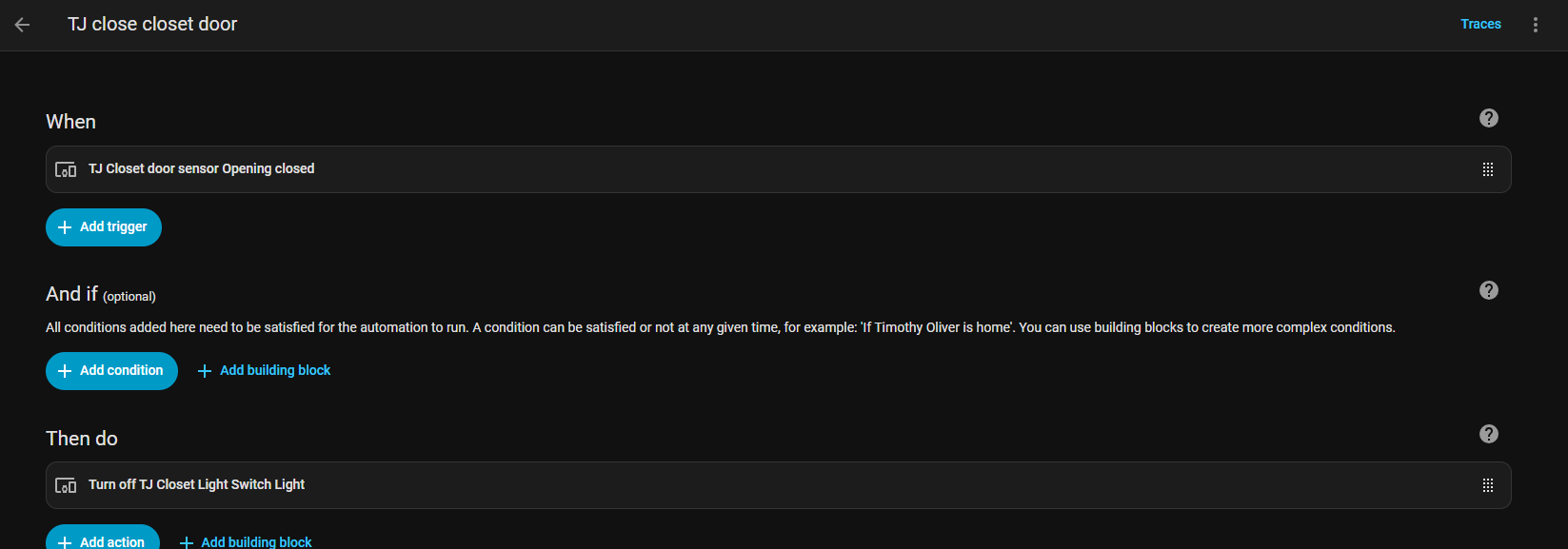
This first jump to automation has been used to create several different use cases for me. Our Christmas lights are automated every year. I automate restarts on my computer using task scheduler for windows. I even automated server restarts using crontab for my server to prevent issues I encountered during mulitday operations.
In the future I hope to create automations for work and home to further improve comfort and functionality of products.
Coding
-Random Restaurant Picker-
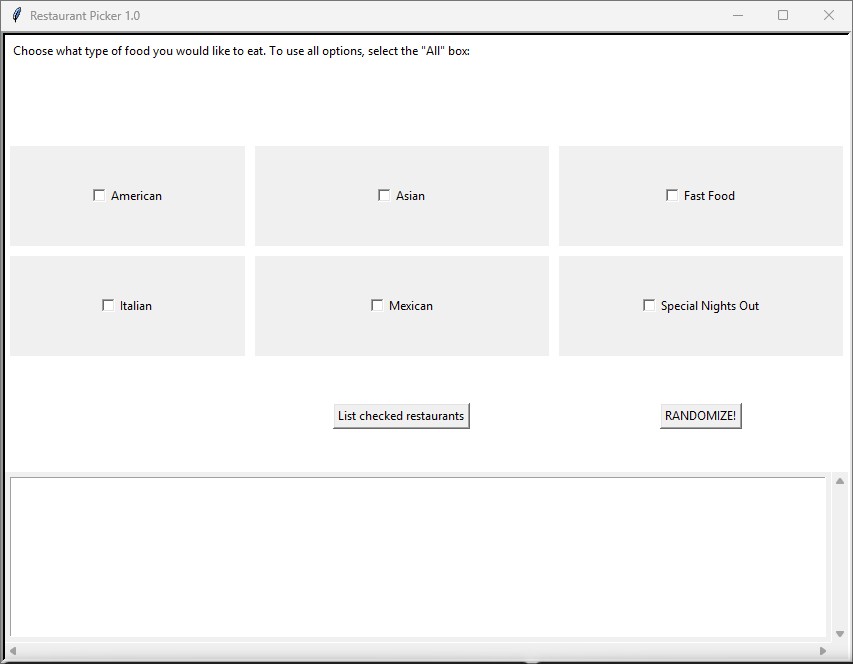
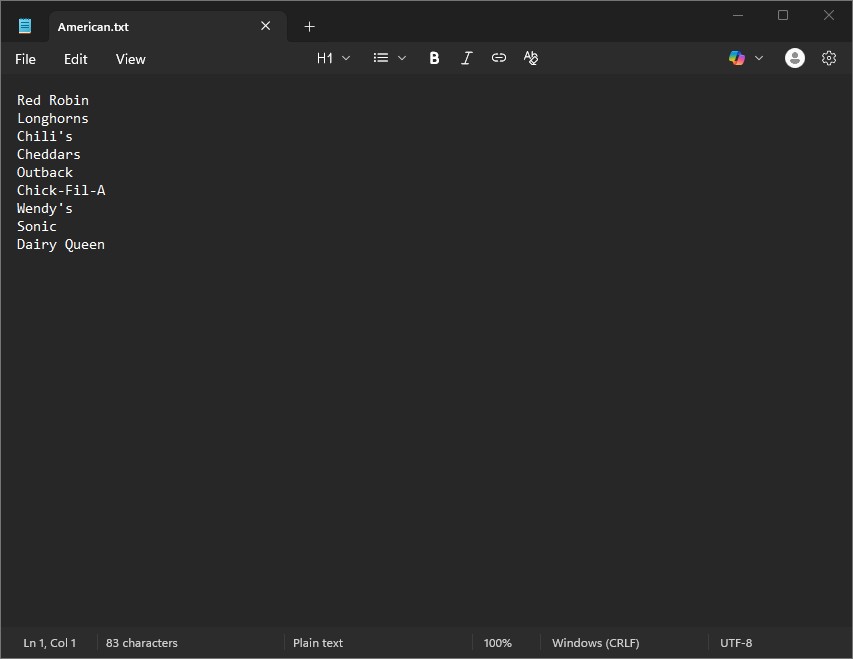
During one of my early classes in community college I learned the foundations of python. For our final project in this class we were tasked with creating our own fully functional app incorportaing a graphical user interface. I created an application that took input from text files and allowed the user to select categories. It would then randomly select one of the entries in the elected text files and display this result. I chose to make the categories types of cuisine and input my wife and I’s favorite restaurants in those categories. Now on nights we want to eat out but don’t know where, we just click RANDOMIZE!
-NFL Scoreboard Project-
This app is a fun side project I am working on in my free time. It uses the pygame library and attaches to an NFL api to show the current scores for the week in the NFL. It scrolls through these teams every 5 seconds so while you are watching the game you can see what else is happening in the NFL. Future upgrades include color schemeing, including vital stats, and creating a settings menu that allows the user to choose what information is shown on the screen.



-Cryptography Educational Application-
I am currently developing an app for my CS 463 final project that shows people different ciphers and algorithms used in Cryptography. This app will also be able to encrypt and decrypt phrases, provide and prove digital signatures, and provide an education on why certain ciphers and algorithms should or should not be used.
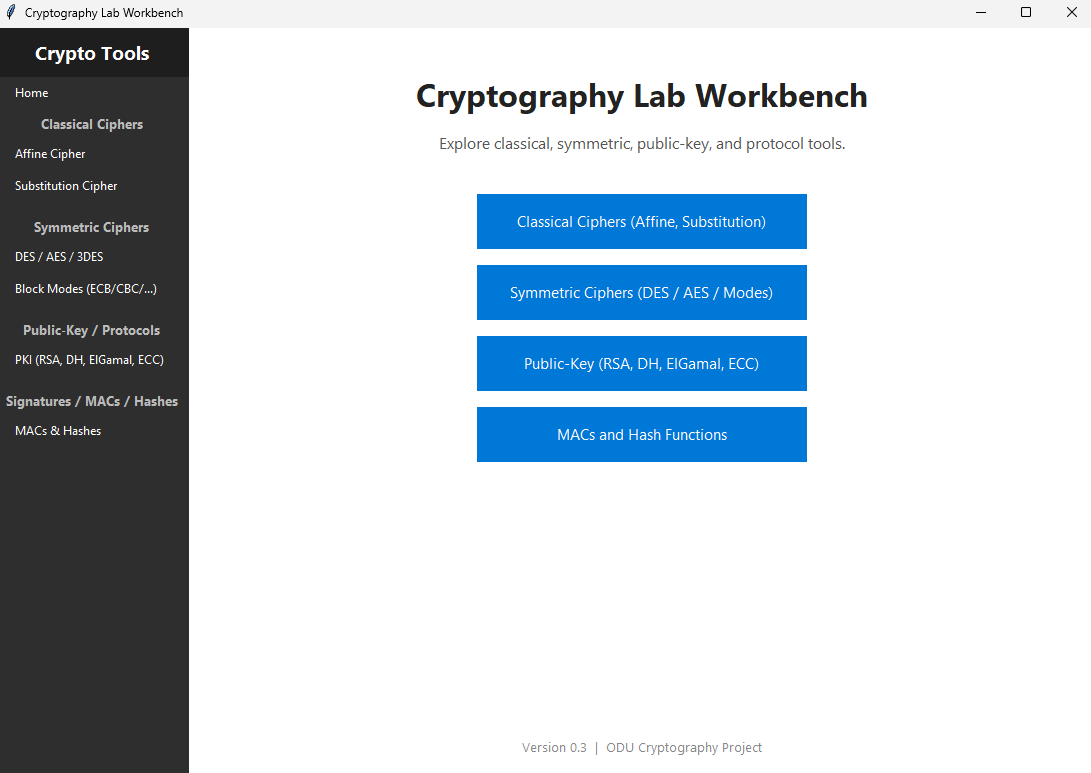
This is not a one for one remake of the instruments as many of them are computationally heavy, but I hope that it can instruct people in how they work on a smaller level.