The PC, Networking Devices, and the Drive Bay
In the interest of saving my wallet and the planet, I decided to get a used Dell Optiplex 3050. It has an i5-7500 CPU @ 3.40 GHz (1 socket), 16 GB DDR4 RAM, and a 256 GB SSD. I figured that 16GB of RAM would be a good starting point for the homelab, and I’m glad that I did, as it’s frequently pushing the limit due to my Debain VM running Docker. Once the “RAMmageddon” calms down, I might upgrade to 32 GB.
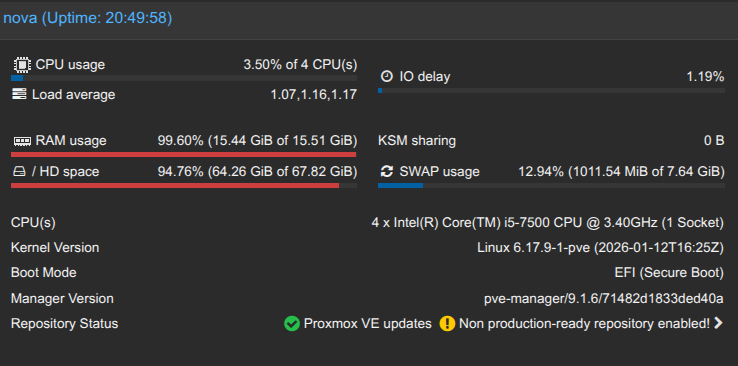
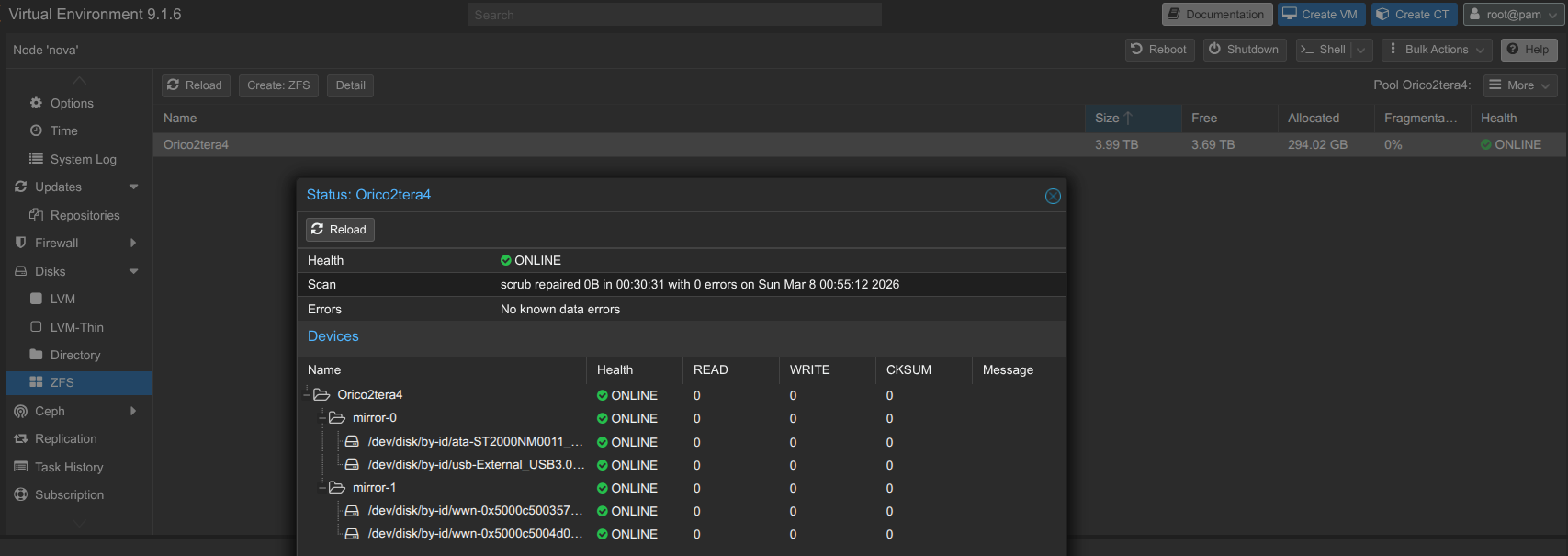
My Proxmox is connected via USB to my Orico 5-bay hard drive enclosure, which currently has four 2 TB HDDs in it in a ZFS striped mirror configuration (RAID 10). I’ll detail the zpool and zfs commands that I used to make and maintain it in another post. I’ve definitely had to deal with errors due to sudden power loss!
Finally, the most recent additions to the homelab would be my networking equipment! I have recently purchased a Ubiquiti UniFi USG-PRO-4 managed switch and a Linksys MX5300 Velop Mesh to use with a repurposed Mac Mini running OPNsense in a VM as my router, switch, and access point combo! The Linksys router has already been flashed with Openwrt. They will be connected with Cat 6 Ethernet cables.