Ahmed Kargbo
CYSE 301
Sword vs Shield
Task A:
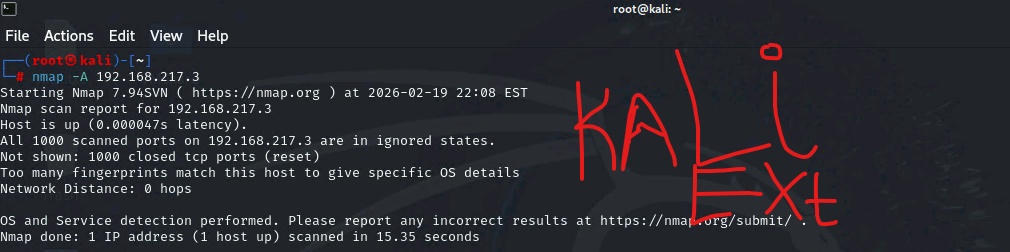
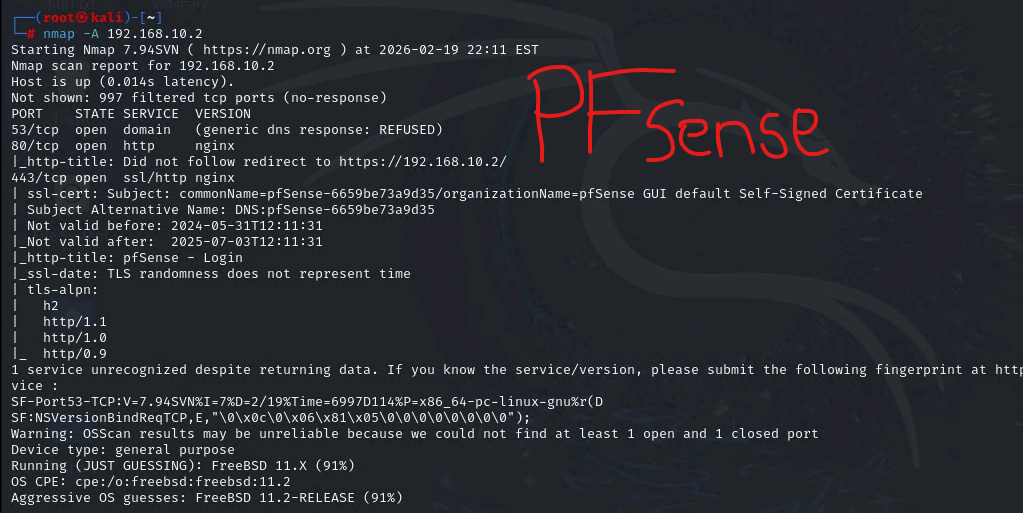
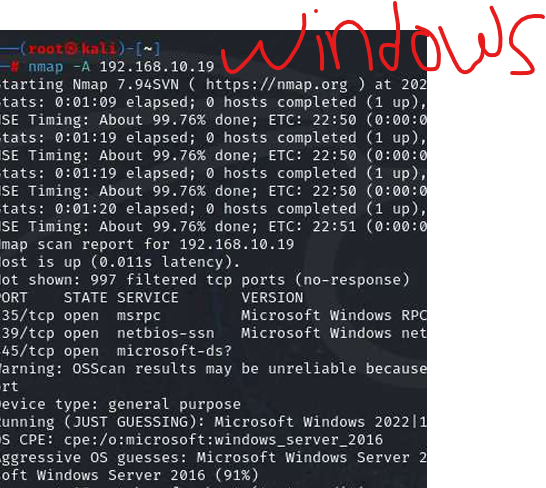
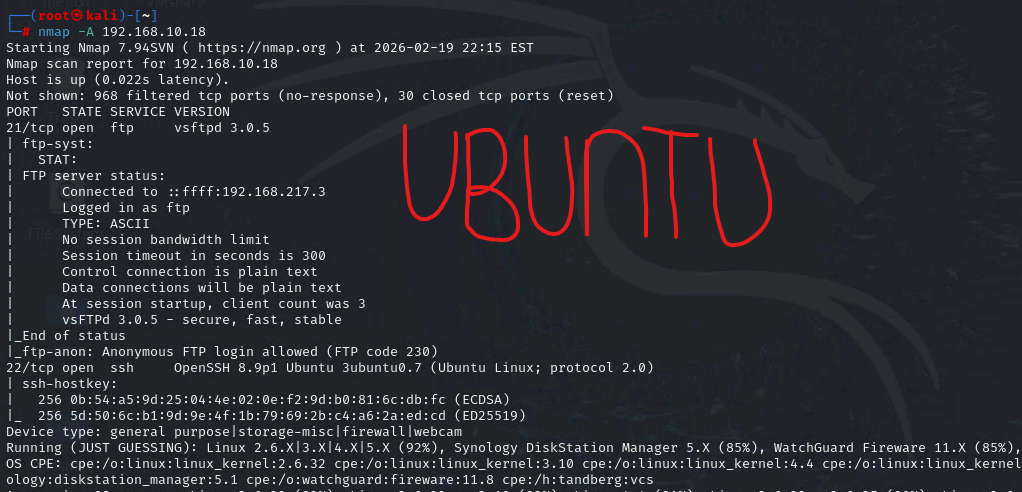
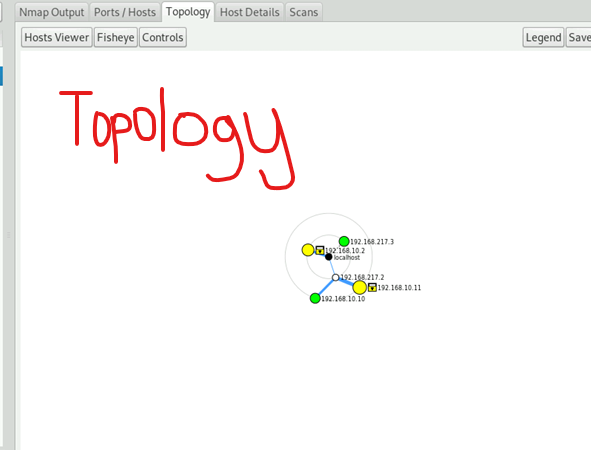
Open ports: tcp 21, tcp 80, tcp 135, tcp 445
Eval:
After running Wireshark in the Internal Kali VM while External Kali was scanning the network, several findings can be observed in the traffic pattern. The scanning started with a few ARP packets where the External Kali VM queried the subnet for live hosts. Afterwards an ICMP packet was produced. I assumed that this was during the Nmap scanning of active virtual machines and that it was working to detect what active devices were in the network. There were a high number of DNS packets that appeared as standard queries during the Nmap’s scanning of services. The main communication that can be seen is between 192.168.10.10 and 192.168.10.2. The Protocols that have been seen on the network are DNS, TCP, and ARP. 192.168.10.2 source port was 53 while the port for 192.168.10.10 often varied from 38000 to 59000.
Task B:
| Rule # | Interface | Action | Source IP | Dest IP | Protocol |
| 3 | WAN | Block | 192.168.217.3 | 192.168.10.10 | IPv4 ICMP |

| Rule# | interface | Action | Source IP | Dest IP | Protocol |
| 2 | WAN | Block | 192.168.217.3 | – | IPv4 ICMP |
| Rule# | interface | Action | Source IP | Dest IP | Protocol |
| 2 | LAN | Block | 192.168.10.9 | 192.168.217.3 | IPv4 TCP 21 |
| 3 | LAN | Pass | 192.168.10.11 | 192.168.217.3 | IPv4 TCP 21 |
- Blocking ICMP improves security by reducing network visibility from lurkers
- Blocked ICMP leads to failed path discovery which equals to network stalling and bottlenecks
Comparing: In Task A., there were no restrictions set in the firewall rules other than blocking ICMP traffic. The difference is that ALL traffic is blocked except FTP from Kali to LAN. The only one that works now is FTP and if you test pings of SSH for example, it will be blocked and not work.