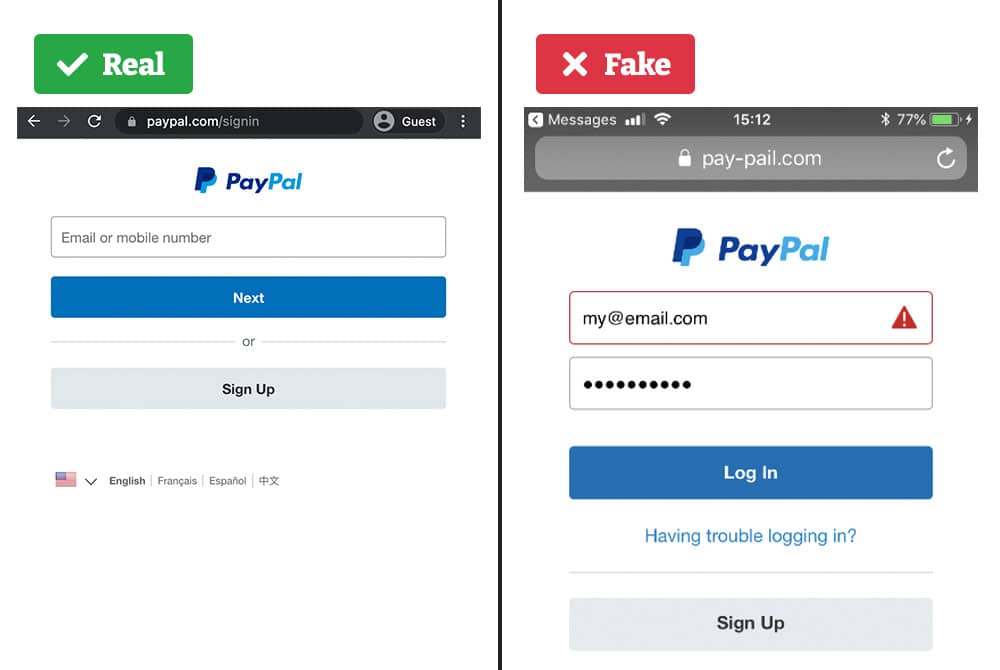
Example 1: Fake PayPal Login Page
URL: confirmation-manager-security.com
Identifying Features:
Suspicious URL: The domain confirmation-manager-security.com is not associated with PayPal. Legitimate PayPal URLs typically end with paypal.com.
Lack of HTTPS: The absence of a secure connection (no padlock icon) indicates the site is not secure.
Urgent Language: Phrases like “urgent action required” can pressure users into providing sensitive information.
Comparison to Legitimate PayPal Site:
A genuine PayPal login page would have a URL starting with https://www.paypal.com and display a padlock icon, indicating a secure connection.
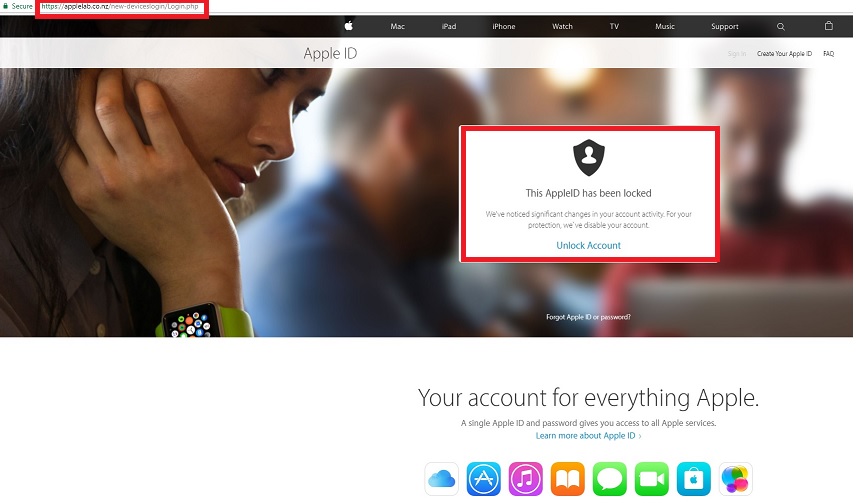
Example 2: Fake Apple Support Page
URL: apple-support.com (Note: This is a fabricated example for illustrative purposes.)
Identifying Features:
Slight Domain Variation: The domain apple-support.com is a subtle variation of the official support.apple.com.
Generic Design: The site may have generic images and lack the polished design of Apple’s official pages.
Unsolicited Pop-ups: Unexpected pop-ups urging users to call a support number can be a red flag.
Comparison to Legitimate Apple Support Site:
The official Apple Support site has a URL starting with https://support.apple.com and features a clean, branded design with clear navigation.
Example 3: Fake Online Pharmacy
URL: mydiscountpills.eu
Identifying Features:
Too-Good-to-Be-True Offers: Unrealistically low prices for prescription medications.
No Prescription Required: Legitimate pharmacies require prescriptions for certain medications.
Poor Website Design: The site may have low-quality images and grammatical errors.
Comparison to Legitimate Pharmacy Site:
A legitimate online pharmacy will have a professional design, require a valid prescription for certain medications, and be registered with appropriate regulatory bodies.
Key Features to Spot Fake Websites
Check the URL: Look for slight misspellings or unusual domain extensions.
Look for HTTPS: Ensure the site uses HTTPS and displays a padlock icon.
Evaluate Design Quality: Professional sites have high-quality images and consistent branding.
Be Wary of Unsolicited Requests: Avoid sites that pressure you into providing personal information.