Skills and Artifact
Throughout my classes and work experience as a Laboratory Information System Analyst, I have developed different skills that will help me in cybersecurity. The three skills I chose to focus on are Linux, problem-solving, and research.
I learned more about Linux in CYSE 301 and CYSE 270. In both classes I completed different Linux homework assignments and labs that helped me get more comfortable using Linux. I also use Linux at my current job, so I have been able to use what I learned in school in a real work environment.
Artifacts:
- CYSE 301 Linux homework and labs
- CYSE 270 Linux homework and labs
- Using Linux at my current job
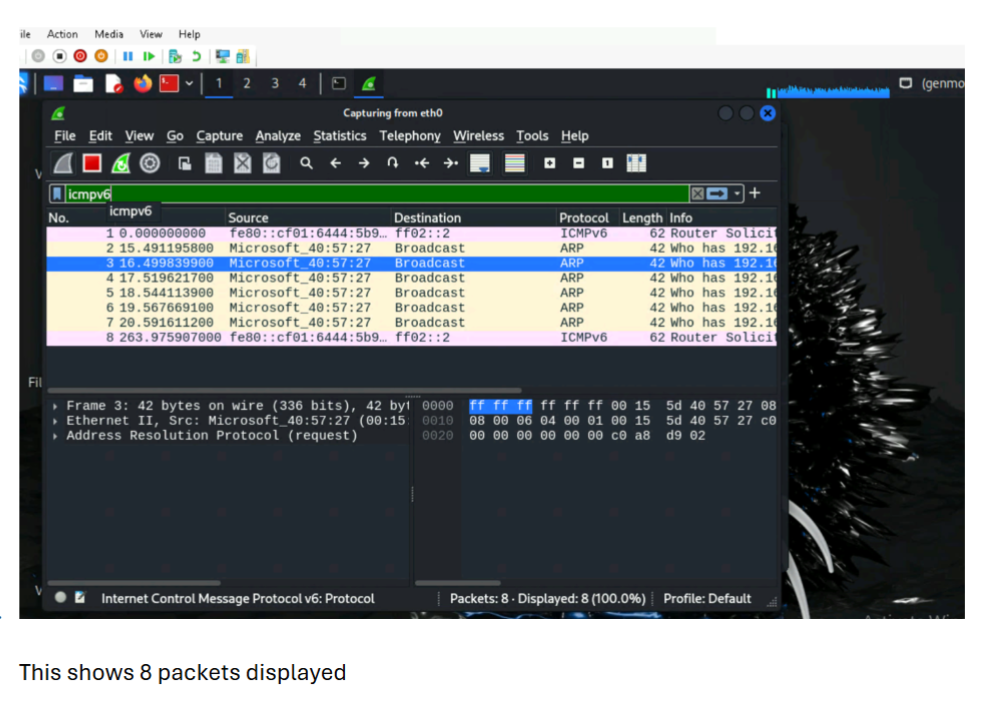
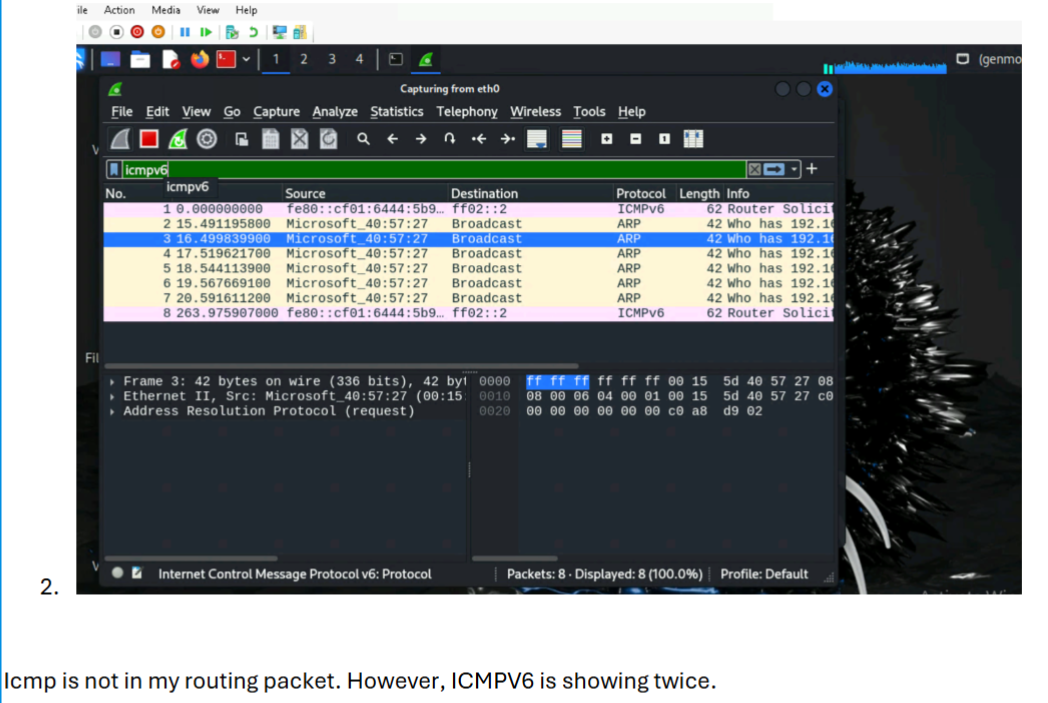
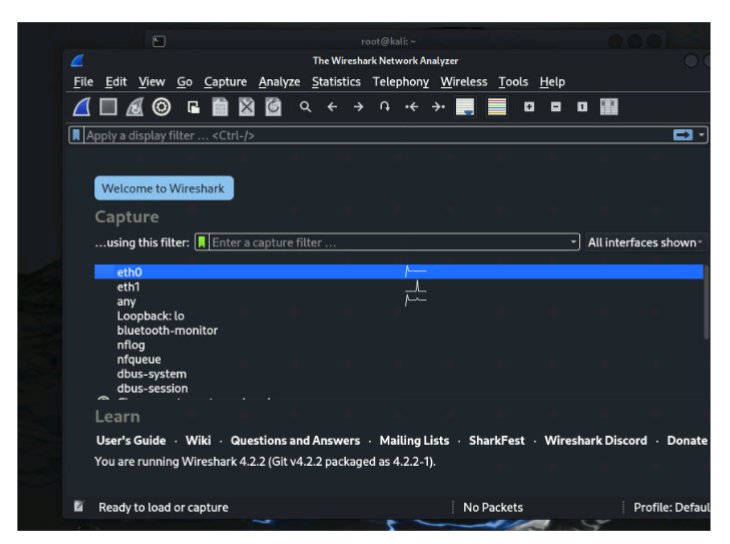
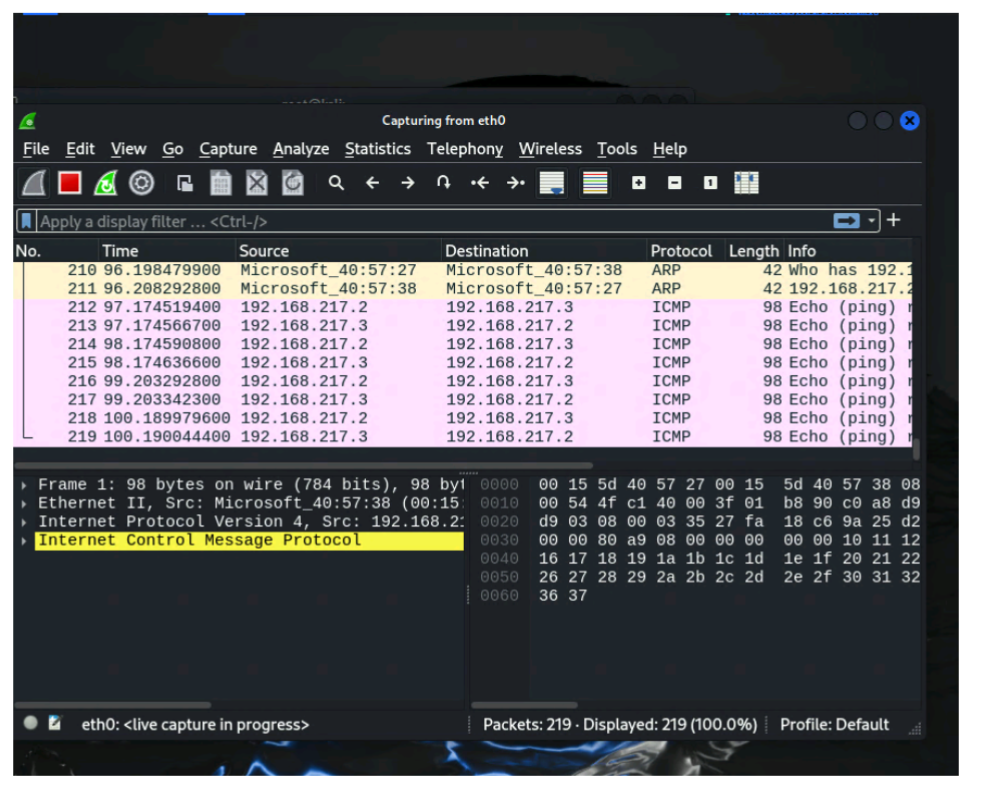
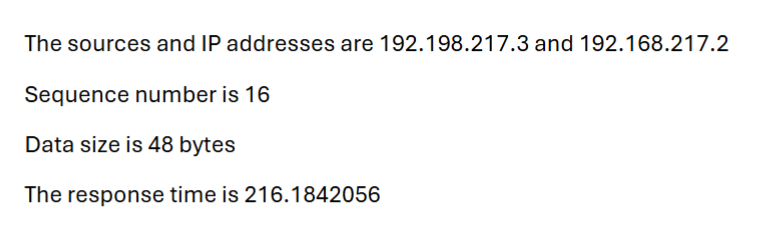
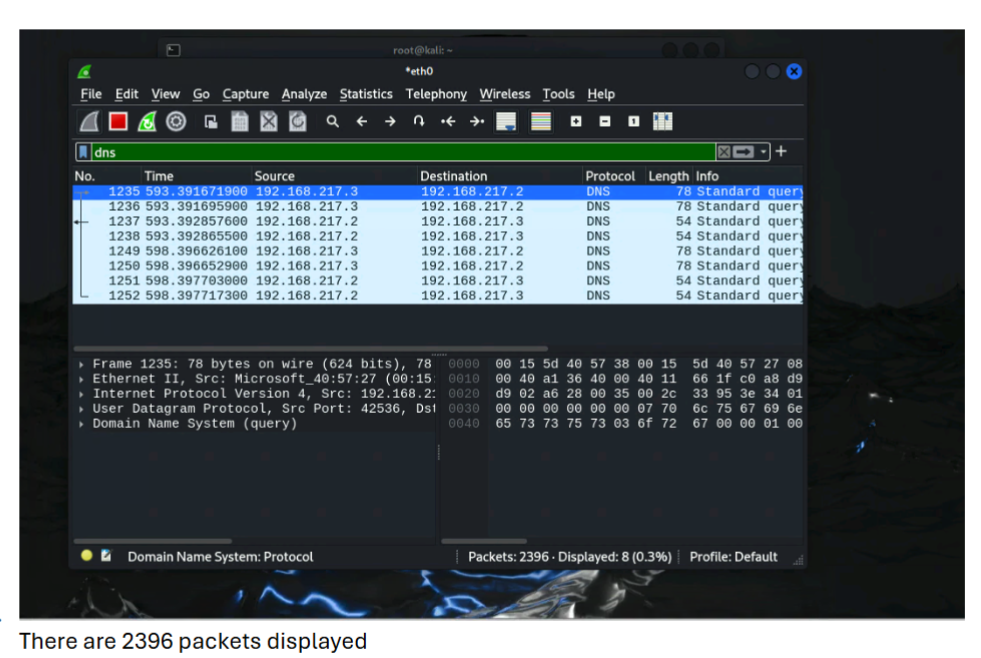
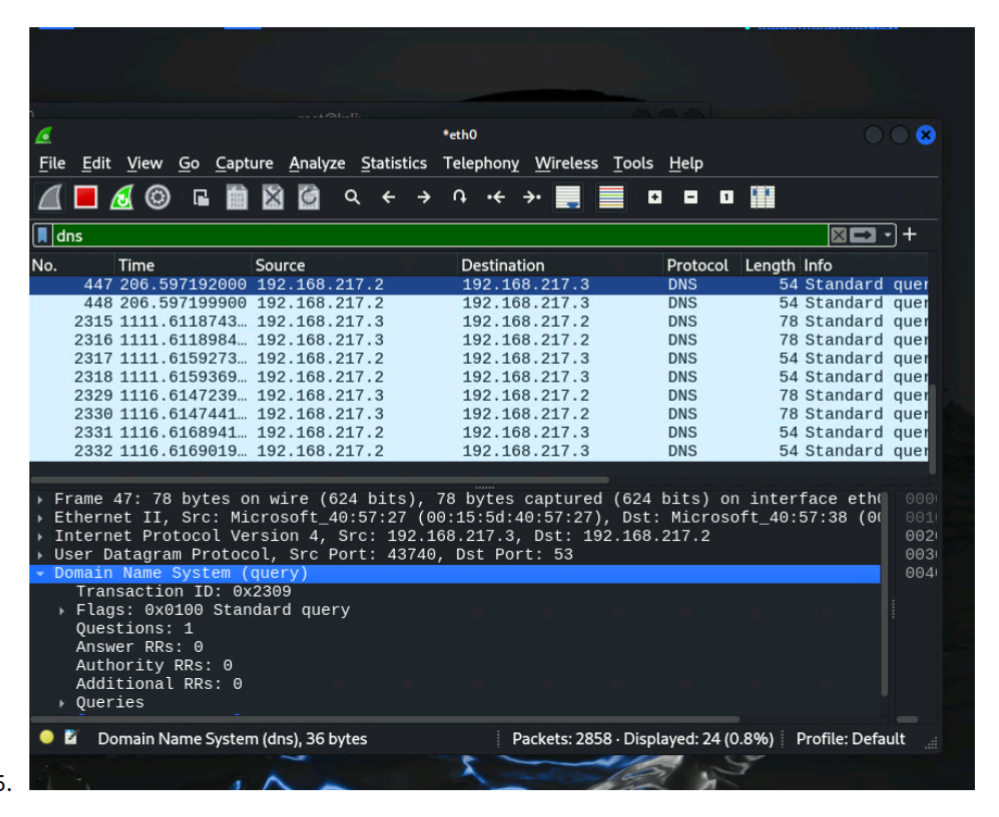
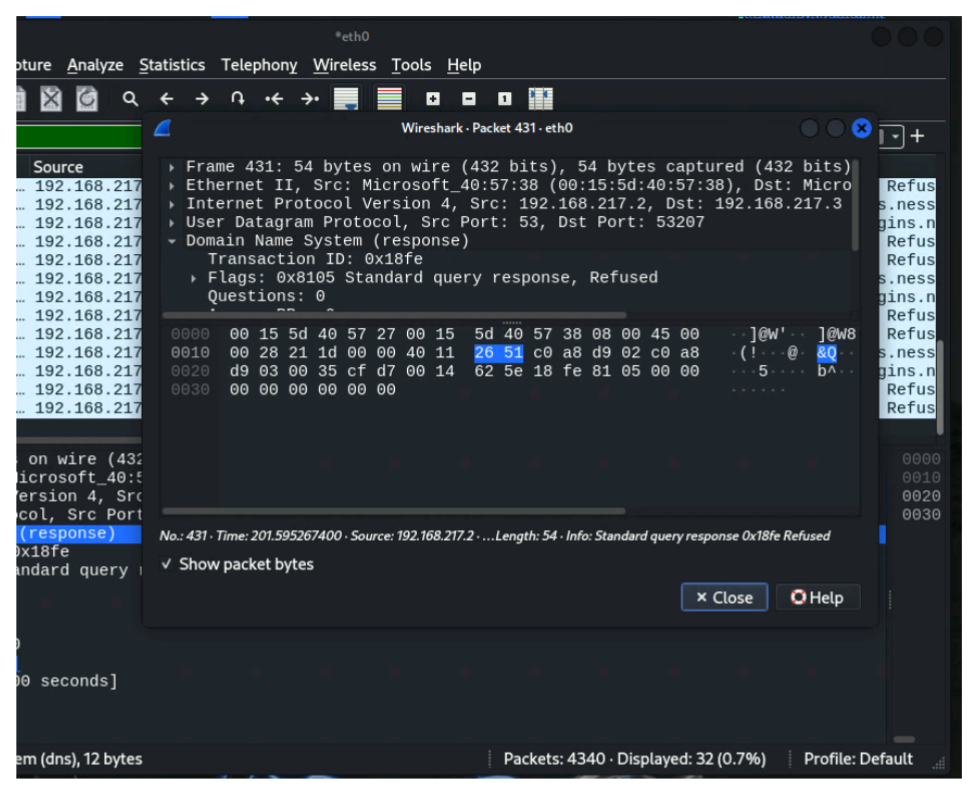
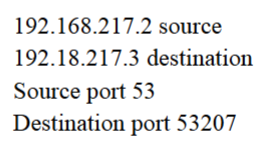
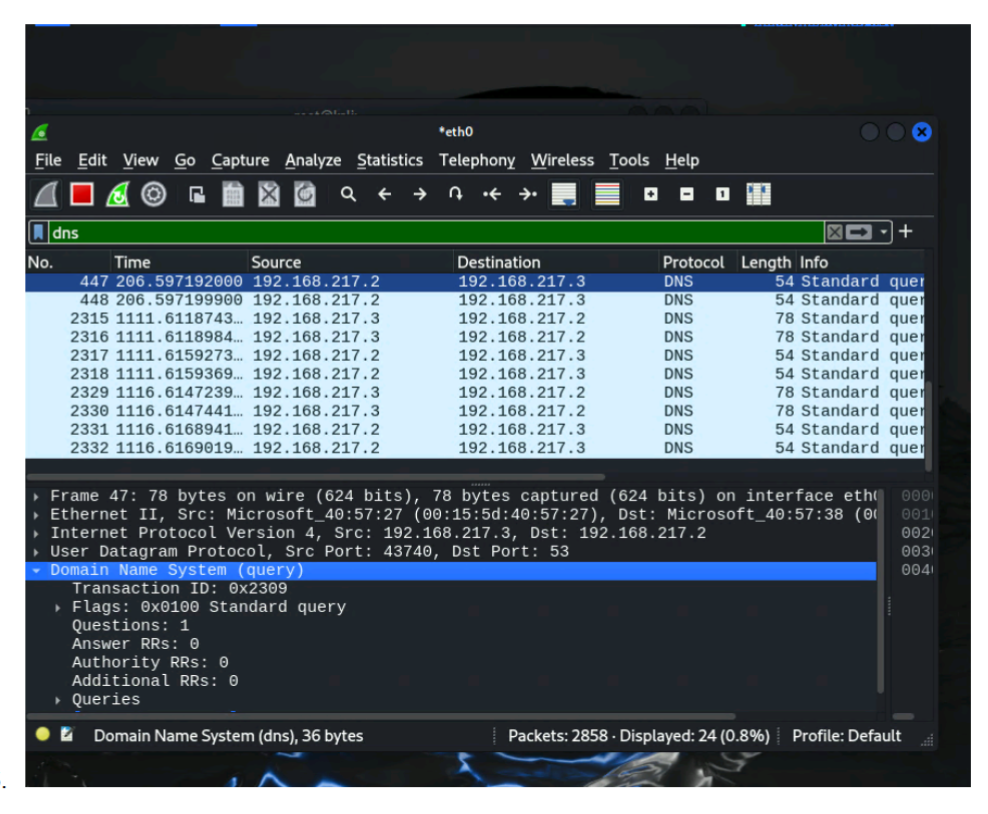
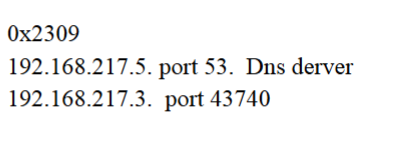
Traffic tracing and sniffing assignment from my CYSE 301 class.
Problem solving is a skill I have developed through both school and work. My Precalculus class helped me learn how to work through problems step by step. Problem solving is essential because it helps me work through problems and find a solution when something goes wrong. A few examples I have encountered at work are results not crossing over from an instrument, a DFT HL7 message not posting, printer errors, configuring tablets and scanners for phlebotomists, and result components not crossing over to the EHR. Having on the job experience has helped me improve my troubleshooting and problem-solving skills so I can get issues resolved quickly and efficiently.
Artifacts:
- Precalculus coursework
- Problem-solving class assignment
- Troubleshooting and workflow experience at my current job
This is an error (C-0224) that happens frequently.
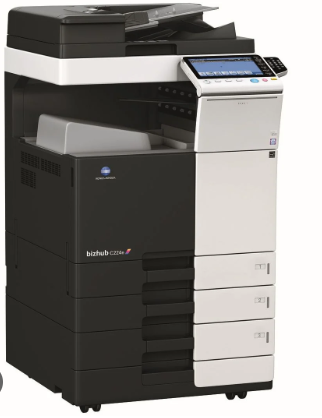
This error indicates that paper is stuck behind the drawer. To resolve it, you will need to:
- Remove tray 1 and 2completely
- Clear any paper that is stuck inside
- Reinsert the trays back into place
- Turn off the printer (do not unplug – it has a switch). The switch is located above tray 1; open the tray, and you’ll find the switch on the left side
- Press and hold the reset button (yellow button) for 10 seconds. While holding the rest button, turn the printer back on and continue holding the button until the printer powers up
- Select “trouble rest” on the printer display
- Turn off the printer again and wait 20 seconds
- Turn the printer back on
- The error should be cleared. If the light is flashing red, it indicates that printer is searching for the network
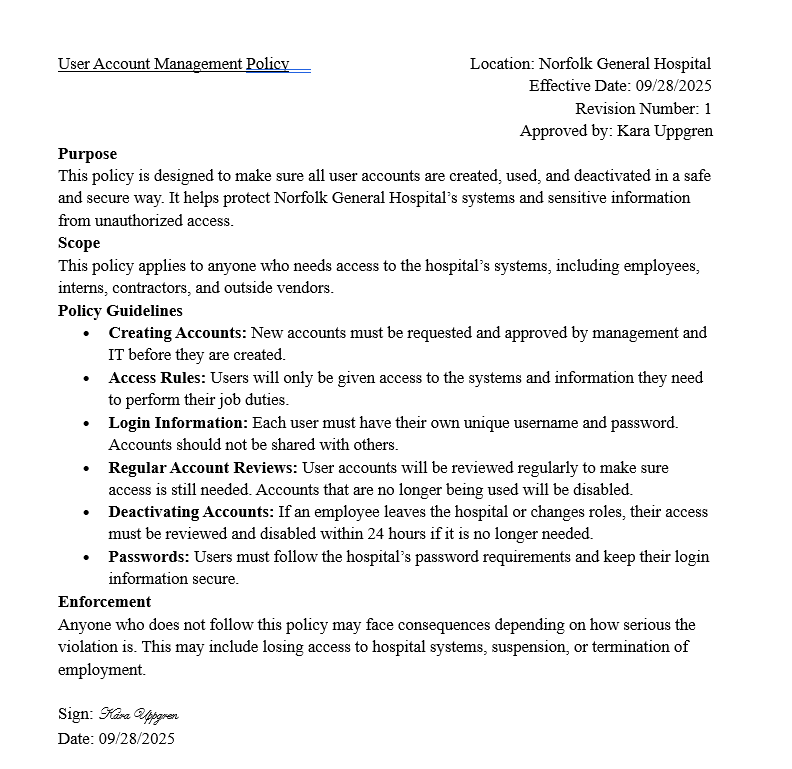
I have conducted a numerous amount of research throughout my cybersecurity classes at Old Dominion University. In CYSE 425W-Cyber Strategy and Policy, I wrote five policy papers that required a lot of research. I also completed IDS 300W, which was a cybersecurity writing intensive course. Another artifact I chose is my Cybersecurity Job Advertisement Analysis paper, where I researched cybersecurity jobs and the skills employers are looking for.
Artifacts:
- Five policy papers from CYSE 425W
- IDS 300W cybersecurity writing assignments
- Cybersecurity Job Advertisement Analysis paper
This is a mock policy I wrote for an assignment.
These three skills show some of what I have learned through my classes and my current job. Linux has helped me build my technical skills, problem-solving has helped me work through different challenges, and research has helped me learn more about cybersecurity topics.