Skill 1: Networking
Artifact 1: Link Aggregation and Redundancy Using LACP
This project showcases my implementation of network redundancy using LACP (Link Aggregation Control Protocol), which combines multiple physical links into one logical interface for improved bandwidth and failover. I configured one switch to connect to the main switch through an LACP port channel using multiple links. I then connected another switch using two independent redundant links without a port channel to demonstrate an alternative redundancy method.
Artifact 2: Managing a VTP Domain
This project demonstrates my configuration of VTP (VLAN Trunking Protocol), which centralizes VLAN management across multiple switches. I set the main switch as the VTP server and configured the remaining switches as VTP clients to ensure consistent VLAN distribution. I also secured the VTP domain so unauthorized or random switches could not join.
Artifact 3: Spanning Tree Protocol
This project showcases my implementation of Rapid Spanning Tree Protocol (RSTP), which prevents switching loops and ensures a stable Layer 2 topology. I configured the main switch to operate as the spanning tree root, allowing it to control path selection across the network. This setup ensured predictable traffic flow and faster convergence during topology changes.
Skill 2: Microsoft Windows Management
Artifact 1: Windows Server DNS Setup
This project demonstrates my configuration of DNS (Domain Name System), which translates domain names into IP addresses so devices can locate servers and services. I created DNS records for my server and domain controller and ensured they were reachable from both my public and private interfaces. I also verified that all records resolved correctly through Old Dominion University’s internal Computer Science DNS servers.
Artifact 2: Windows Server DHCP Setup
Dynamic Host Configuration Protocol (DHCP) automatically assigns IP addresses and network settings such as the subnet mask, gateway, DNS server, and boot server to clients on the network. I configured my server as a DHCP server by creating a scope limited to the private “Isolated” interface so only internal clients received leases. I then set the required DHCP options and created a reservation by binding a specific IP address to a machine’s MAC address.
Artifact 3: MECM Configuration and Management
Microsoft Endpoint Configuration Manager (MECM) is a platform that lets administrators deploy operating systems, applications, and updates across a network. I set up my MECM server to deploy Windows images by importing the OS, configuring a task sequence, and preparing the necessary boot files. Once a client powered on and selected the task sequence, the Windows installation completed automatically with no further interaction required.
Skill 3: Graphic Design and Promotion
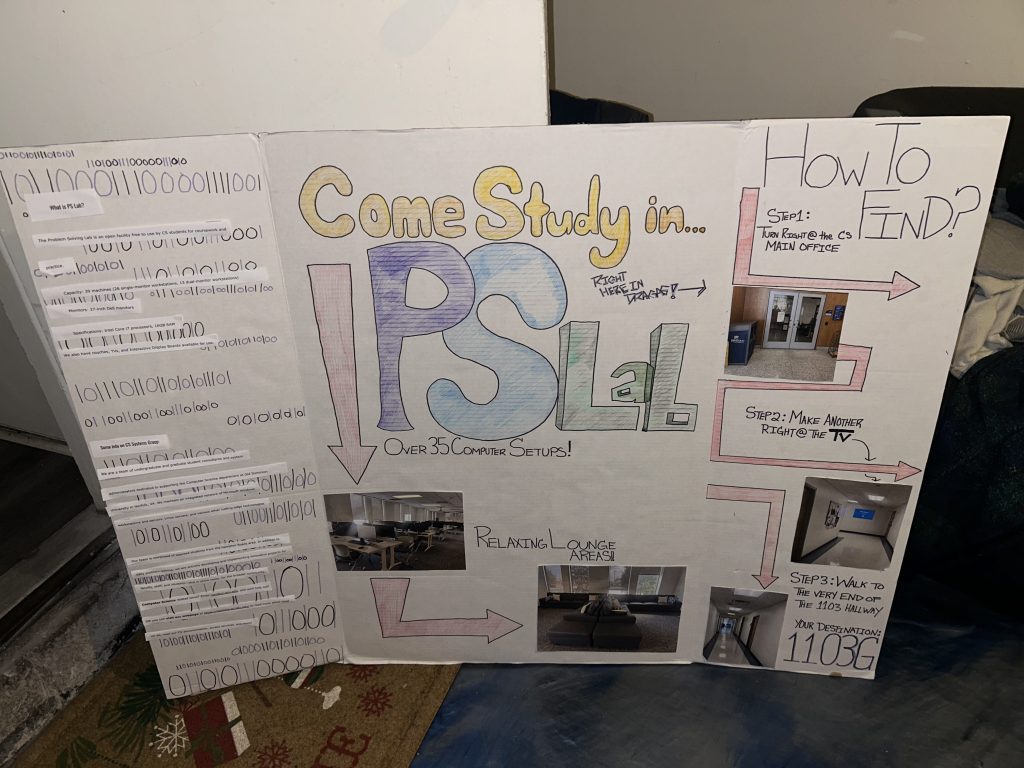
Artifact 1: Problem Solving Lab Tri-fold Poster Board
My internship with Old Dominion University’s Computer Science CS Systems allowed me to apply my art and graphic design skills to support outreach for one of our open-source student labs. I created materials that explained the lab’s purpose, how to access it, and the services our team provides.
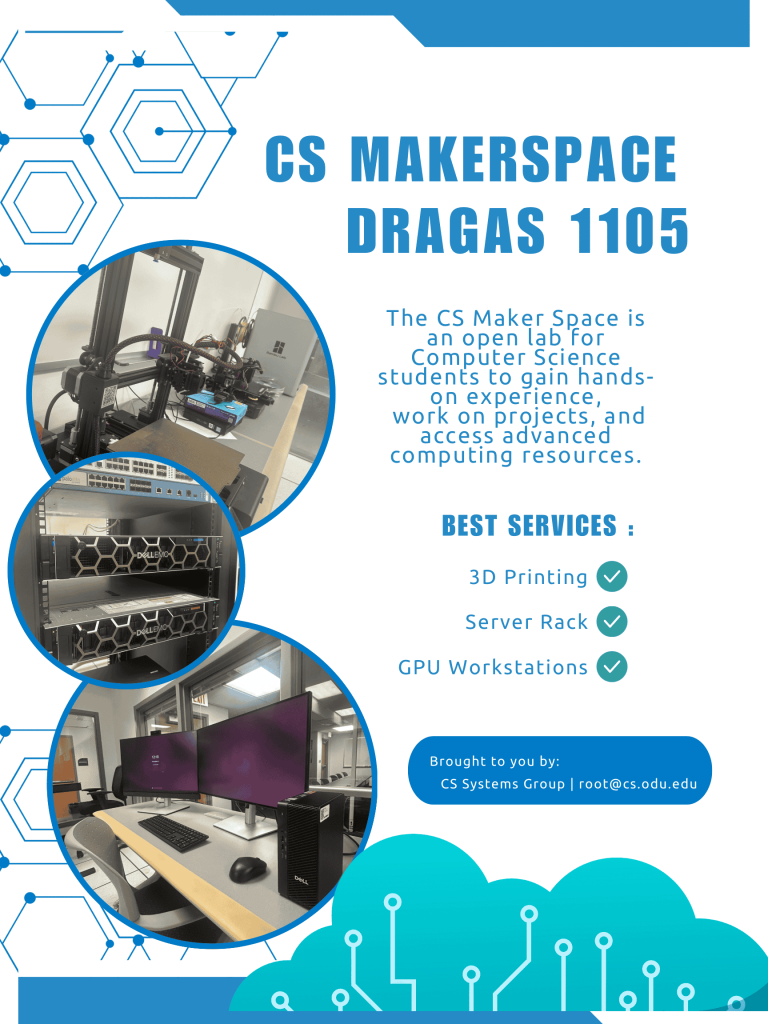
Artifact 2: CS Makerspace Flyer
Another open-source lab I had the opportunity to promote was the CS Makerspace. Creating this flyer helped raise awareness of the lab and encouraged Computer Science students to take advantage of its wide range of resources.
Artifact 3: King In You Organization Event Flyers
In my executive board position as Social Media Coordinator for the on-campus nonprofit organization King In You, I design flyers to promote our organization and its events. Below are some of the most visually compelling flyers I’ve created.