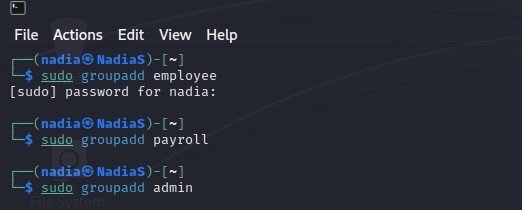
Step 1. Create three groups- employee, payroll, and admin. (You may refer to the slides for
week-4 – Group Management)
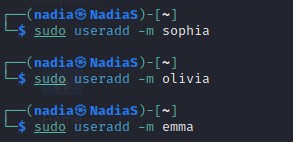
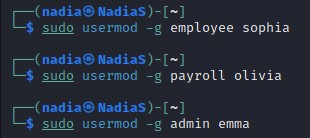
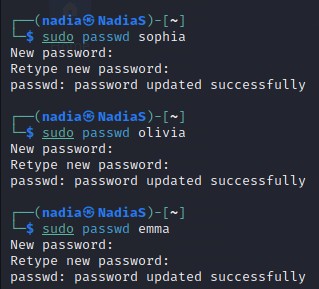
Step 2. Create three user accounts with a specified home directory for Sophia, Olivia, and
Emma. Set the primary group for Sophia, Olivia, and Emma to “employee”, “payroll”, and
“admin”, respectively. And change their login shell to /bin/bash. Don’t forget to set their
passwords
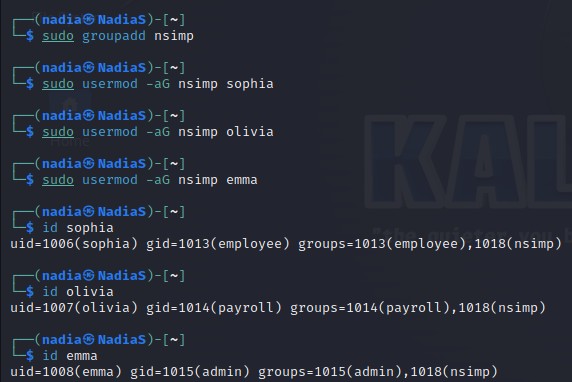
Step 3. Create a shared group called “your_midas” (replace it with your MIDAS name) and set
this shared group as the above accounts’ secondary group. After this step, remember to check
each user’s group profile.
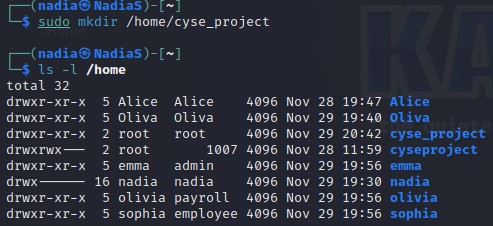
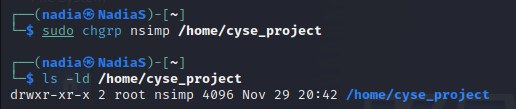
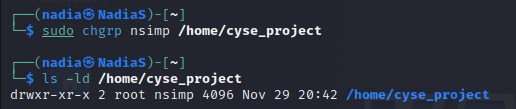
Step 4. Create a directory named /home/cyse_project, which is to be owned by the
“your_midas” group which is a shared group). After this step, remember to check the permission
of this shared directory
Step 5. Change the permissions of the /home/cyse_project directory to “rwxrwx—” using the
octal method so that only the project group members have access to this directory. After this
step, remember to check the permission of this shared directory.
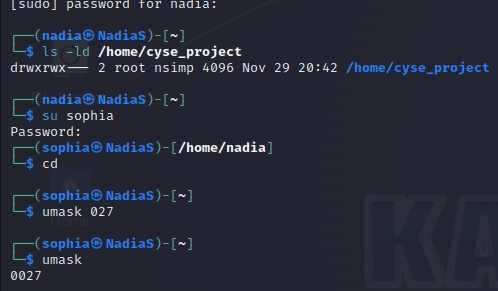
Step 6. Switch to Sophia’s account. Change the default permissions using octal method with
umask command, to “rw-r—–” for Sophia when she creates a file or directory. Check the value
of umask, and permission of a new file after this step.
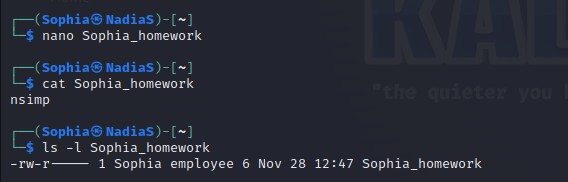
Step 7. Create a new file called “Sophia_homework” in the home directory of Sophia and put
your name in the file as content. After this step, remember to check the content and the
permission of the new file. (ls -l Sophia_homework)
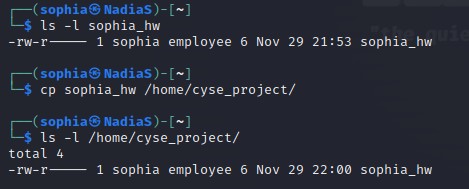
Step 8. Copy “Sophia_homework” to the /home/cyse_project directory. After this step,
remember to check the permission of the file in the shared directory
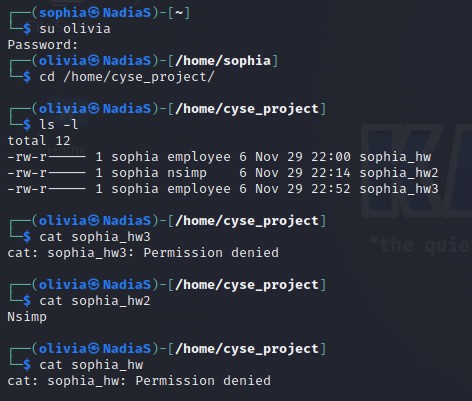
Step 9. Switch to Emma’s account. Try to read “Sophia_homework” in the /home/cyse_project
Directory
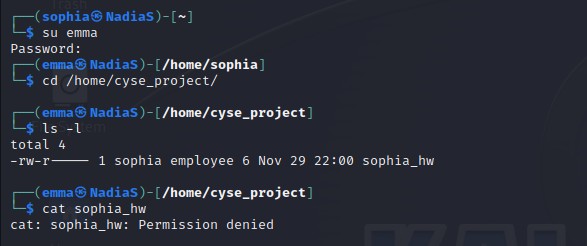
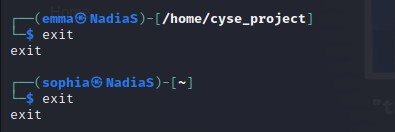
Step 10. Exit out of Emma’s account and Sophia’s account.
Step 10. Exit out of Emma’s account and Sophia’s account.
Task B: Set SGID permission (15 points)
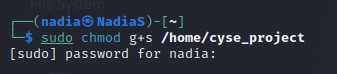
Step 1. Switch to root or the regular user’s account. To allow group members to access the files
shared in the shared directory, you need to fix the sharing issue by setting the correct SGID
group values to the/home/cyse_project directory.
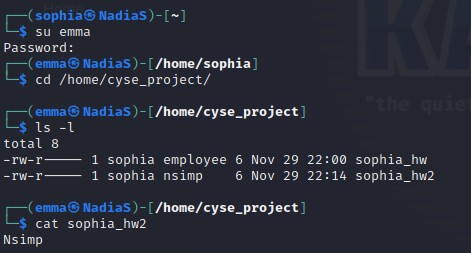
Step 2. Switch to Sophia’s account. Copy “Sophia_homework” to the /home/cyse_project
directory as “Sophia_homework2”.
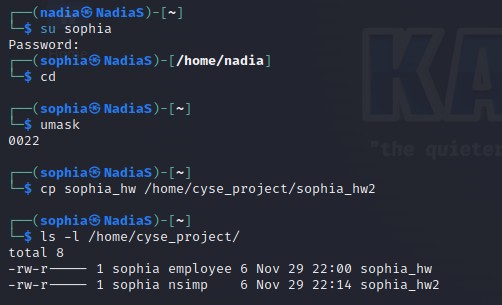
Step 3. Switch to Emma’s account. Try to read “Sophia_ homework2” in the /home/cyse_project
directory.
Task C: Unset SGID permissions (15 points)
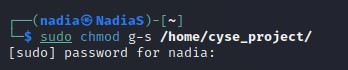
Step 1. Switch to root the regular user’s account. To disallow group members to access the files
in the shared folder, you need to fix the sharing issue by setting the correct SGID group values
to /home/cyse_project directory to remove the group user read permission.
Step 2. Switch to Sophia’s account. Copy “Sophia_homework” to the /home/cyse_project
directory as “Sophia_homework3”
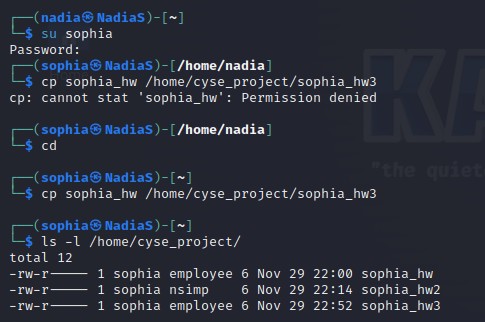
Step 3. Switch to Olivia’s account. Try to read “Sophia_home3” in the /home/cyse_project
directory