WordPress Blog 5

Throughout this semester, it is evident that I acquired better document design skills. When I compare my first infographic to my client service project, it is clear choices were made differently. I made a cleaner, comprehensible document more naturally by understanding design principles. Class discussions and assignments were the most significant factors in this growth because I saw what the class thought was helpful and what the professors thought was useful in drafting an effective document. These conversations showed me how important it is to understand your audience’s expectations and needs because it will help you design a better document through and through.
I have already begun to use the design principles I have picked up in this course in my other coursework. I have learned foundational tools to create future documents. Even now, when I look at papers in my other classes, I immediately notice the design. This person is a valid or invalid author before reading their material. A good understanding of document design will add another layer to my work by portraying professionalism and knowledge.

WordPress Blog 4

Hi-Hey-Hello.docx

I have some experience using the tools on Microsoft word from my assignments throughout my education. Primarily changing fonts, font sizes, colors, line spacing, indentations, and bullet points; only the basic stuff. I had no idea that you could pull up a style menu and format your text from there. I don’t really know how to do anything on there besides the essential and apparent functions. I only use Word to write essays that usually follow the same format, so I haven’t needed to explore it, however, if I wanted to make flyers or posters on Word, I would definitely like to have more knowledge of its functions.

Design Idea File 5

A current client service project I believe to be well executed is the flyer for the literature emphasis in the English program at ODU. I enjoy it because of its organization and presentation; the flyer is bright, eye-catching, and easy to read. What I especially like about the flyer is the emotion and feel it portrays. When covering a topic like literature, feelings come with it, and this flyer is sophisticated, ornate, woody, and scholarly, making me want to smell the pages of a book. When making a flyer to recruit people, appealing to the senses is an excellent strategy to spike interest in the reader and make them feel connected to the subject. The flyer should also appeal to the targeted audience; if I wanted to appeal to book lovers, a warm, cozy, academic aesthetic would be what I would use.

Current-Emphasis-Flyers

The information on the back of the flyer is organized well. It lists the overview of the emphasis as well as the career opportunities and skills that come with the completion of the program. Using a serif typeface in the title and headings portrays a classic and sophisticated tone that pairs well with the subject literature. In contrast, the body typeface differs using a sans-serif typeface allowing the reader to separate information more clearly. However, the page gets cramped near the end; I might have placed the image above the contact information to break up the text and then possibly bold the contact information since it is essential information.

Does creating a tone that reflects the subject matter through document design make a flyer more effective? How can writing and language use add to this?

Design Idea File 4

Instruction manuals familiarize the user with the product and guide the user through a series of steps that lead to completing a task. Writing and designing the manual well is essential because poor instructions can cause miscommunication, delays, or be directly responsible for an injury, resulting in damage claims and lawsuits.

Let’s look at the components of this instruction manual for a chainsaw by Ryobi.

RY40503_107507001_684_trilingual_02

On the first page, we learn three languages are included, and a table of contents tells us where we can find what is inside the manual. At the bottom of the page, a warning means users must read the manual carefully to avoid getting injured. Readers often skip the instructions, so we must convince them to. The above components make a great first page for a manual because it is accessible and tells the reader to focus because of the product’s danger, convincing them to stay. Although I would hope anyone buying a chainsaw intends to read the instructions, but we can never assume the readers knowledge.

The following six pages are safety warnings, a necessary inclusion in instruction manuals. Because there is so much text on these pages, we can see the importance of using bold text type, headers, and bullet points to separate the information. Using these will help make the text less monogamous and straining to the eye; it will also draw the readers’ look to the most critical parts of the text and make information easier to find. Each page in the manual has a large, black header containing what is on that page. Then, there are sections made clear with bold, all-caps text; the information following these is not bold, smaller, and sometimes divided into bullet points; these show that it is the body information. The other components tell the reader what they are reading.

This manual contains a key of symbols used throughout the manual and a glossary of terms; these are great inclusions to the manual’s design because it makes it more accessible for everyone in case some readers do not understand the language in the text. I like that this comes before the instructions because readers won’t be confused throughout the directions. Many images are used throughout to show the separate parts of the chainsaw. This helps users understand how to assemble, use, and care for their product. While the Ryobi manual is extensive, it is crucial to be thorough and specific when writing instructions, especially for a chainsaw. Instructions should be clear commands written in plain language to accommodate all users. Images help the manual by breaking up text and being a visual depiction of the instructions.

Considering this manuals length, what do you think would make people more interested in reading it?

Design Idea File 3

https://www.ourwatch.org.au/resource/sex-love-and-gender-roles-infographic/

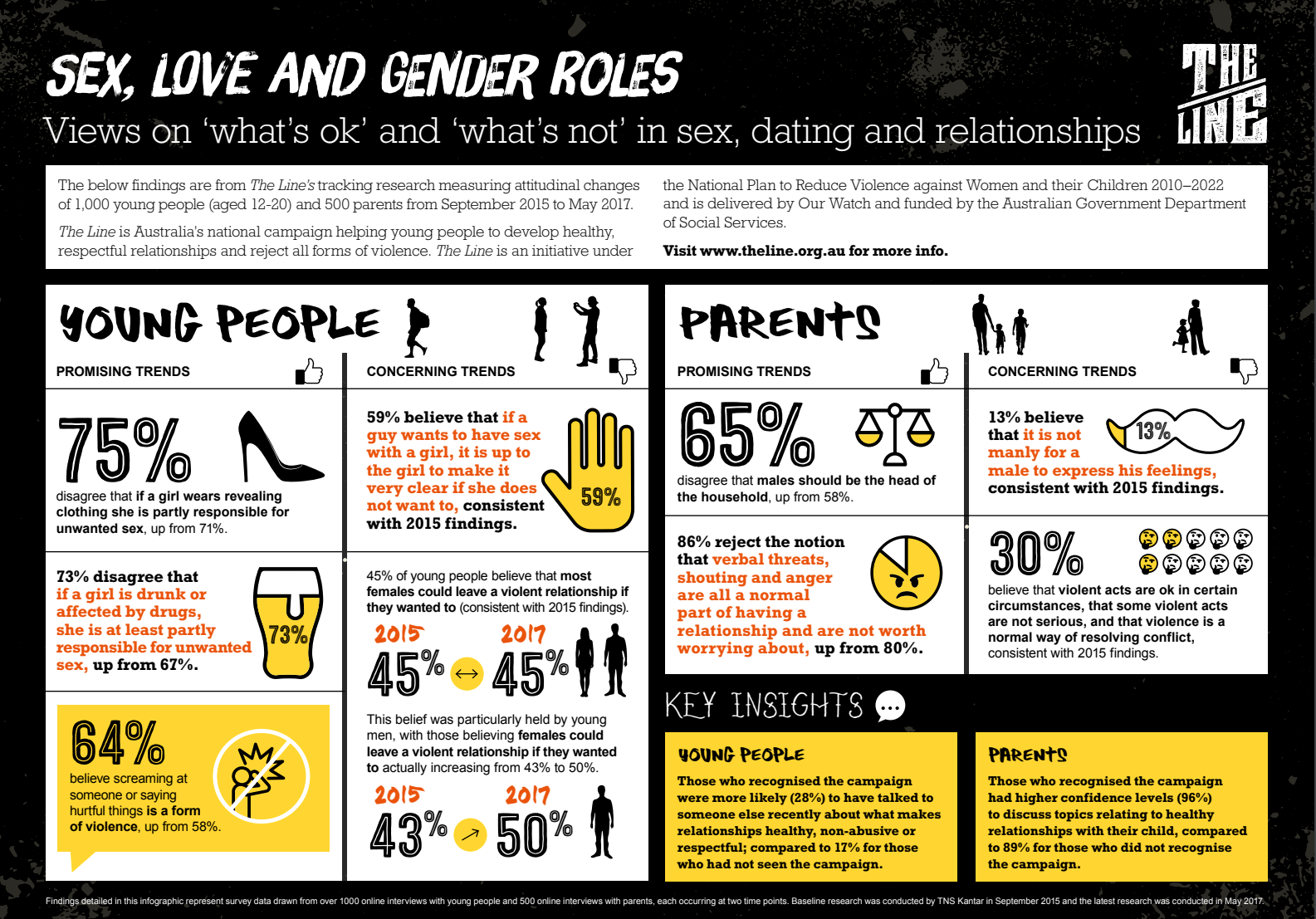
This infographic caught my eye, one, because of the colors and, two, because of the typography. There is a clear contrast between the header font and the body font. The header is a decorative typeface, and the body is slab serif or sans serif. The distinction is not just for the aesthetic look of the piece; it is intrinsically tied in with the organization and clarity of the information on the page. Your goal is to communicate. Combining different typefaces should not confuse communication but strengthen it.

It is said that having two typefaces in a document is the most practical way of having an impactful yet accessible document. This infographic, however, has five different fonts. I think the infographic is still easy to look at, but this could be confusing to other readers. What helps, in this case, is the contrast between the typefaces. The headers are clearly decorative, and the body text remains simple.

How do you feel about this infographic design? Can you use five, possibly more, fonts and still have a cohesive, communication-enhancing document? If so, how?

WordPress Blog 2: Mechanics Exercise

In the mechanics exercises, I would revise the way they are presented. I would bold the directions to make them stand out more, underline mistakes and corrections in sample sentences, and overall, I would include more varying examples. I lost my place during the activities because all the texts looked similar. I second-guessed my answers because no example reflected it, even though I think my answers work. These are problems that inhibit efficiency and may cause confusion for the reader.

Referring to the pronoun activity specifically, “their” and “they” can now be used as singular pronoun because it is inclusive of all people and helps writers avoid making assumptions about gender. The exercises should be reflected to avoid confusion and discourage writers from using the pronouns “they” and “their.”

https://drive.google.com/drive/folders/1jlqRL5YEAV4IH5zQjMxRVqE4YJ1qq-Iz?usp=sharing

Design Idea File 2

https://issuu.com/womenscaucusforart/docs/hwr_catalog_for_issuu

The image above is a cover of a photography book. It is vibrant and hints at what the purpose of the book is; however, there are design elements that I think hinder its effectiveness. It contains perception strategies that are both helpful and obstructive to pleasing the eye.

The focal point is placed right in the middle and is black, contrasting with the colorful images surrounding it. This is an excellent strategy for quickly defining its purpose. However, I still have trouble focusing on it and recognizing what it is. It was not until after I inserted this picture into this post that I noticed the black shape is a fist signifying support for women’s rights. While the images surrounding the fist are colorful and exciting, they are noisy and pull your focus in many different directions. I think it would be useful to maybe turn down the saturation of the images to make the black pop out even more.

What I like about it, after I recognized the fist, are all of the different images that give you a message of what is going to be shown and discussed. As a cover, hinting at the contents of the book is a good strategy to draw readers in. Additionally, it is just interesting to look at which draws more time and attention to the art which is the focus of the book. Combine these images with the fist graphic and the title, “Honoring Women’s Rights: Echoing Visual Voices Together.” I think this cover is successful in delivering a cohesive message on its contents.

Do you think the cover’s design is successful in attracting readers to look at its content? Do you think that it is a good cover design and would you change anything about it ?

WordPress Blog 3

The Problem

For the client service project, we will confer with the Department of English to create flyers for advising and recruiting students to the English department. The Chief Departmental Advisor, Heather Weddington, is our point of contact for the client. These flyers and plans are intended for first and second-year undergraduates who are or may be interested in majoring in English. Flyers for specializations will be made available so students can visualize their options. Currently, the curriculum provided by the department needs to be more explicit; our goal is to present this information most effectively and understandably as possible. We want students to visualize their path and progress into the program quickly.

Project Plan

I plan to create a catalog of the general requirements for an English degree, then specify the additional requirements for the Creative Writing specialization. I will do this first so that when I create the flyer, I know what classes the students will take and what skills they need to complete the degree successfully. Additionally, it will give me an idea of what imagery and language to use in the flyer. So far, I imagine the large header “Creative Writing” at the top of the page, and then there will be a graphic to support the idea of creative writing. Using Indesign will allow me to align elements on a document more specifically and give me access to fonts and colors not provided in other programs.

Justification

To make a compelling document that will communicate to its audience what they need, we must first understand that need. By culminating all the necessary information, requirements, steps, and overall feel of the Creating Writing emphasis, I will better know what these students want the most. It will give me more background knowledge, and I will pick better imagery and design elements that portray Creative Writing.

Timeline

Because I am in 4 other classes, scheduling where I can complete this assignment is crucial. In this class, I have no other work due, so I can use time on Mondays, Wednesdays, and Fridays to use Indesign in the lab to start creating a flyer. Outside of class, I can use Microsoft Word to develop the curriculum catalogs between my other classes and coursework. I will do the English degree general requirements first, then the Creative Writing specific needs; I will create a flyer that articulates who the program is right for and why you should pick that emphasis.