
Overview
Problem Encountered
During setup, DNS queries failed across multiple devices, preventing access to websites despite having active internet connectivity.
In this project, I set up a Pi-hole DNS server on a Raspberry Pi to provide network-wide ad blocking and DNS visibility. While configuring the system, I encountered DNS resolution issues and troubleshot them by analyzing DNS queries, testing upstream resolvers, and identifying a router-level DNS interception conflict.
What I Did
- Configured a Raspberry Pi as a local DNS server using Pi-hole
- Routed DNS traffic through a GL.iNet (Beryl 7) router
- Used tools like dig, nslookup, and ping to test connectivity
- Identified DNS failures (REFUSED responses) when querying external DNS servers
- Discovered router-level DNS interception caused by DNS override settings
- Resolved the issue by identifying and disabling router-level DNS interception caused by DNS override settings
- Verified functionality by successfully resolving domains and restoring access to websites
Troubleshooting Process
During this project, I followed a structured troubleshooting approach to isolate the root cause of the DNS failure. I first verified network connectivity using ICMP (ping), confirming that the issue was not related to internet access. I then tested DNS resolution directly against external resolvers using dig and observed REFUSED responses, indicating that DNS queries were being blocked before reaching upstream servers.
By comparing results across multiple resolvers (Cloudflare and Google DNS), I determined that the issue was not specific to a single provider. This led me to investigate network-level configurations, where I identified that the router was intercepting DNS traffic due to an enabled DNS override setting.
After disabling this feature, I restored proper DNS flow through the Pi-hole server and verified successful resolution using dig, confirming that upstream communication had been restored.
Key Skills
- DNS troubleshooting
- Network configuration
- Linux command-line tools
- Problem-solving and debugging
- Understanding DNS resolution flow
Tools & Technologies
- Raspberry Pi
- Pi-hole
- Linux
- GL.iNet Router (Beryl 7)
- Cloudflare DNS (1.1.1.1)
- dig, nslookup, ping
What I Learned
This project helped me understand how DNS resolution works across devices, routers, and local services. I learned how misconfigurations at the router level can interfere with DNS traffic and how to systematically troubleshoot and resolve those issues.
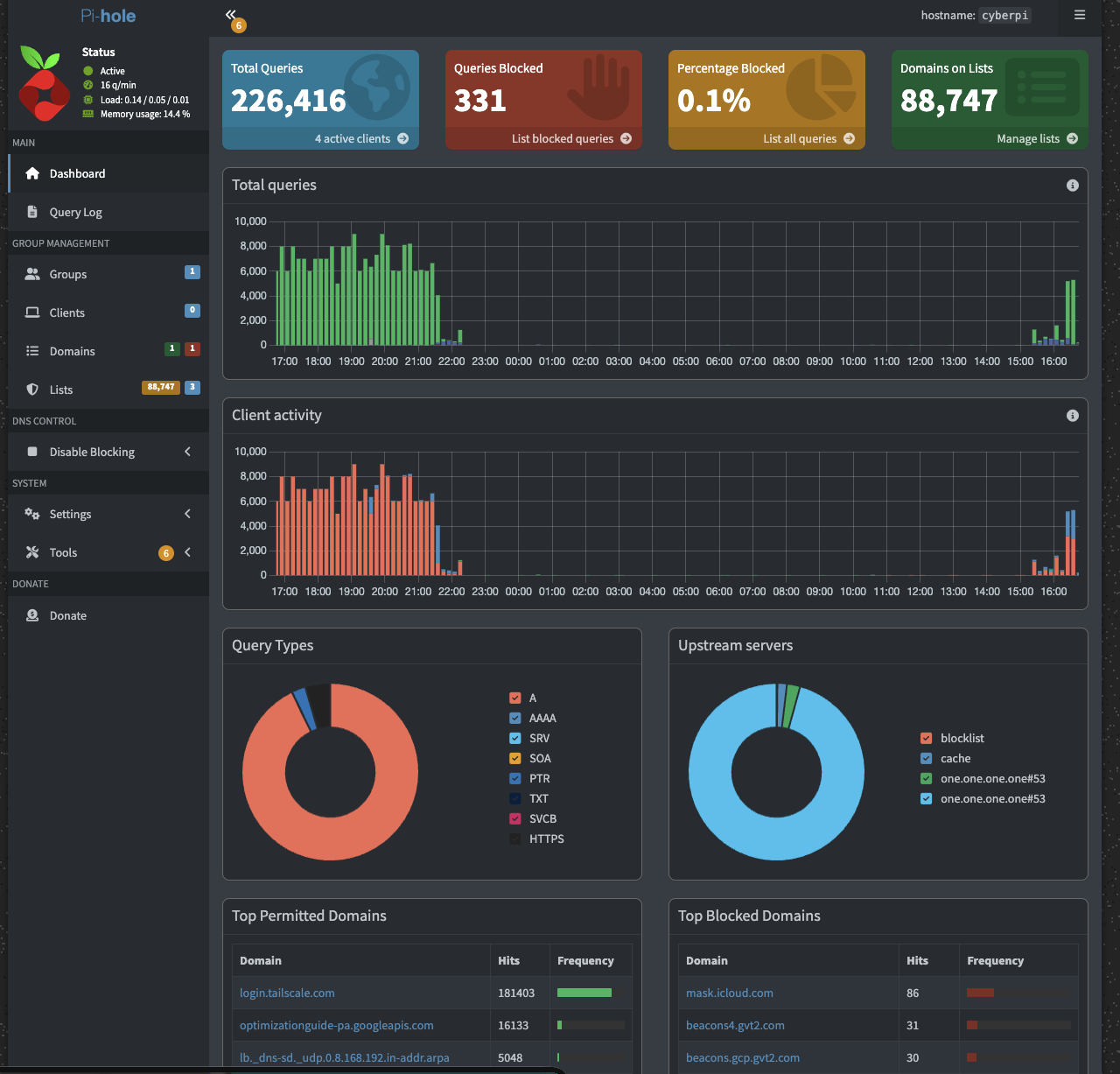
Pi-hole dashboard showing DNS traffic, query activity, and filtering statistics across connected clients
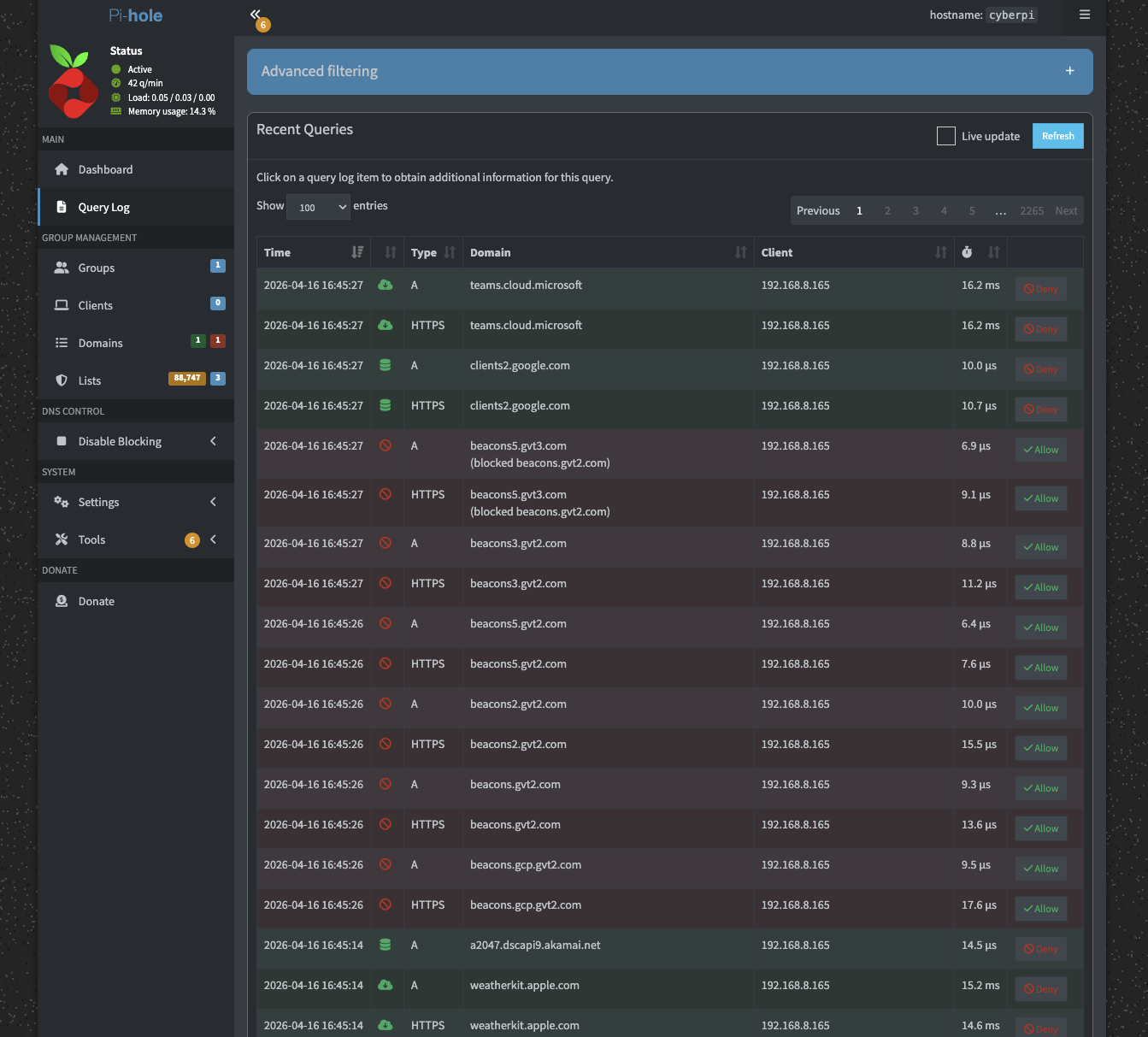
Query log displaying DNS requests and filtering behavior, used to analyze traffic and identify issues
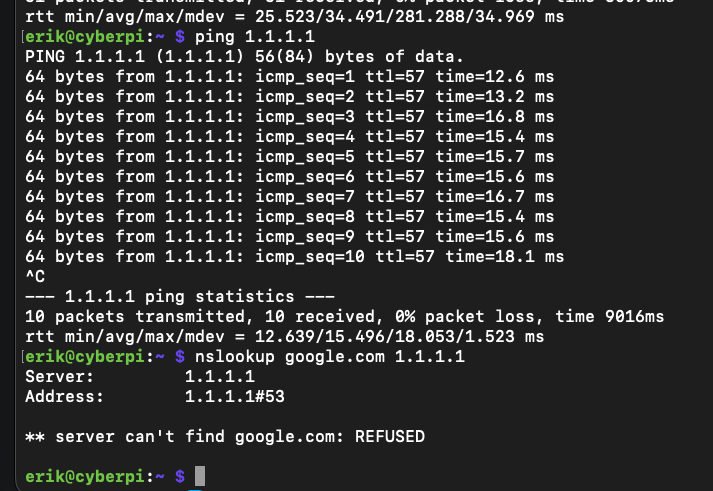
Successfully resolved DNS queries after disabling router-level DNS interception and restoring proper upstream resolution
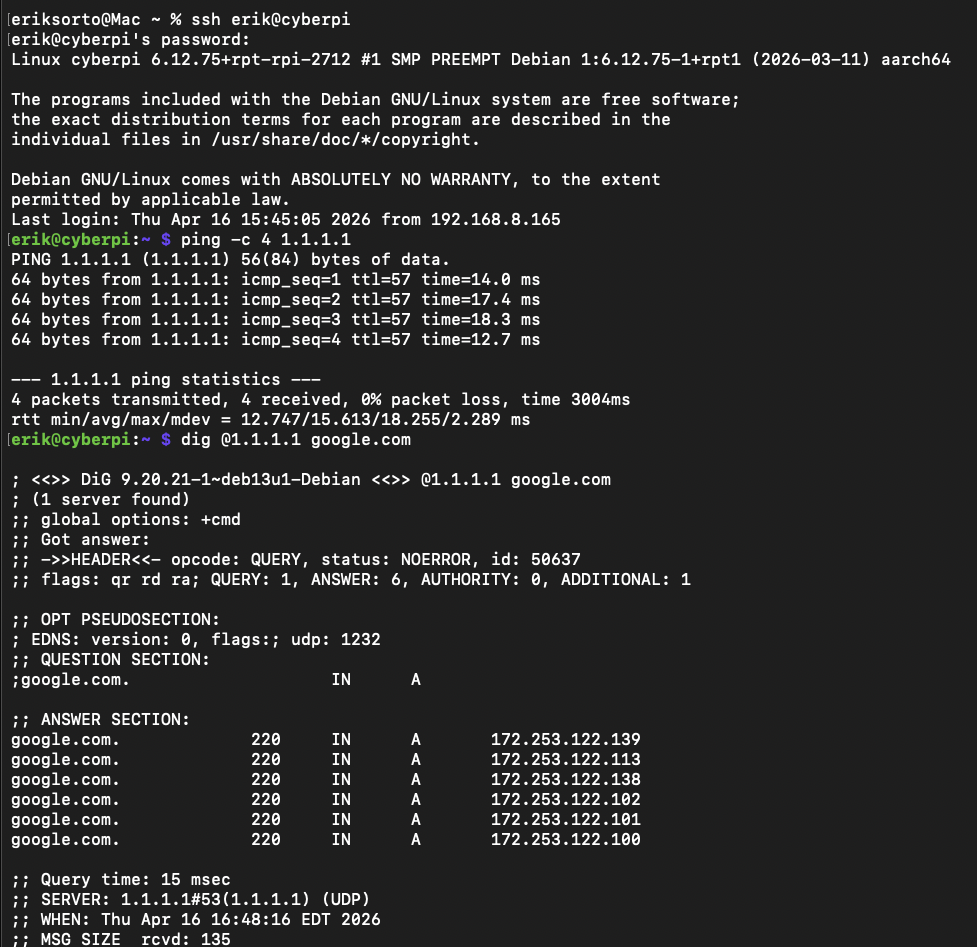
Verified successful DNS resolution using dig after restoring proper upstream DNS communication
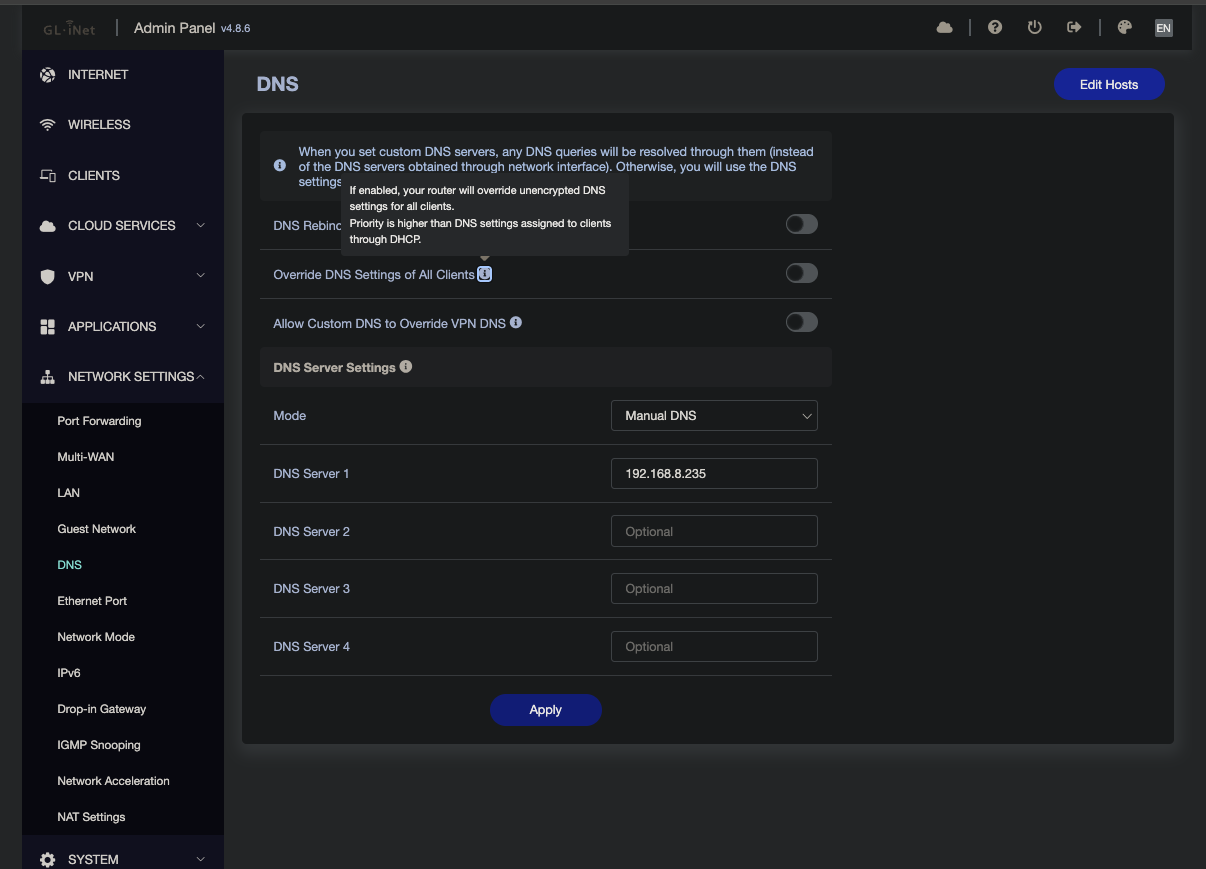
Router DNS configuration showing disabled DNS override to prevent interception and allow proper upstream DNS resolution through Pi-hole