CyberSecurity Techniques and Operations. CYSE 301.
Skill 1:Network Security and Traffic Analysis
One of the most important skills I have developed through my cybersecurity studies is the ability to analyze systems and identify potential vulnerabilities. Understanding how networks function and where weaknesses may exist is critical for protecting systems from cyber threats. Through coursework and practical labs, I have gained experience using tools and techniques that allow me to evaluate network security and understand how attackers attempt to exploit systems.
Artifact 1
This artifact demonstrates my ability to analyze network traffic and investigate communications between systems. The assignment required using packet-analysis tools such as Wireshark to capture and filter network traffic between multiple virtual machines. By applying specific filters, I was able to isolate ICMP and FTP traffic and observe how data moved across the network.
Through this exercise, I gained experience identifying different types of packets, tracing communication between hosts, and understanding how sensitive information can be exposed when protocols such as FTP transmit data in plaintext. For example, during the analysis I was able to view usernames and passwords directly within captured packets, which illustrates the importance of secure protocols and encryption in protecting network communications.
These artifacts highlight my developing skills in network security analysis, packet inspection, and cybersecurity investigation, which are essential abilities for identifying vulnerabilities and protecting digital systems.
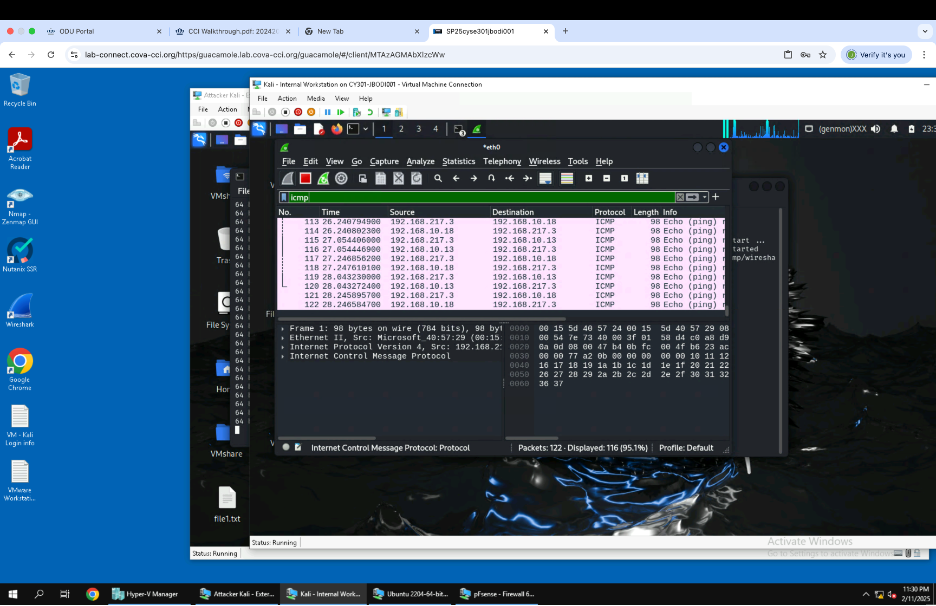
Image showing the use ICMP Command to filter out and display active ICMP traffic.
Artifact 2
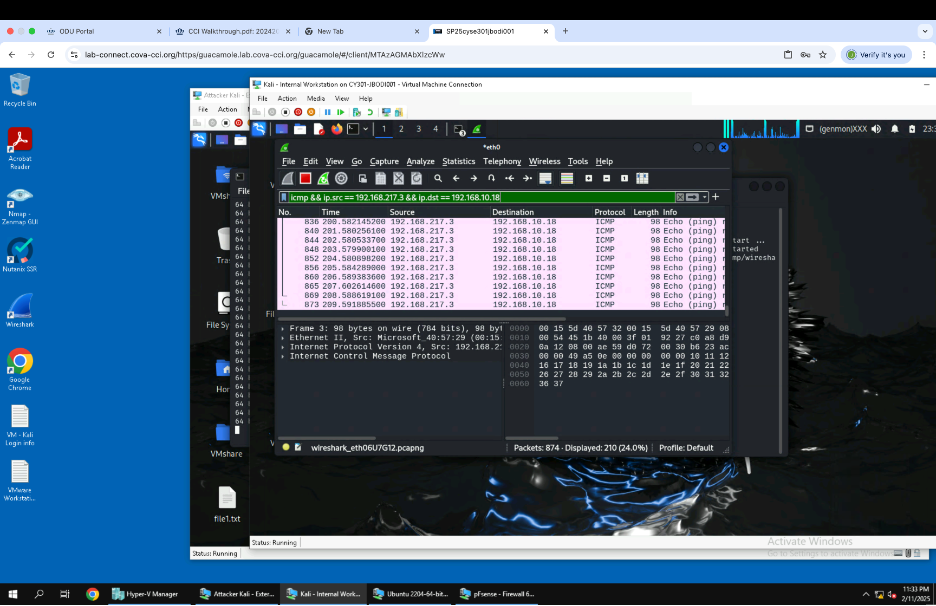
Image showing the command to display ICMP traffic specifically between two communicating nodes on a Network, External Kali and Ubuntu virtual machines.
Artifact 3
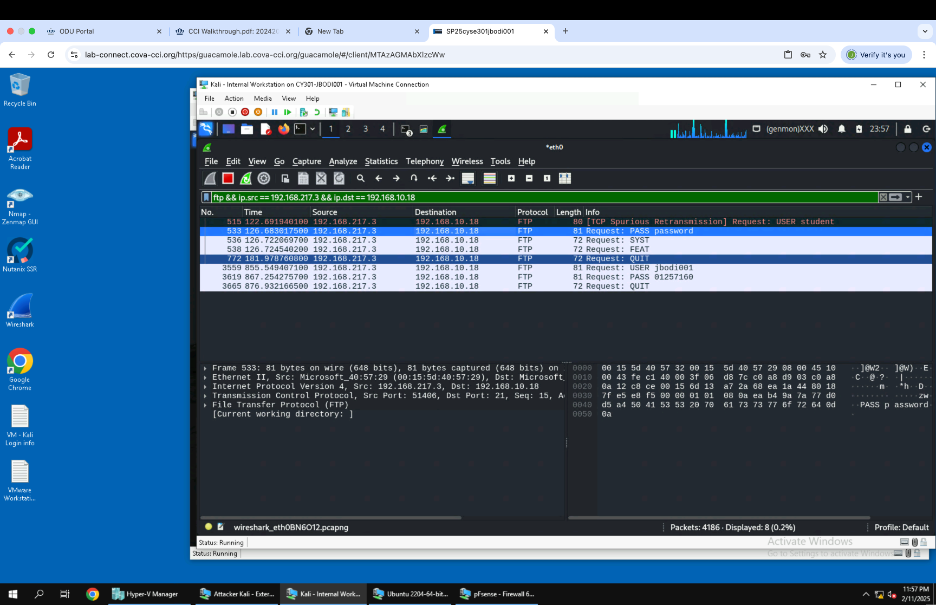
Image showing Traffic being intercepted between External Kali and Ubuntu using the command in the screenshot. When the packets were displayed, my Midas and UIN, which was suppsed to be securely sent, were visible.